
Ever wondered if one smart plug could simplify your daily routine? With a smart plug, you can use Alexa to control your lights, coffee maker, and more, all with a simple voice command. These devices upgrade ordinary outlets so you can set schedules that fit your lifestyle, and they even track energy use to help trim your bills. In this article, we break down how smart plugs work with Alexa and explain why adding one might bring extra ease and efficiency to your home.
Key Features and Compatibility of Smart Plugs for Alexa
Smart plugs work over your home’s 2.4 GHz Wi-Fi network to turn regular outlets into smart, controllable ones. They let you control your devices with voice commands through the Alexa app or compatible Amazon devices. For example, you can simply say "Alexa, turn on the lamp" to power up an appliance without even getting off the couch.
One handy feature is scheduling. This allows you to set your devices to turn on or off at specific times. You might schedule your coffee maker to start brewing every morning or have your porch light glow at dusk. Some smart plugs also offer energy monitoring, showing you how much power each device uses directly in the Alexa app. This helps you keep an eye on your energy use and lower your bills over time.
Keep in mind that not all smart plugs offer the same features. Some provide just basic on/off control while others add extras like energy tracking and the ability to group several devices together. Before you buy, make sure the smart plug works with a 2.4 GHz network, since many models will not work properly on dual-band Wi-Fi systems.
Always check the manufacturer's documentation to make sure a smart plug is officially compatible with Alexa. Once you confirm that, the installation is usually very simple. Just try a voice command like "Alexa, turn on [plug name]" to see if it responds as expected.
Imagine setting up your daily routines effortlessly by scheduling your living room fan to turn on when the temperature rises.
Step-by-Step Installation for Your Alexa Smart Plug

Getting your Alexa smart plug up and running is simpler than you might think. First, check that your router is set to broadcast a 2.4 GHz network, as this band works best with smart plugs. With your plug and smartphone in hand, you're ready to begin.
- Plug into Power: Insert your smart plug into a wall outlet and make sure it fits snugly so it receives steady power.
- Download the App: Install the official Alexa or companion app on your smartphone. This app will walk you through the rest of the setup.
- Connect to 2.4 GHz Wi-Fi: Follow the app instructions to link your plug to your home’s 2.4 GHz network. This step ensures a stable connection.
- Enable the Skill: Open the Alexa app, go to settings, and activate the plug's skill. This lets Alexa communicate with your device.
- Discover the Device: Use the discovery feature in the app to search for your plug. Check that it appears among your connected devices.
- Name and Test It: Give your plug a custom name and then try saying, "Alexa, turn on [name]." This quick test confirms everything is working as it should.
Integrating Routines and Scheduling with an Alexa Smart Plug
Smart plugs make life easier by letting you set up triggers that control your devices automatically. With Alexa routines, you can schedule everyday tasks that simplify your day. Whether you need a simple timer or a complex setup that coordinates several devices, an Alexa smart plug helps everything run smoothly. You can set it to start your favorite gadgets at a certain time or change routines on the go with your phone.
Setting up routines turns everyday chores into hassle-free actions. For example, you can use a voice command to turn on your lamp or have your coffee maker start brewing in the morning without lifting a finger. Creating an Alexa routine is straightforward: pick a trigger, select your smart plug, and choose the device you want to control. You can even combine multiple devices by pairing a smart sensor with your plug so that a fan kicks in when the room reaches 75°F. This gives you the flexibility to tailor your home to your needs.
Common automation ideas include:
- Start your coffee at 7:00 AM
- Preheat your electric blanket before bedtime
- Turn on a porch light at sunset
- Activate a fan when the room gets too warm
By using Alexa for smart routines, you cut down on manual tasks and enjoy a home that works intelligently on your schedule. Smart plugs turn routine activities into small, efficient moments that make your day a bit smoother.
Managing Your Alexa-Enabled Power Switch via Voice and App

Here are some advanced tips and troubleshooting ideas to help you get the most out of your Alexa-enabled power switch.
Advanced Tips:
- Make sure your device firmware is up to date. If you notice a delay when you speak a command, check your device settings for new updates.
- Improve your network by placing your Alexa device in a strong Wi-Fi spot. This helps ensure your commands are heard loud and clear.
- If you have scheduled commands that aren’t working right, take a look at any routines in the Alexa app that might be overlapping.
Troubleshooting:
- When a group command doesn't work for one plug, try removing that plug from your group and then add it back.
- If your commands are acting up from time to time, restart both your smart plug and your Alexa device.
- Keep an eye out for any power fluctuations, as these might cause your plug to lose connection.
Energy Monitoring and Efficiency Strategies with Alexa Plugs
Smart plugs with energy monitoring let you check power use in real time through the Alexa app. You can see exactly how much energy each device uses, which helps you spot appliances that drain power even when they're idle. With this data, you can schedule your devices to turn off automatically when they're not needed.
Scheduling is a handy feature that cuts out wasted energy from appliances left in standby mode. For instance, you can program a smart plug to turn off a space heater once the room gets warm. This not only saves you money but also makes managing your home smarter by lowering your overall energy use.
By looking at detailed usage reports, you can set up simple automation rules to tackle power-hungry devices. In the end, smart plugs do more than just control outlets, they help you keep an eye on and cut down your energy consumption for a cost-effective lifestyle.
Troubleshooting and Resetting Your Alexa Smart Plug
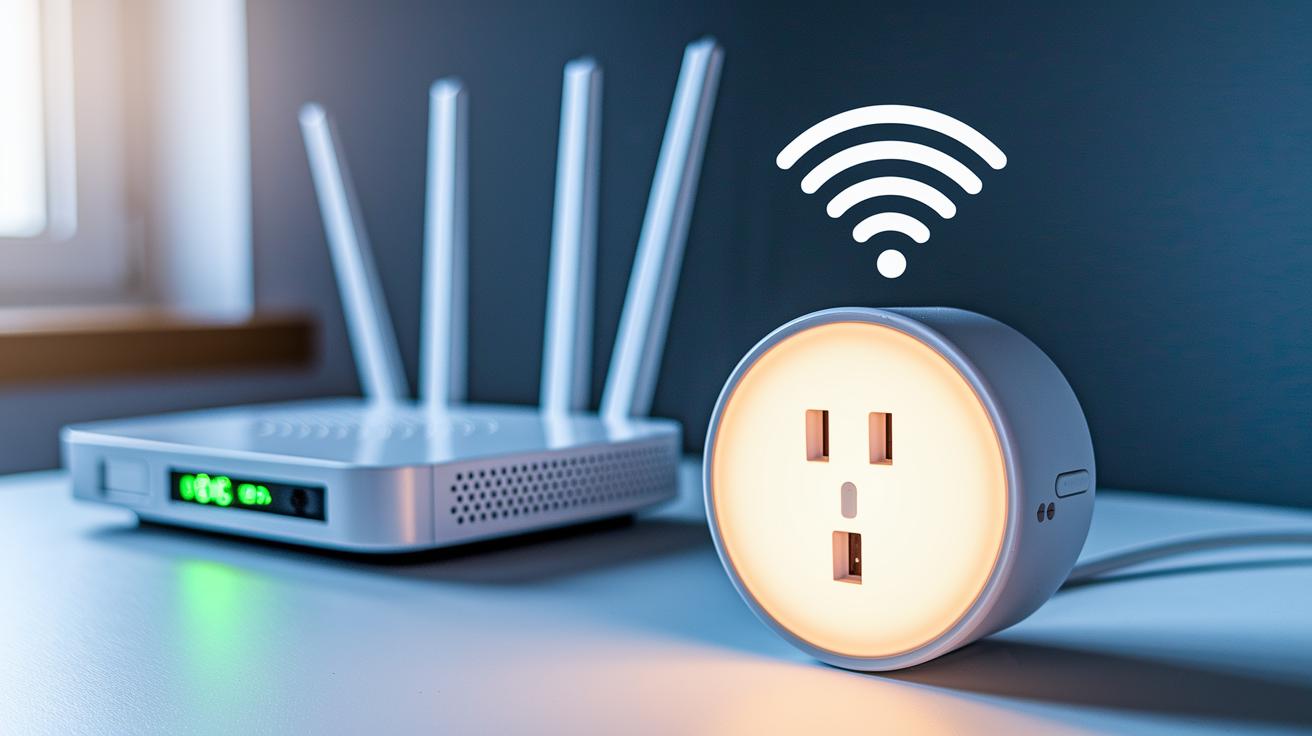
If your Alexa Smart Plug isn’t working right, you’re not alone. Many users find that Alexa can’t detect the plug, voice commands aren’t answered, or the plug loses Wi-Fi because of dual-band interference. The fix is often simple.
First, make sure your plug is on a 2.4 GHz network. This smart plug needs the 2.4 GHz band, and being on the wrong network is a common hiccup.
If your plug still doesn’t respond after checking your network, try a factory reset. Hold down the plug’s button for 10 to 15 seconds until the LED starts blinking. When you see the light flash, that means the reset is in process. After resetting, follow the steps in the Alexa or companion app to reconnect.
Other quick tips include restarting your router or moving your plug closer to the router’s signal. This helps if you have a weak connection or interference from other devices. Also, check the plug’s app for any firmware updates that might fix ongoing glitches.
These straightforward fixes should help get your Alexa Smart Plug back on track, restoring reliable voice and app control.
Top Recommendations: Best Smart Plugs for Alexa
Smart plugs create a seamless bridge between your devices and Alexa, letting you control appliances with just your voice. We tested several options to help you find the best match for your home, whether you're on a tight budget or need control for several outlets at once.
The Amazon Smart Plug tops the list for its frictionless setup with Alexa. Priced at $24.99, it makes daily tasks and routines a breeze thanks to reliable performance in our lab tests.
For those watching every penny, the Govee Smart Plug is a solid pick at $12.99 per unit. It covers the basics, letting you convert any standard outlet into a smart one without a big impact on your wallet.
If you're looking to streamline multiple devices at once, the Kasa HS103P4 Multipack offers four smart plugs for $49.99. Its grouped control feature shines in larger households, where managing several appliances with a single command simplifies your routine.
In compact spaces, the EIGHTREE Compact Plug stands out. At $14.99, its small footprint fits easily into tight spots without blocking neighboring outlets, while still integrating perfectly with Alexa.
Lastly, the Amazon Basics Smart Plug comes in at just $9.99 for simple, reliable on/off control. Its straightforward design is perfect for those who want an uncomplicated setup without any extra fuss.
| Model | Price (US) | Key Feature |
|---|---|---|
| Amazon Smart Plug | $24.99 | Seamless Alexa integration |
| Govee Smart Plug | $12.99 | Budget-friendly option |
| Kasa HS103P4 Multipack | $49.99 | Four plugs with grouped control |
| EIGHTREE Compact Plug | $14.99 | Compact design for tight spaces |
| Amazon Basics Smart Plug | $9.99 | Simple, reliable on/off control |
Our tests confirm that these options excel in performance and reliability, making it easy for you to choose the best smart plug for your Alexa-driven home.
Final Words
In the action, we explored key features and compatibility of smart plugs for Alexa, covering installation, scheduling routines, voice and app control, and energy monitoring. We broke down troubleshooting and resetting tips along with recommendations for top models. Each section offered practical insights, making it easier to set up and manage your device. You now have a clear view of how these tools work day-to-day, ensuring seamless integration and valued performance. Enjoy a more efficient, connected home with your new smart plug for Alexa.
FAQ
Q: What is the Amazon Smart Plug?
A: The Amazon Smart Plug is a wireless outlet adapter that connects to your 2.4 GHz Wi‑Fi network and works with Alexa, allowing you to control household devices using voice commands or the app.
Q: Which smart plugs work with Alexa?
A: Many smart plugs are compatible with Alexa, including the Amazon Smart Plug, which offers simple on/off control, and others that offer energy monitoring and scheduling features for seamless voice control.
Q: How do I pair a smart plug with Alexa?
A: Pairing a smart plug with Alexa involves plugging it into an outlet, using the companion or Alexa app to connect to your 2.4 GHz Wi‑Fi, enabling the device’s skill in the Alexa app, and then discovering it.
Q: What does a smart plug do for Alexa?
A: A smart plug turns a regular outlet into a smart outlet, letting Alexa control power to devices with voice commands, schedules, and remote management through the Alexa app.
Q: How do I set up the Amazon Smart Plug?
A: The Amazon Smart Plug setup process requires plugging it in, installing and opening the Alexa app, connecting to your 2.4 GHz Wi‑Fi, enabling the respective skill, discovering the device, and naming it for voice command testing.
Q: What are the disadvantages of smart plugs?
A: Smart plugs may face connectivity issues, limited advanced features compared to other smart home devices, and potential compatibility challenges with certain networks or appliances, requiring careful verification before purchase.
Q: What features does the Amazon Smart Plug app offer?
A: The app provides control over your smart plug, including turning devices on or off remotely, scheduling operations, grouping multiple outlets, and receiving status updates for efficient home management.
Q: Can Alexa control wall plug speakers?
A: Alexa can control compatible wall plug speakers through voice commands and the Alexa app, similar to how it manages smart plugs, offering hands‑free and scheduled control for these devices.