
Have you ever thought about letting your lights work for you? Imagine waking up to a gentle glow that eases you into the day or winding down in a softly lit, calming space. A smart lights timer lets you easily schedule your bulbs to match your routine. In this guide, we explain how to set up automated lighting with just a few simple steps in the app, boosting both your home's comfort and energy efficiency.
Configure Your Smart Lights Timer for Automated Scheduling
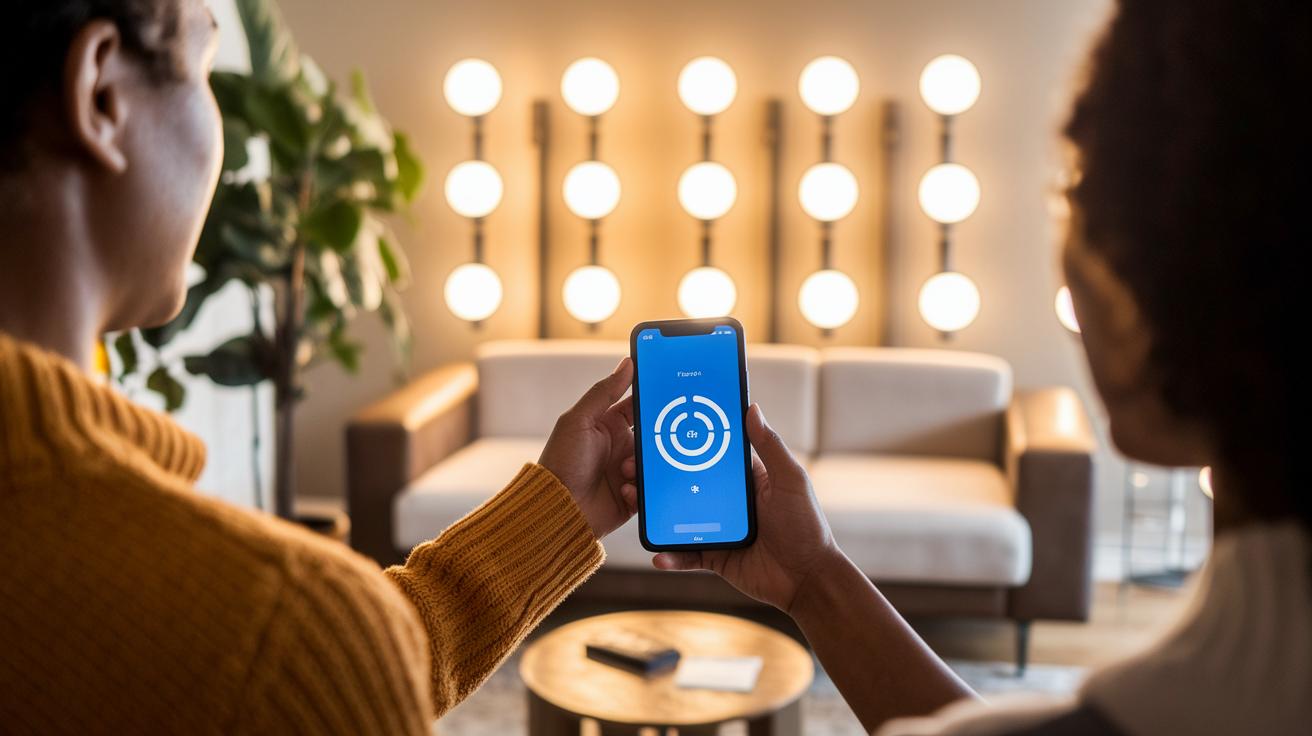
Start by downloading the companion app from your smart lights manufacturer. This handy app walks you through pairing your bulbs and setting up your schedules. Once you have it installed, power on your lights and follow the simple steps in the app. Most smart lights let you choose between Wi‑Fi for control from farther away or Bluetooth if you're nearby.
The process of linking your devices is really straightforward. As you set up the timer, the app will ask you to add each bulb to your smart home network. If you’re curious about how smart lights differ from regular ones, check out What are smart lights. You can choose specific on/off times or opt for preset options that mimic sunrise and sunset. For instance, you can have your bedroom lights gradually brighten at sunrise and dim at sunset, making the transition from sleep to wakefulness feel natural.
You can also boost your setup by adding extra triggers. Many apps let you integrate motion sensors so that the lights turn on when movement is detected, perfect for hallways or outdoor areas. Once you’ve programmed your settings, give them a quick test to ensure everything runs reliably. With a few simple steps in your scheduling app, your smart lights can help create a more comfortable and energy-efficient home with minimal effort.
smart lights timer Powers Home Comfort

If you want to boost the comfort of your home with some smart tech, you have three main options to choose from.
The first option is plug‑in timer sockets. These little devices let you automate lamps like table lamps or floor lamps without changing any wiring. You simply plug one into an outlet, hook up your lamp, and you’re all set. They are perfect for indoor spaces where you want a quick and easy way to schedule your lamps.
The next choice is in‑wall timer switches for your ceiling lights. These smart switches replace your regular wall switch, giving your room a clean, integrated look while offering more control. Keep in mind that installing them requires some electrical work. If you’re not comfortable dealing with wiring, you might want to ask a professional for help. These switches work well for homes with hardwired lighting and can often control several lights at once, which is great for large rooms or hallways.
The third option is smart bulbs that come with built‑in timer functions. They use the common E26 base, so you don’t need any extra devices. These bulbs have smart features built right into them, allowing you to easily set schedules through a companion app. They’re particularly energy‑efficient with LED technology. And if you’re setting up outdoor lights, look for a model with a high IP rating to handle changes in weather.
- Plug‑in timers: Easy to install, ideal for lamps
- In‑wall switches: Sleek design that may need professional wiring
- Built‑in timers: No extra hardware required and work well with LED bulbs
Best Smart Lights Timer Apps and Voice Control Integration

Have you ever wished you could set your lights to brighten or dim at just the right moment? With Apple HomeKit, you can easily schedule your lights right from your iPhone. The app lets you set up timed scenes that kick in automatically. It even supports multi-zone programming, so you can adjust brightness in different rooms without any extra hassle.
Google Home offers a comparable experience. Its routines let you create custom schedules that work seamlessly with cloud services. Once everything is set up, your lights know exactly when to change, making your home feel smarter and more personalized.
Voice control adds another layer of simplicity. Just say something like, "Alexa, turn off the porch light at 11 PM," and your routine activates instantly. Alexa’s skills mean you can set up detailed routines without fiddling with your phone. Plus, with cloud sync options on these platforms, your settings stay up-to-date across all your devices.
Many smart lights timer apps come with features like preset scenes that mimic natural lighting during sunrise or sunset. Together, this mix of smart lighting timer apps, iPhone compatibility, and voice control offers a smooth and reliable solution for home automation. Experience effortless control every day with simple menus and clear instructions.
Product Comparison: Top Smart Lights Timer Devices of 2025

We looked at six smart timer devices that let you control your lights automatically. Each device is a bit different, so you can pick the one that fits your way of living. Whether you really care about brightness, love having built‑in color options, or want a simple app to manage things, we explain the pros and cons in plain language. For example, Philips Hue smart lights offer high‑end scheduling with a very easy-to-use app. Fun fact: Before smart homes became common, people had to adjust their lights by hand every day.
| Device | Price (US) | Lumens | Hub Required | Scheduling Modes | App Compatibility |
|---|---|---|---|---|---|
| Wiz Color | $13 | 800 | No | Basic on/off, presets | Wiz app |
| Philips Hue Color Ambiance | $55 | 1000+ | Yes | Advanced multi-scheduling | Hue app |
| Wyze White 2-Pack | $25 | ~800 | No | On/off, timer scenes | Wyze app |
| Tapo Multicolor | $11 | ~800 | No | Custom schedules | Tapo app |
| Govee LED Strip | $70 | Varies (LED Strip) | No | Multiple lighting modes | Govee Home |
| Ring Pathlight Solar | $30 | N/A | No | Timer and motion-activated | Ring app |
Each timer has its own strengths. For example, Wiz Color is a great budget pick if you just need simple on and off control. Philips Hue Color Ambiance, on the other hand, gives you detailed control with multiple scheduling options. If you’re watching your budget, Wyze and Tapo deliver dependable scheduling without needing an extra hub. Meanwhile, Govee’s LED Strip is perfect if you want lighting that changes the mood of your space. And for outdoors, Ring Pathlight Solar combines a timer with motion sensors to light the way only when needed.
This range of features, prices, and device types helps you decide which smart light timer best suits your home.
Using Smart Lights Timer for Outdoor and Seasonal Lighting

Smart lights timers make managing your outdoor and holiday lighting a breeze. They work on their own so you don't have to stress about switching your lights on or off. For instance, solar path lights with dusk-to-dawn timers automatically turn on when the sun goes down and off when it comes up. This keeps your garden or walkway lit all night while saving energy and cutting down on upkeep.
For patio string lights, plug-in timers are a smart choice. They let you set a schedule for your lights so that your outdoor space brightens up for evenings or special events without any extra effort. You can even program a timer to kick in when guests arrive and switch off later to help save energy.
Weatherproof switch timers are ideal for outdoor floodlights and light socket timers because they are built to handle rain and changing temperatures. Their rugged design, often rated with a high IP number for water protection, means that even a downpour won't mess up your lighting schedule.
Seasonal smart timers take the hassle out of setting up holiday displays. For example, a timer for Christmas lights can be set to follow a specific on/off cycle that matches your festive celebrations. Plus, these timers add an extra layer of security around your home by cycling lights like floodlights, which can help deter unwanted visitors while you relax outdoors.
Energy Efficiency and Security Benefits of Smart Lights Timer Scheduling

Timed LED setups can lower your energy use by about 15% by turning off your lights when you don't need them. This means your bulbs only run when they’re needed, which cuts waste and can help reduce your energy bill. With an automation system like a lighting control tool, your lights can switch on and off automatically at just the right times.
Smart scheduling also helps boost your home security. Random on/off patterns make it look like someone’s home even when you’re not, which can discourage intruders. When combined with other smart devices, this type of timer makes your home feel occupied and safe. By syncing your lighting routines accurately, you enjoy both energy savings and added protection.
Plus, LED bulbs used with these timers often last around 25,000 hours. That means less frequent replacements and more long-term savings. In short, an energy-efficient light timer is a smart way to manage energy use while improving your home's security.
Troubleshooting Common Issues with Smart Lights Timers

Wi-Fi and Bluetooth Connectivity
If your smart light schedules are not working, it might be because your Wi-Fi signal is too weak or your Bluetooth-only bulb is too far away (beyond 30 feet). Try moving your router closer or switch to a 2.4 GHz network. I once moved my router just a few feet and watched my schedules start working smoothly. A quick router reboot can also help re-establish a strong connection with your smart lights.
App Scheduling Errors
When timers fail to trigger, start by clearing the app cache and checking for any updates. Outdated firmware might cause the app to lose track of your programmed schedules. Remove the device from the app and then pair it again to refresh the settings. Often, this simple step fixes the unexpected on or off behavior and gets your routine back on track.
Wiring and Power Supply Checks
For timer light socket wiring or outdoor timer switches, check all the connections for any looseness or faults. Make sure the voltage is stable by closely examining the wire terminals. If you find any wiring issues, try a manual reset or consult an electrician to ensure that your switch operates safely and reliably.
Final Words
In the action, we walked through setting up your smart lights timer from installation and pairing to scheduling and troubleshooting. We compared different hardware options and explored how voice control and energy benefits can boost your smart home experience.
This guide broke down each step into clear, practical advice so you can easily set up a system that suits both everyday use and seasonal needs. Enjoy the ease and reliability a smart lights timer brings to your home.
FAQ
Q: What is the best smart lights timer?
A: The best smart lights timer integrates schedules, mobile app control, and voice commands while offering Wi-Fi remote management and outdoor-rated options. This versatility caters to various indoor and outdoor lighting needs.
Q: Can you set smart lights to turn on at a certain time or put them on a timer?
A: The ability to set smart lights on a timer means you can automate their on/off cycles through a companion app or voice command, enabling efficient daily scheduling and energy management.
Q: How do you program a light to turn on at a certain time?
A: Programming a smart light involves installing the companion app, connecting your bulb via Wi-Fi or Bluetooth, and creating a schedule with preset options or custom on/off times to suit your routine.
Q: What are the key features of smart timer switches for outdoor lights?
A: Smart timer switches for outdoor lights feature weatherproof designs, plug-in or in-wall installation options, and scheduling capabilities with IP ratings that ensure reliable operation in varying weather conditions.
Q: What smart lights timer apps and manuals should I consider?
A: Smart lights timer apps offer simple scheduling and voice control integration, while manuals provide setup guidelines and troubleshooting steps. Together, they help ensure a smooth and reliable smart home lighting experience.
Q: What are the disadvantages of smart lights?
A: Disadvantages of smart lights include occasional connectivity issues from Wi-Fi or Bluetooth limitations, the need for regular firmware updates, and generally higher initial costs compared to traditional lighting solutions.