
Ever wondered if your doorbell could do more than just ring when someone knocks? Now, thanks to motion detection, your doorbell acts like a mini security guard. Its smart sensors spot any movement around your home and send an alert straight to your phone. The system uses heat sensors and motion echoes to focus on what matters, filtering out everyday activity. In this post, I’ll explain how it works and guide you through setting it up so you can get custom alerts that truly boost your home security and peace of mind.
How Ring Doorbell Motion Detection Works
Ring doorbells combine different sensor technologies to spot movement. They use PIR (passive infrared) sensors that detect heat changes and microwave sensors that pick up on motion echoes, with some models even mixing the two in what's known as dual-tech. PIR sensors are a popular choice because they are both dependable and affordable.
At its core, motion detection is the tech that watches for movement in the camera's view. When something moves, the doorbell quickly sends an alert to your smartphone so you’re always in the loop.
Setting it up is a breeze. Open the Ring app and go to Motion Settings. From there, turn on motion detection and use the zone drawing tool to customize which areas you want to monitor. For instance, if you just want to keep an eye on your porch and not the busy street behind it, you can simply exclude that area.
The app also lets you adjust sensitivity. If you get too many alerts because of passing cars or rustling leaves, lowering the sensitivity can reduce those false alarms. You can even slide a control to set how often you receive alerts during continuous motion.
For battery-powered models, you get preset zone widths due to limited options. Wired doorbells, on the other hand, allow for more precise zone settings and even offer a Motion Warning feature that sounds an alarm, a perk available on AC-powered devices in the United States.
This straightforward setup process makes it easy for anyone to customize their Ring doorbell so you only get the alerts that truly matter to your security.
Ring Doorbell Motion Detection: Instant Secure Alerts

When you use the Ring app, you can easily customize your motion alerts to fit your everyday life. Start by turning motion alerts on or off and activating Smart Alerts, so you only get notified when a person is detected, not every pet or swaying branch. One user explained, "I no longer get alerts for every little movement around my door; now, it only alerts me when a person is near."
You can set quiet hours with the Motion Schedule so that alerts stay off during times you need peace, like late at night or when you're in a video meeting. If you want a break from the alerts, the Motion Snooze feature lets you pause them for a short while.
To avoid getting too many notifications when there's continuous motion, you can adjust the detection frequency slider. This helps by limiting how often you receive alerts during ongoing movement.
- Turn motion alerts on or off
- Activate Smart Alerts for detecting people only
- Set quiet hours with Motion Schedule
- Pause alerts when needed with Motion Snooze
- Adjust detection frequency to limit repeated alerts
Remember, visual alerts are different from the audio Motion Warning available on AC-powered devices in the U.S. Tweaking these settings ensures you stay secure without getting bombarded by unnecessary notifications.
Preventing False Motion Triggers on Your Ring Doorbell
Adjust the sensitivity slider a little at a time to ignore minor, repeated movements. On windy days or when trees are swaying, try a medium-low setting and test until you mainly pick up important actions. For instance, set the slider to medium-low when tree branches are moving in the wind.
Tweak your custom activity zones for the best results. Instead of just avoiding busy sidewalks, try shifting the edges of the zone a bit. On a wired model, you can draw precise shapes to focus only on key entry points. One user mentioned that a small change to the zone edge made a big difference during the busy afternoon rush.
Use Smart Alerts to further reduce false alerts. If you still get extra triggers, check for firmware updates and compare settings in different conditions to fine-tune the performance.
| Model Type | Customization Options | Typical Scenario |
|---|---|---|
| Battery-Powered | Preset zones with basic tweaks | Areas with low to moderate activity |
| Wired | Precise polygon drawing | Busy areas needing detailed adjustments |
Small adjustments combined with testing in your environment can help cut down on false alerts while keeping your security monitoring effective.
Optimizing Detection Zones and Coverage with Ring Doorbell Motion
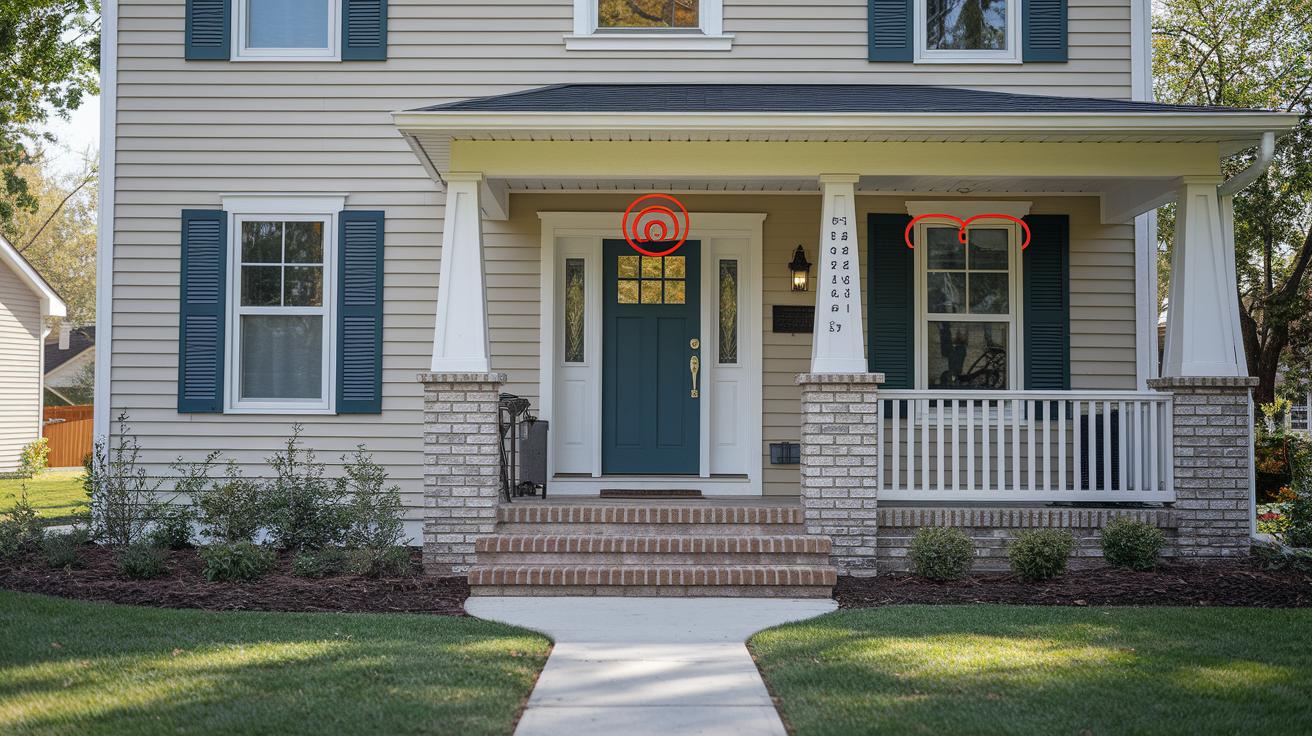
Ring doorbells use sensors that pick up heat changes, so tweaking the detection zone helps cut down on false alerts. You can adjust both how wide the zone is and how far it reaches. A deeper setting lets the doorbell "see" further, while a narrower width stops triggers from things like moving tree branches or passing cars.
Battery-operated models usually come with preset zones that fit simple setups well. But with wired doorbells, you get the chance to set up multiple custom zones. This means you can focus on the area around your door while ignoring busy spots like a sidewalk, which helps avoid overlapping alerts and handles different outdoor factors.
Start with the standard settings and then fine-tune them. Test your doorbell in various light and weather conditions. If you still notice extra movement causing alerts, try reducing the width or adjusting the depth so that only important motion gets captured.
A handy tip: If overlapping sensor areas are causing random alerts, narrow the horizontal span a bit and selectively expand the depth. This realigns the detection zones with your actual entryway, ensuring the sensor only catches what matters.
Troubleshooting Ring Doorbell Motion Detection Issues
If you’re not hearing a motion warning on your AC-powered Ring doorbell, start by checking that it’s connected to the right power source and that the Motion Warning toggle is turned on. Unstable power or a disabled toggle can easily cause the audio alert to fail.
Next, open the Ring app and make sure the Motion Alerts feature is enabled. Sometimes the issue is as simple as a misconfigured sensitivity setting or detection zone. If your sensor is too sensitive or your zones aren’t properly set, you might get too many alerts, or none at all.
Try these steps to get things back on track:
- Confirm Motion Alerts are enabled in the Ring app.
- Adjust the detection frequency slider to reduce repeated triggers.
- Reassess and fine-tune your zone boundaries to focus on key areas.
- Check that your Smart Alerts settings properly filter out unwanted movements.
- Verify that your network connection is solid and your doorbell’s health status is good.
If you still aren’t receiving alerts, the sensitivity might be set too low or environmental factors might be impacting the sensor’s performance. And if false alarms keep happening, tweaking your zone settings could solve the problem. Regular firmware updates can also help by ensuring your doorbell benefits from the latest improvements.
Best Practices and Advanced Tuning for Ring Doorbell Motion Detection

Keep your Ring doorbell working its best by checking for firmware updates on a regular basis. These updates often improve the doorbell’s brain (the algorithm) and fix sensor glitches, so it can better tell the difference between a real visitor and a false alarm. If your doorbell runs on AC power, try turning on Motion Warning. This setting gives a sound alert when someone comes within about 10 to 15 feet, which can help keep unwanted guests at bay.
It also helps to give your doorbell a little cleaning now and then. Dust, debris, or even a bit of moisture can mess with the sensor’s performance, leading to unreliable detection. A quick wipe of the sensor and lens every couple of months can make a big difference.
- Clean the lens and sensor housing routinely.
- Check for firmware updates to enjoy the latest improvements.
- Enable Motion Warning on models that support it for extra protection.
As the seasons change, so do the surroundings around your door. Trees drop leaves and the weather can shift, affecting detection. That’s why it’s a good idea to review your zone settings once in a while and adjust them to fit the current conditions. This proactive tuning helps your doorbell work smoothly all year long.
Final Words
In the action, we broke down ring doorbell motion detection fundamentals, from sensor tech and activity zones to alert settings and troubleshooting. Each section offered simple, real-world steps to guide you through setup, tuning, and error fixes for both battery and wired models.
We walked through adjusting sensitivity, customizing notifications, and maintaining sensor performance for reliable home monitoring. The insights shared make managing your device straightforward and practical. Enjoy a safer home with ring doorbell motion detection.
FAQ
Q: Ring doorbell motion detection not working
A: Ring doorbell motion detection not working means the system may be misconfigured or facing connectivity issues. It might require checking app settings, sensor alignment, or battery status.
Q: What is the Ring doorbell motion detection app?
A: The Ring doorbell motion detection app lets you control and adjust sensor settings, activity zones, and sensitivity through your mobile device for accurate motion alerts.
Q: How does Ring doorbell motion detection work without a subscription?
A: Ring doorbell motion detection without subscription means the device’s sensors will still trigger motion alerts; however, recording and saving event videos may require a subscription.
Q: What does the Ring doorbell motion detection meme refer to?
A: The Ring doorbell motion detection meme humorously highlights quirks or exaggerated scenarios of motion detection performance, often shared online for amusement.
Q: How do motion alerts differ from motion detection on a Ring doorbell?
A: Motion alerts are the notifications you receive when the sensor detects movement, whereas motion detection is the process by which the doorbell’s sensor identifies movement in its field of view.
Q: What is the Ring doorbell motion detection sound?
A: Ring doorbell motion detection sound refers to an audible motion warning available on some AC-powered models, alerting you to nearby movement with a distinct tone.
Q: What happens if I turn off motion detection on my Ring?
A: Turning off motion detection on your Ring stops it from sensing movement, meaning you won’t receive alerts or record events triggered by motion in the monitored area.
Q: What are Ring doorbell motion detection Settings?
A: Ring doorbell motion detection Settings in the app let you enable detection, adjust activity zones, set sensitivity, and determine how frequently you receive alerts.
Q: Does a Ring doorbell detect motion?
A: Yes, a Ring doorbell detects motion using sensors like PIR and dual-tech that sense movement in its camera’s view, triggering alerts through the app.
Q: Why might my Ring doorbell not pick up all motion?
A: Your Ring doorbell not picking up all motion could stem from sensitivity settings or improperly defined activity zones, causing smaller or distant movements to go undetected.
Q: How do I get my Ring doorbell to notify me of motion?
A: To get your Ring doorbell to notify you of motion, ensure the motion detection feature is enabled in the app, adjust your alert settings, and configure the appropriate activity zones.