
Ever thought your doorbell could do more than just ring? A HomeKit doorbell brings an extra layer of security and convenience to your home. With it, you get live video streaming, secure recording, and instant alerts right on your Apple device. Plus, you can answer the door using just your voice, making it easy to stay connected without even being at home. In this guide, we break down the top HomeKit doorbells that fit seamlessly into your Apple setup, helping you make your front door a smarter, safer checkpoint.
Best HomeKit Doorbells for Apple Home App
A HomeKit doorbell is ready for use when it pairs smoothly with your Apple devices via the Home app. It streams live video, sends instant alerts, and lets you use Siri for voice commands. Plus, it supports HomeKit Secure Video, which keeps your recordings safe on iCloud with strong encryption. When choosing a doorbell for your home, look for great video quality, simple installation, and strong system compatibility.
When making your decision, focus on how easily the device connects to the Home app, how reliable its motion detection is, and whether the audio quality is clear enough for smooth two-way chats. The doorbell should also work with HomeKit Secure Video to make sure your alerts and recordings remain private while fitting perfectly into your Apple setup.
- Logitech Circle View: A wired doorbell with solid HomeKit Secure Video support and dependable performance, though it lacks a battery.
- Wemo Smart Doorbell: Its compact design works well in tight spaces, but it requires a wired connection and does not include an internal battery.
- Aqara Video Doorbell G4: An affordable option at $119 that comes with many useful features; however, its larger size might not suit very small entryways.
- Netatmo Smart Video Doorbell: Offers a modern look and two-way audio, though the size might be a drawback for some installations.
- Arlo Essential Wired Video Doorbell: Features a unique square display (1536×1536) for clear visuals, but it is limited to a wired setup.
- Google Nest Doorbell: A good alternative if you don’t need HomeKit integration; note that it requires an extra hub for HomeKit and may be less cost-effective.
Consider how you want to install your doorbell. Wired models provide continuous power and quick responses, while battery-powered options are easier to mount but might sometimes introduce a slight delay. Also, think about whether the design and size work with your home’s look and if any extra subscription costs might apply for additional storage or features.
Installing a HomeKit Doorbell: Wired vs. Battery-Powered Options
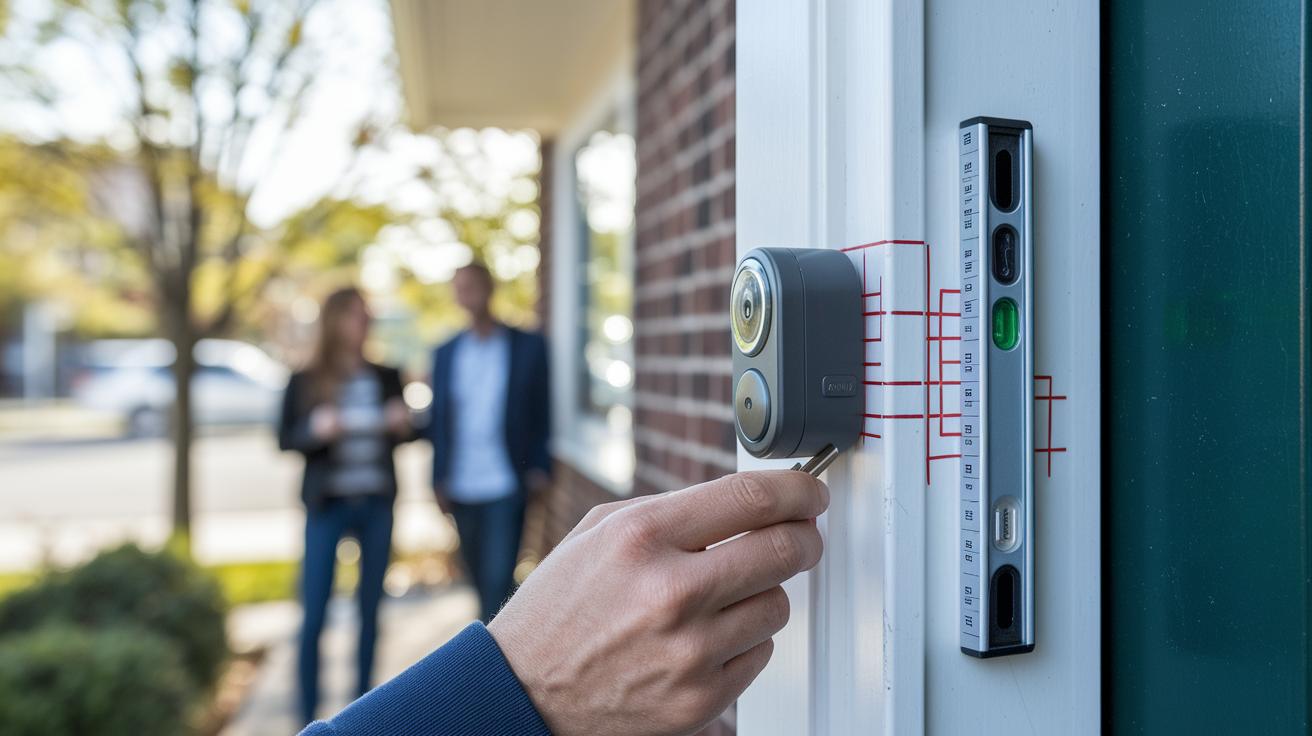
Battery-Powered Installation
Battery doorbells are a breeze to set up. In most cases, you can mount one in under five minutes using a simple bracket or double-sided tape. First, clean the area thoroughly so any dirt or dust is gone. Next, use a level to line up the doorbell and mark the spot with a pencil. If your doorbell comes with a mounting bracket, secure it with a screwdriver. A common pitfall is getting the alignment wrong, which can throw off both the look and the motion detection. Also, double-check that the adhesive or screws hold firm to avoid any wobble. Keep in mind that these models might take a moment to recognize movement as they wake up from their quiet mode.
Wired Installation
Wired setups take a bit more care but pay off with a faster response. Start by turning off the breaker to keep things safe. Next, check that your transformer delivers between 16 and 24 VAC. If you're replacing an old doorbell, disconnect it first. Then, follow the manufacturer's instructions to connect the wires, whether to the door-chime connector or the transformer. Once the wiring is done, mount the doorbell securely using the screws provided and seal around it to keep moisture out. After you restore power, take a moment to recheck every connection to ensure reliable performance and quicker reaction times.
Feature Comparison of Top HomeKit Doorbell Models
We’ve combined this feature breakdown with our Best HomeKit Doorbells for Apple Home App section. Now, the list clearly shows details like power type, video resolution, HomeKit Secure Video support, and other key features. This helps keep everything focused without repeating info.
Integrating Your HomeKit Doorbell with the Apple Ecosystem

Hooking up your HomeKit doorbell to your Apple devices makes keeping an eye on your front door a breeze. The Home app on your iPhone, iPad, or Apple Watch lets you watch live video and get quick alerts no matter where you are. You can even ask Siri for the door feed or get door alerts without lifting a finger. HomeKit Secure Video keeps your recordings safe when you use an iCloud plan (200 GB or 2 TB) with a HomePod or Apple TV serving as your HomeKit hub for remote access.
The setup is designed to be flexible. Optional wireless chime kits bring indoor alerts to every room without extra wiring. Plus, you can create smart scenes, for instance, having your doorbell turn on outdoor or entryway lights when it spots motion. This close-knit integration means your doorbell works in sync with other smart devices, turning everyday security checks into a fully connected home experience. With live video, voice commands, and smart automations, your HomeKit doorbell not only ups security but also turns your home entrance into a hub of modern convenience.
HomeKit Doorbell Pricing and Subscription Options
When choosing a HomeKit doorbell, it's key to weigh the upfront price against any monthly fees. Prices can run from $119 for basic models like the Aqara G4 to over $230 for premium models loaded with extra features. Some doorbells even offer free local and cloud storage, meaning you can avoid extra monthly costs.
If you're after added security features, you might need HomeKit Secure Video, which comes with a monthly fee. Typically, iCloud plans for this service range from $2.99 to $9.99 per month based on how much storage you need, making sure your videos stay secure. Alternatively, some models like the Aqara and Netatmo doorbells offer free local recording. These options let you use your doorbell without paying monthly, although you might miss out on benefits such as extended motion alerts or cloud backups.
For example, Ring devices usually require a Ring Protect plan to access all of their features. Relying solely on local storage might limit advanced alert options. That’s why it's important to consider both the purchase price and any recurring subscription fees to find the best value for your home security needs.
Troubleshooting Common HomeKit Doorbell Issues

If you don't see your doorbell in the Home app, first check that your device is running iOS 10 or later and that the Home app is fully updated. Often, simply restarting the doorbell or the Home app gets it reconnected.
For battery-powered doorbells that show delayed motion alerts, make sure the battery is fully charged. Updating the firmware through the manufacturer's app can also speed up responsiveness. Low battery charge or outdated software usually causes these slow wake-ups, so it's worth checking them first.
For wired doorbells, unstable power can come from a transformer that doesn't output between 16 and 24 VAC. Also, double-check that the wiring for the chime connector is installed correctly (and always turn off the power before inspecting). Keeping your firmware up to date is a good idea too, as mismatched software may lead to instability.
If you experience video buffering or other connectivity issues, weak Wi-Fi might be to blame. Try moving your router closer or adding a range extender to improve the signal. These steps should help your doorbell integrate more smoothly with your HomeKit system.
- Ensure your iOS and Home app are up to date.
- Fully charge battery-powered models.
- Verify transformer voltage and correct wiring on wired units.
Alternatives to HomeKit Doorbells and Other Smart Options
If you're used to HomeKit doorbells for their smooth Apple integration, you might be glad to know there are plenty of other smart doorbells that work well with Google Home, Amazon Alexa, and more. For example, the Google Nest Doorbell (2nd gen) keeps an eye on things around the clock with continuous recording and smart alerts. Just remember, you'll need an extra bridge device to connect it with HomeKit.
Then there's the Ring Video Doorbell Plus, which quickly spots any motion and offers a battery life of about two months. The catch? To get all its features, a subscription is necessary.
If you're on a budget, consider the Blink Video Doorbell (1st gen). It offers HDR video quality and an impressive battery life of up to two years, all while keeping its basic features free. Another cost-friendly option is the TP-Link Tapo D225, which is around $90 and delivers clear motion zones along with free local recording, no extra fees needed.
For a change that ties in with your smart home ecosystem, the Ecobee Smart Doorbell Camera works seamlessly with Ecobee thermostats, making home automation even simpler. And if you prefer avoiding subscriptions altogether, the Reolink Battery Doorbell offers excellent HDR performance with free local storage.
Each of these doorbells brings its own mix of pricing, connectivity, and features, so you can find the one that best suits your smart home setup.
Final Words
In the action, we broke down the best HomeKit doorbells, comparing models, installations, and features. We walked through wired versus battery-powered setups, detailed feature comparisons, and shared integration tips with the Apple Home app.
We weighed pricing, subscription options, and troubleshooting pointers so you can pick the right doorbell for your needs. This guide shows that a reliable homekit doorbell delivers practical benefits and a smoother smart home experience. Enjoy your upgrade!
FAQ
What is considered the best HomeKit doorbell overall?
The best HomeKit doorbell is often seen as the Logitech Circle View Doorbell thanks to its solid HomeKit Secure Video support, sleek design, and reliable wired installation for continuous power and instant alerts.
How do wired HomeKit doorbells operate?
Wired HomeKit doorbells, like the Logitech Circle View and Wemo Smart Video Doorbell, connect directly to your chime and transformer, ensuring continuous power and faster response times compared to battery-powered options.
Can I use a battery-powered HomeKit doorbell?
Battery-powered HomeKit doorbells offer quick installation with mounting brackets or double-sided tape but may exhibit slight delays during motion detection wake-up compared to their wired counterparts.
Are there HomeKit doorbells that require no subscription fees?
HomeKit doorbells such as the Aqara Smart Video Doorbell G4 and Netatmo Smart Video Doorbell provide free local storage options, allowing users to avoid monthly fees while still delivering HomeKit Secure Video capabilities.
Do any HomeKit doorbells support PoE (Power over Ethernet)?
Although PoE options for HomeKit doorbells are uncommon, some advanced setups may use PoE adapters; always verify the model’s technical specifications to ensure compatibility with your system.
What are the views of HomeKit doorbells on Reddit?
Discussions on Reddit often praise models like Logitech Circle View for their smooth integration with HomeKit and robust performance; however, opinions vary based on individual installation experiences and specific needs.
What features do the Aqara models offer in HomeKit doorbells?
The Aqara Doorbell Camera Hub G410 and Aqara Smart Video Doorbell G4 provide a budget-friendly solution with essential features such as video capture and motion detection, successfully integrating with the HomeKit system.
How does the Wemo WDC010 Smart Video Doorbell compare for HomeKit users?
The Wemo WDC010 Smart Video Doorbell delivers a compact design with an easy wired installation while offering reliable integration with HomeKit, making it a smart, practical option for modern home monitoring.
What makes the Legrand ndbus Netatmo Smart Home 1080P doorbell stand out?
The Legrand ndbus Netatmo Smart Home doorbell features crisp 1080P video recording and two-way audio with a no-subscription design, combining modern aesthetics with dependable HomeKit compatibility.