
Ever wondered if your home lighting could instantly change your mood? Govee smart lights do more than just brighten a room, they help set the perfect atmosphere for any occasion. The setup is simple through a mobile app, and they work with Alexa and Google Assistant, making voice control easy. Picture your living room transforming from a quiet retreat to a bustling hangout with just a few taps. In this post, we show you how Govee smart lights can easily upgrade your space into a warm, inviting zone.
Why Choose Govee Smart Lights?
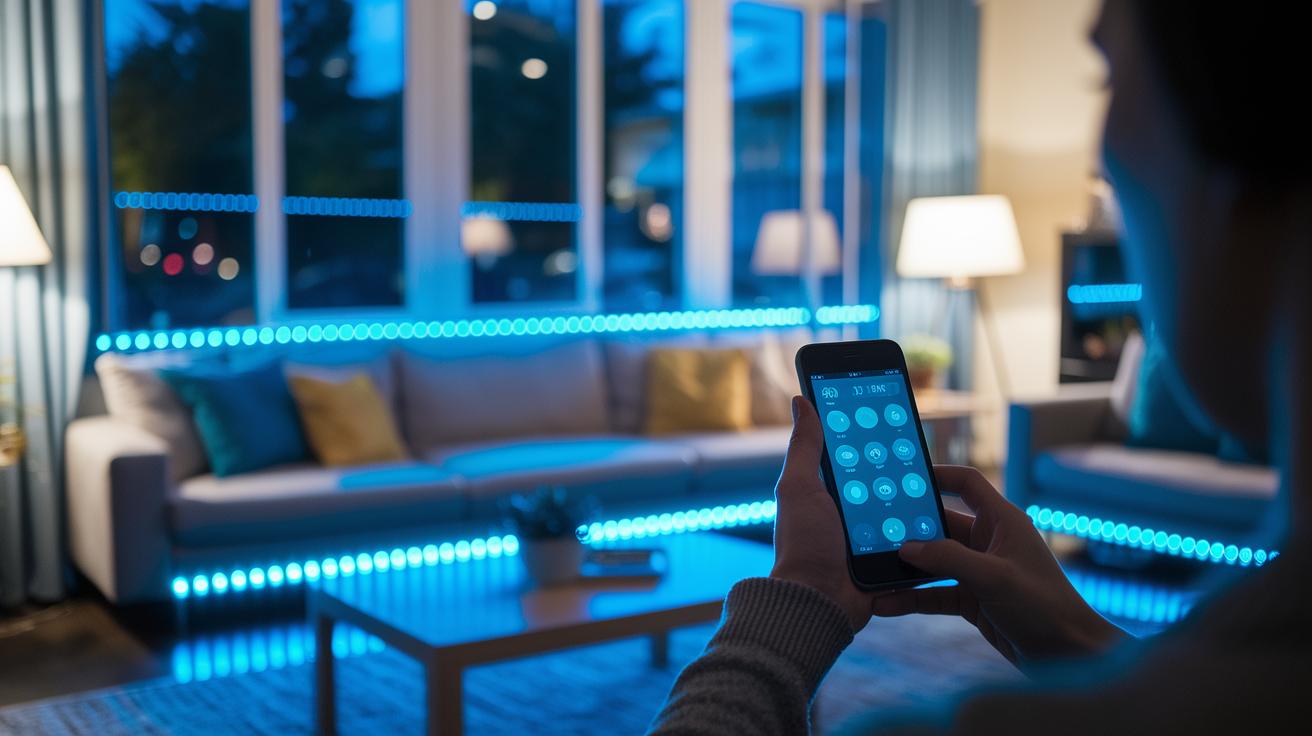
Govee smart lights provide a fresh upgrade for your home lighting, turning everyday spaces into inviting environments. Many users have noted the difference; one reviewer shared how the lights transformed their living room into a vibrant setting with smooth dimming that sets just the right mood.
Setting up the lights is a breeze, and you can control them easily from your mobile device. They fit right into your existing smart home setup, working well with popular systems like Alexa and Google Assistant. This makes them a great choice whether you’re a tech buff or just looking to enhance your space with a few smart features.
The lights impress with bright, dynamic colors and smooth dimming options that adapt to any occasion. From creating a relaxed atmosphere for a quiet night at home to lighting up your party with energetic shifts, the multi-range brightness settings let you customize your experience. Reviewers have pointed out that the remote controls hold charge for months, reducing the need for constant replacements. And when it comes to the new RGBIC technology, demo videos and positive reviews quickly turned initial doubts into appreciation.
Overall, Govee smart lights combine excellent performance with an intuitive design, making it simple and fun to personalize your environment. Whether you’re upgrading your home theater or aiming for a warm living room glow, these lights blend style and technology seamlessly for any home.
Govee Smart LED Strip Lighting Features

Govee's smart LED strips offer a modern, flexible lighting solution perfect for enhancing any space. They easily fit under cabinets, behind TVs, or along shelves so your decor gets a subtle yet effective upgrade.
- Multi-zone control lets you tailor different color sections along the strip for a custom look.
- Adjustable brightness from 1% to 100% helps you set the perfect mood while saving energy.
- Rgbic LED flood lighting creates vibrant, dynamic color shifts in real time.
- A remote control with long battery life keeps things simple and hassle-free.
- A flexible, cuttable design with adhesive backing means you can trim and place the strip exactly the way you want.
These features combine to offer practical, stylish accent lighting that works seamlessly with your home's design.
Installation Guide for Govee Smart Lights

Before you dive into your smart lighting project, make sure you have your Govee smart lights, the plug-and-play connectors, and a steady Wi-Fi connection on hand. It helps to have your smartphone ready with the Govee app installed. We also recommend doing a quick test of your connection before you set everything up. Reset any old network settings on your devices to keep things running smoothly.
- Plug in your Govee lights by connecting the plug-and-play connectors to an available outlet.
- Position the lights where you want them and make sure they can easily "see" your Wi-Fi router.
- Reset the network settings on each device by following the easy steps outlined in the manual.
- Open the Govee app, sign in, and follow the step-by-step prompts to connect each light individually.
- Finish pairing each light by confirming the connection through the app.
For a neat setup, use the adhesive tape provided to mount the lights securely along your walls or surfaces. If you're working with LED strips, plan your cable layout beforehand to prevent tangles and accidental disconnects. Experiment a bit with different angles to get the best accent lighting in your room, and always check that the wiring is organized for a clean, professional look.
App and Voice Control for Govee Smart Lights

Govee lights pair easily with your smartphone using the Govee Home app, making them a great fit for any smart home. The app lets you set up lighting scenes, sync your lights to the beat of your favorite tunes, and adjust brightness on the fly. It’s simple and fun to change your room’s vibe quickly, whether you’re throwing a small party or winding down at the end of a long day.
App Interface Overview
The app features easy-to-navigate menus that let you choose various lighting modes and design your own scenes. You can set schedules, watch your lights shift through dynamic colors, or even have them pulse in time with your music. The design is so straightforward that anyone can set up or tweak the lighting without any hassle. For instance, switch to Music Mode and watch as the lights dance in real time to your sound.
Voice Assistant Setup
- Connect the Govee Home app with voice assistants like Alexa or Google Assistant.
- Use simple voice commands to change modes or adjust brightness.
- Double-check that each light shows up in your smart home hub.
For the best results, try to position your router in a central spot and reduce obstacles. This helps keep the connection stable so your voice commands work smoothly every time.
Creating Custom Scenes with Govee Smart Lights

Govee smart lights give you the power to create your own lighting scenes that groove perfectly with your music. They can transform any space into a vibrant visual show. In fact, some users have set up mini discos in their living rooms by choosing bold colors and syncing the lights to the beat.
Whether you’re creating a cozy ambiance for a quiet evening or a high-energy vibe for a party, it’s best to start small. Begin with one light to get the look just right, then expand to include more devices for a unified scene.
- Choose colors that match the mood you want to set.
- Tune the beat sensitivity so that the lights move in time with your music.
- Set timing intervals just right for smooth transitions.
- Group your lights together to keep the scene consistent throughout your space.
Once you nail the setup on one light, replicating it across your entire Govee collection is a breeze. Saving your custom scenes means you can switch moods with just a tap, and it also makes it easy to share your favorite presets with friends who love experimenting with LED lighting. This flexibility and ease of use are what make custom scenes a standout feature of Govee smart lights.
Outdoor Options for Govee Smart Lights

Govee offers a range of outdoor LED lighting solutions that are built to handle rain, wind, and shine. These weatherproof lights are perfect for brightening up your patio or garden, making evenings, parties, or a quiet night under the stars much more inviting. The lineup includes both long outdoor LED strips for wide spaces and compact bulb options for a more focused glow, so you can pick the setup that best fits your outdoor area.
| Product | Outdoor Rating | Key Features |
|---|---|---|
| Govee Weather-resistant Strip | IP65 | Flexible string lights, cuttable design, adhesive backing |
| Govee Outdoor Bulb | IP67 | Solid, weatherproof LEDs with adjustable brightness |
| Govee Decoration Package | IP65 | Designed for creating ambient outdoor settings |
If you’re deciding between solar-powered and wired options, think about your needs. Solar lights are energy efficient and simple to install, while wired lights offer steady performance once set up. Both choices make it easy to expand your outdoor smart lighting system so that your home looks great no matter the season.
Troubleshooting and Maintenance Tips for Govee Smart Lights

If your Govee smart lights start acting up and interrupt your favorite lighting scenes, try these steps to get things back on track.
- First, make sure each light has a steady power supply and is properly connected.
- Fully close and then reopen the app to clear any minor glitches.
- Check for firmware updates in the Govee app so you can benefit from new fixes and improvements.
- Reset the network settings on each light and pair them one at a time to ensure a stable connection.
- If the issue continues, email support since their team is known for quick and helpful responses.
Regular maintenance also helps keep your lights performing their best. Cleaning the LED strips sometimes removes dust buildup, keeping the brightness strong. Organize extra strips and accessories in a safe place to preserve their condition. Routine checks and a bit of upkeep make sure your smart lighting remains a bright and worry-free part of your home.
Final Words
In the action, this article covered the setup, performance, and creative customization of govee smart lights. We explored how their dynamic colors and smooth dimming transform a room and how simple installation and mobile app control make them a joy to use.
Every feature, from indoor accents to outdoor settings, adds practical value. The clear steps and real-world tests highlight a smart lighting choice that brightens any space and makes everyday setups a breeze. Enjoy the effortless glow.
FAQ
What does the Govee smart lights app do?
The Govee smart lights app controls brightness, schedules, colors, and effects through an intuitive interface, making it simple to integrate your lights into a smart home setup.
How do Govee Outdoor Smart Lights perform?
Govee Outdoor Smart Lights are built for weather-resistant performance, delivering vibrant lighting effects for patios and gardens while withstanding varied outdoor conditions.
What is highlighted in a Govee smart lights review?
A Govee smart lights review praises the easy setup, vibrant color display, smooth dimming, and overall smart home integration that transforms a room’s atmosphere efficiently.
How effective are the Govee 50 ft smart lights?
The Govee 50 ft smart lights provide extended coverage for large areas, offering customizable colors and consistent brightness ideal for creating balanced ambient lighting in spacious rooms.
What are users saying about Govee smart lights on Reddit?
Govee smart lights on Reddit are well-regarded for their affordability, vivid color range, and straightforward installation, with many users sharing positive and practical usage experiences.
What are the features of Govee Curtain Lights?
Govee Curtain Lights feature a unique design with bright, customizable LED displays; they are perfect for festive decor and provide remote control options through the app for creative setups.
What distinguishes the Govee Permanent Outdoor Lights Pro?
The Govee Permanent Outdoor Lights Pro offer a robust, weatherproof design with durable performance, ensuring long-lasting brightness and smart functionality for permanent outdoor use.
Is Govee or Hue the better option?
The Govee versus Hue debate centers on budget and features; Govee offers cost-effective, vibrant lighting while Hue provides premium build and extensive smart home integration, fitting different user needs.
Is Govee a Chinese brand?
Govee is indeed a Chinese brand known for producing feature-rich, affordable smart lighting products with global popularity for their versatility and performance.
Why might Govee products seem expensive to some?
Govee’s pricing reflects advanced app integration, durable design, and robust features; while some models are priced higher, they deliver competitive performance and user satisfaction.
What is the typical lifespan of a Govee light bulb?
The typical lifespan of a Govee light bulb spans several years under normal use, thanks to its quality LED construction that provides long-lasting, consistent performance.