
Ever thought your doorbell could boost your home’s safety? The Google Nest Doorbell does much more than just ring. It sends instant alerts and gives you a live view of whoever’s at your door, all from your phone. Imagine watching your deliveries arrive and keeping an eye on who comes and goes, no matter where you are. With flexible installation that fits any home style, this doorbell brings a modern twist to everyday security.
Google Nest Doorbell Overview: Features, Design & Home Safety
The Google Nest Doorbell is a modern solution that blends security and ease of use. It sends real-time alerts to your iPhone when someone comes to your door. With its live door-view camera, you can check on visitors and verify package deliveries even if no one rings. Busy families also love the feature that tracks household comings and goings, adding an extra layer of peace of mind.
The design stands apart with two installation options. If you prefer flexibility without cables, the wireless battery version is a great choice. On the other hand, the in-wall wired model offers a sleek look and solid performance. Think of it as choosing between the convenience of a portable speaker and the reliability of a home sound system.
The 2025 model comes with high-quality hardware and a smart security chime that delivers a clear, distinctive sound. While some advanced features need a subscription, the basic functions like immediate alerts and package notifications work great on their own. In essence, the device not only strengthens home security but also enhances your overall home arrival experience, showing how traditional doorbells have evolved for today’s smart living.
Google Nest Doorbell Installation & DIY Setup Guide
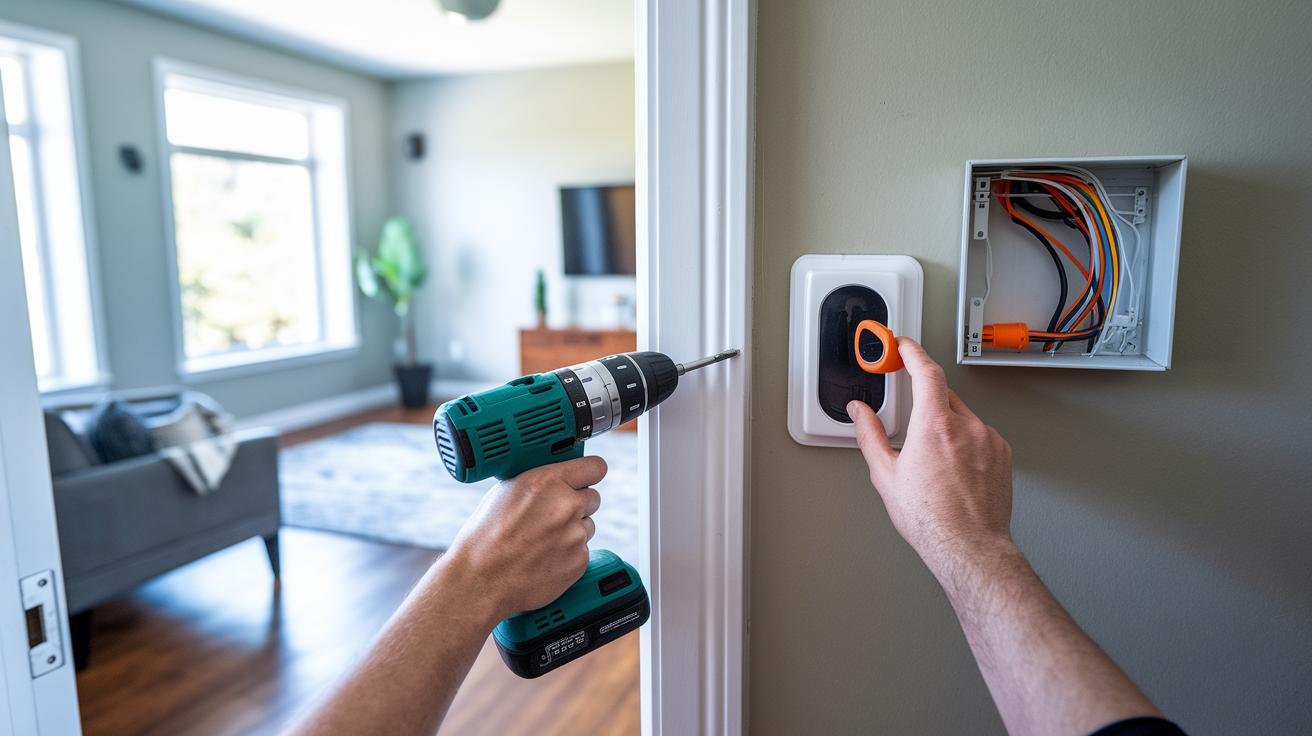
Follow these clear steps to get your new doorbell working whether you choose the in-wall wired option or the wireless battery model.
- Pick your setup – decide if you'll hook into your home's low-voltage wiring or use the independent battery version.
- Gather your tools – you’ll need a drill, the specific drill bit mentioned in the guide, screwdrivers, and a voltage tester. Check your mounting guide for any extra parts.
- Turn off the power – for a wired install, cutting the electricity keeps you safe while you work with the connections.
- Mount the doorbell – using the provided screws, attach the doorbell securely. Make sure it’s aligned properly so the camera and sensors can do their job.
- Connect the wires – if you’re going wired, follow the low-voltage wiring guide carefully to hook everything up right.
- Activate and test – turn the power back on and open the doorbell app. Verify that you’re getting alerts and that the live video is working as expected.
- Troubleshoot if needed – if you run into connectivity issues, check your WiFi settings and review the wiring steps against the installation checklist.
Following these friendly tips will help you avoid common pitfalls and ensure your smart doorbell is set up smoothly.
Google Nest Doorbell Video & Audio Performance Analysis
The Nest app gives you a live video feed in high definition so you can see faces clearly, even when the lighting isn’t perfect. When I tested it during the day, I was really impressed by the clarity, natural colors, and strong contrast. It makes it easy to check who's at the door and whether a package has arrived. At night, the doorbell still delivers a good image, although having some extra light around helps capture more detail.
The two-way audio is another big win. You can speak directly with visitors or delivery people in real time. This real-life interaction helps you confirm deliveries and handle unexpected visitors comfortably. The motion detection works reliably, too. It triggers alerts as soon as movement is detected, and you can set up custom zones to avoid false alarms from things like passing pedestrians or rustling leaves.
Keep in mind that streaming video takes up a lot of WiFi bandwidth. In my tests, I noticed some occasional slowdowns on other devices connected to the network. A quick troubleshooting step or an upgrade, like adding a mesh system for better whole-house coverage, can help keep your alerts smooth and consistent.
If faster WiFi is a top priority, consider boosting your network setup. It’s a simple change that can make the doorbell work even better.
Google Nest Doorbell Connectivity & Smart Home Integration

This doorbell easily teams up with your Google Home devices. It works with Nest speakers and smart displays so you can check your door without lifting a finger. It uses secure WiFi that supports dual-band networks and mesh systems to cover your whole home. This means you get steady live feeds and fast alerts, even when many devices are online.
A big plus for this doorbell is its voice assistant support. With quick voice commands, you can see the live video or mute notifications, letting you manage your security without hassle. Plus, its smooth integration with popular home automation systems keeps your smart home running simply and safely.
Many users are also pairing the doorbell with smart door locks for a complete entry setup. Combining them not only alerts you when someone is at your door but also lets you control who can come in. For more options on smart door locks, check out the ones available here. This blend of devices makes running your home security both natural and efficient.
Google Nest Doorbell Subscription & Cloud Storage Plans
The Google Nest Doorbell works great out of the box, letting you check live view, get alerts, and use two-way talk without any extra fees. If you need more detailed event tracking and longer recordings, you can choose from two clear subscription options.
The first plan costs $10 per month and saves event videos for 30 days. This is perfect if you just want to review specific moments like an unexpected visit or a package drop off.
If you need a bigger history, the $20 per month plan keeps event footage for 60 days and adds 10 days of continuous 24/7 recordings. With Gemini technology, you can search these recordings easily. This option is handy when you want a complete log of activity.
For those already using the Google Home system, the cloud storage options boost sync reliability. The built-in AI search makes it simple to find key incidents quickly. If your doorbell sees a lot of action or you value a detailed security record, one of these plans might be just the right fit.
This clear breakdown shows how you can tailor your smart doorbell to your security needs.
Google Nest Doorbell vs Competitors: Ring & Arlo Comparison
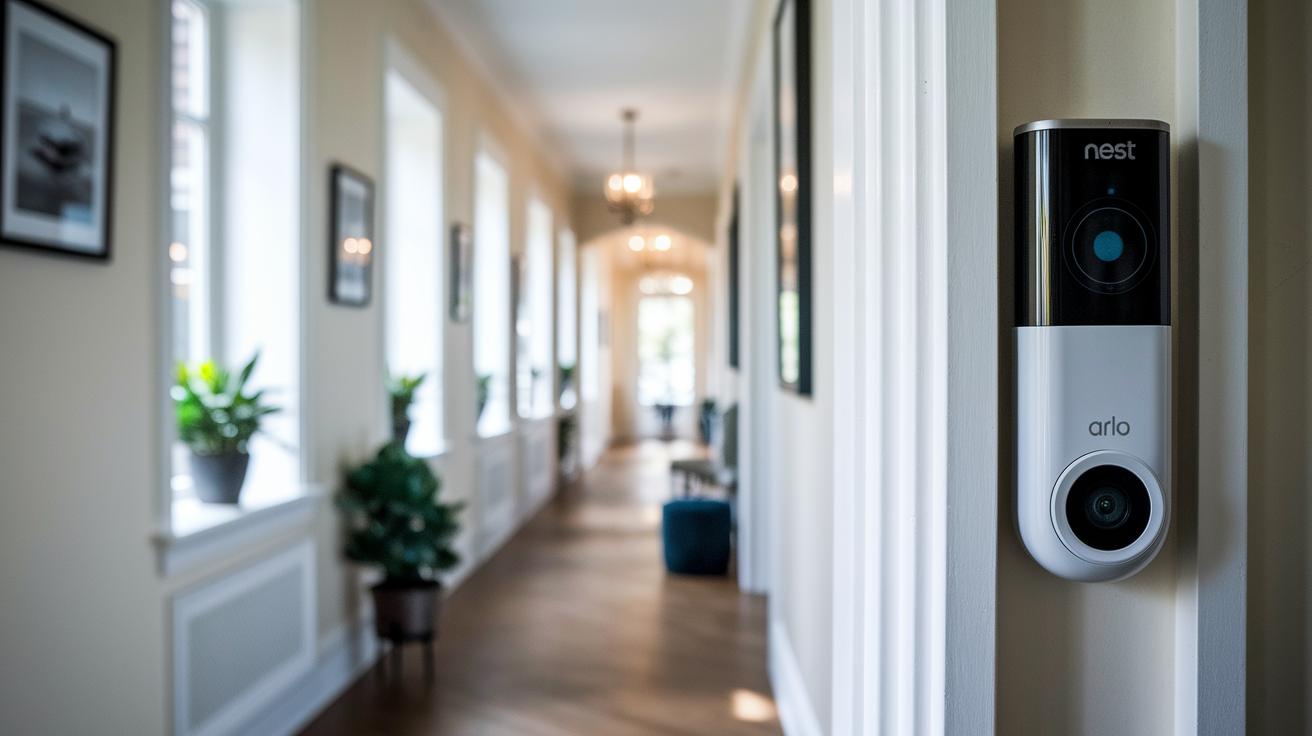
Google Nest Doorbell stands out with its flexibility. You can choose between a wired or battery setup, which means it fits many home layouts. It offers clear two-way voice chats and reliable package alerts. With smart AI notifications and smooth Google Home integration, you can easily control your security using voice commands.
Ring Video Doorbell Pro, meanwhile, needs constant power. While it does support two-way communication and notifies you about packages, it falls short when it comes to smart assistant support compared to Nest.
The Arlo Audio Doorbell takes a different route. It focuses on strong audio alerts and comes with free rolling video recordings. This is a big plus if you prefer continuous monitoring without paying extra fees.
| Product | Installation Options | Video/Audio Quality | Smart Assistant Support | Subscription Requirement | Ecosystem Integration |
|---|---|---|---|---|---|
| Google Nest Doorbell | Wired or battery-powered | High-definition video with clear audio | Strong support via Google Assistant | Subscription for advanced history | Deep integration with Google Home |
| Ring Video Doorbell Pro | Needs constant power | Reliable video and sound | Basic voice assistant features | Subscription needed for enhanced features | Part of the Ring ecosystem |
| Arlo Audio Doorbell | Primarily battery-operated | Focus on robust audio alerts | Limited voice command support | No subscription for rolling video | Works with Arlo products |
This breakdown shows how each doorbell meets different home security needs.
Google Nest Doorbell Customer Reviews & Real-World Use Cases
Users love that the Google Nest Doorbell sends instant alerts directly to their smartphones. Its prompt notifications make it easy to know when someone is at the door, whether it’s a delivery or a visitor. The real-time visitor detection keeps you informed as soon as the doorbell senses activity.
Parents find the doorbell especially handy. They can check on their kids from anywhere, enjoying clear, two-way audio that lets them speak with their children for a quick moment of reassurance. One parent mentioned, "I can hear my kids arrive and even chat briefly with them, which gives me real peace of mind."
Some users have noted that streaming in high definition can use a lot of WiFi bandwidth, occasionally slowing down other devices. Most have found that upgrading to a mesh network helps resolve this issue. Overall, real-world experiences confirm that the Google Nest Doorbell is a reliable choice for everyday home security and convenience.
Final Words
In the action, we examined the google nest doorbell's standout features, from its versatile installation options and clear video with two-way audio to its smart connectivity and subscription details.
We compared it against similar systems and shared real-world customer insights that reveal its practical benefits and trade-offs. This review proves the device is a reliable addition to your home security strategy and a smart choice for those looking to upgrade their entry experience. Enjoy the confidence it brings.
FAQ
Q: What are the differences between the battery-powered and wired Google Nest Doorbells?
A: The battery-powered model offers installation flexibility without existing wiring, while the wired version delivers steady power and performance when connected to low-voltage doorbell systems.
Q: What distinguishes the Google Nest Doorbell generations?
A: Each generation improves on the last; Gen 1 delivers core functionality, Gen 2 refines live video and alert systems, and Gen 3 adds enhanced video clarity with deeper smart home integration.
Q: How do I install a Google Nest Doorbell?
A: The doorbell installation is straightforward with clear guides and tool recommendations, supporting both wired low-voltage connections and standalone battery-operated setups.
Q: How can I remove my Google Nest Doorbell?
A: Removing the doorbell requires following the manufacturer’s instructions closely and disconnecting any wiring or battery components safely from your home setup.
Q: What capabilities does the Google Nest Doorbell app offer?
A: The app provides live video feeds, two-way audio, alert customization, and cloud storage management, allowing seamless integration with your smart home system.
Q: Do Google Nest Doorbells require a subscription, and can they function without one?
A: Essential features such as live view and alerts work without a subscription, but advanced options and extended video history need a monthly fee under Google Home Premium plans.
Q: How can I hear my Google Nest Doorbell?
A: The doorbell features two-way audio that lets you hear visitors directly through the smartphone app or connected Google Home devices for prompt communication.