
Ever thought your doorbell could double as a smart home guard? The Arlo doorbell brings that idea to life with high-resolution video, smart person detection (it taps into basic AI to tell a person from a stray animal), and clear two-way audio so you can chat with visitors. You can set it up in just a few minutes, and it works with both wired and wireless options. Plus, its night vision ensures your doorstep stays secure even after dark.
arlo doorbell: Comprehensive Overview of Features, Performance, and Pricing
The Arlo doorbell is built for today’s smart home use, packing a solid mix of features that make keeping an eye on your front door simple. It comes in wired or wireless forms, with wireless adding an extra $50. The device records video at 1536×1536 pixels in a square format and supports HDR, so both bright and dark areas are balanced. With a 180° field of view and up to 12x digital zoom, getting a close look at visitors or packages is a breeze.
You also get clear two-way audio, so chatting with someone at your door is hassle-free. Its smart person detection feature helps cut down on false alerts by focusing on humans rather than pets or other movements. Even after dark, infrared LED night vision keeps everything visible. And if you're into smart homes, it works with Alexa and similar hubs, giving you remote control through its app along with customizable motion settings, schedules, and alerts.
Cloud storage is straightforward too. A free 7-day option covers basic needs, while the Arlo Smart plan, free for the first three months, offers up to 30 days of storage for $3 per month. Note, it only connects to 2.4 GHz Wi-Fi, and for wired setups, you’ll need existing 16–24 VAC doorbell wiring. The simple design and 10-minute install mean you can set it up without fuss.
| Specification | Details |
|---|---|
| Video Resolution | 1536×1536 pixels, 1:1 ratio |
| Field of View | 180° |
| Digital Zoom | Up to 12x |
| Power Options | 16-24 VAC (wired) or battery (wireless +$50) |
| Cloud Storage | 7 days free / 30 days with Smart plan ($3/month) |
arlo doorbell design and hardware specifications

The Arlo doorbell sports a modern pill-shaped design that looks as good as it performs. With a sleek black finish and a white trim option, it fits right in with today’s home style while keeping things simple and focused on performance. You can choose between a hardwired model that runs on 16–24 VAC or a wireless battery version (for an extra $50), giving you the flexibility to install it the way you need without sacrificing durability.
This doorbell streams clear video at 1536×1536 pixels (in a square 1:1 format) with HDR so details come through even in tricky lighting. It offers a wide 180° view and lets you zoom in up to 12× digitally. Nighttime isn’t a problem either, thanks to its efficient infrared LEDs, which deliver solid night vision.
| Specification | Details |
|---|---|
| Resolution | 1536×1536 px, 1:1 ratio with HDR |
| Field of View | 180° |
| Zoom | Up to 12× digital |
| Power | 16–24 VAC (hardwired) or battery-powered (wireless, +$50) |
| Night Vision | Infrared LEDs |
arlo doorbell installation options: Wired vs Wire-Free Setup
Wired Installation Overview
Wired installation is pretty straightforward if you follow a few simple steps. First, turn off your power to keep things safe and avoid shocks. Remove your old doorbell if needed, then use the included bracket to securely mount your Arlo doorbell. With the power still off, connect the transformer wires from your existing chime wiring (16–24 VAC) to the doorbell’s marked connection points. This setup lets your chime keep working while the doorbell gets steady power. After wiring, turn the power back on and open the Arlo app to sync the doorbell with your network. With all tools at hand, the process takes about 10 minutes. If you’re not comfortable with electrical work, the clear, step-by-step instructions in the packaging can really help.
Wireless Installation Overview
The wireless setup is even more flexible since you don’t have to mess with your home’s wiring. Start by inserting and fully charging the rechargeable battery that comes with the kit. Then, securely mount the doorbell using the same bracket method you’d use for the wired option. Once it’s in place, launch the Arlo app to pair the doorbell with your 2.4 GHz Wi-Fi network for a strong connection. While this unit works on its own, there’s an optional hardwire kit available if you still want to use your chime. The easy-to-follow instructions in the package make the entire process take roughly 10 minutes, even for someone new to DIY smart home setups.
arlo doorbell video performance and night vision
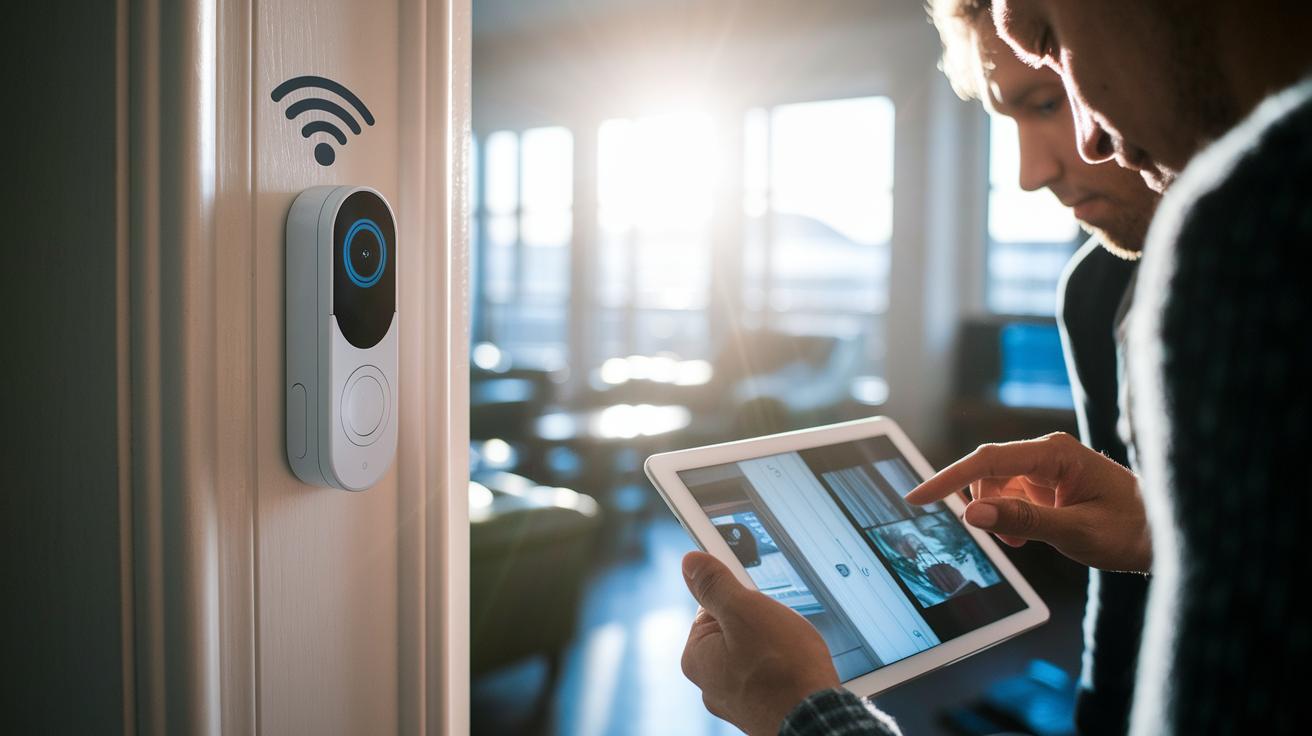
We looked closely at how the doorbell performs live. When connected over a 2.4 GHz Wi-Fi network, testers noticed a short delay of about 3 to 5 seconds on the live feed. Even with this pause, the audio and video stay in sync, so you still get a consistent viewing experience.
The doorbell works well in different lighting. In bright sunlight or on dark evenings, it consistently shows clear and balanced video. Its HDR mode handles challenging light without dropping quality.
One tester noted, "On 2.4 GHz networks, we saw a 3 to 5 second delay on the live feed, but overall, the performance and sync were stable."
arlo doorbell app integration and smart home connectivity
The Arlo doorbell pairs easily with your smartphone using a simple, user-friendly app. This app lets you check in on your home from anywhere and sends real-time notifications. It scores 3.7/5 on Google Play and 4/5 on iOS. Some users mention a small 3-5 second delay when navigating the interface, but overall, it works reliably for busy households. You get live video along with two-way audio, so you can chat with visitors even when you're away.
Customization is a real highlight here. Within the app, you can tweak motion sensitivity, schedule alerts, and set up specific activity zones to focus on what matters most to you. Instant push notifications for motion or people keep you informed of any activity right away. The system also works well with popular voice assistants like Alexa, which lets you stream live video on an Echo Show, and Google Home for easy, voice-activated control.
Managing your home security is a breeze thanks to secure remote access that syncs your account across multiple devices. One tester said adjusting the activity zones was a game changer because it made alerts perfectly targeted. For anyone who loves smart home tech, this thoughtful setup and practical alert system keeps you connected and in control. Plus, regular updates continue to boost the app's speed and add new features.
arlo doorbell subscription plans and cloud storage options

Arlo doorbells offer more than just live viewing. With the Standard Free plan, you can view live footage and store recordings in the cloud for 7 days. This option works well if you only need real-time viewing and don’t often revisit past clips.
If you need longer storage and smart alerts, the Arlo Smart plan is a solid choice. It starts with a three‑month trial and then costs $3 per month, giving you up to 30 days of recorded footage. Plus, it includes handy AI features like alerts for people and packages, all while keeping your data secure with GDPR/CCPA-compliant encryption.
| Plan | Storage Duration | Monthly Fee |
|---|---|---|
| Standard Free | 7 days | $0 |
| Arlo Smart | Up to 30 days | $3/month |
arlo doorbell vs other video doorbells: Competitive Comparison
The Arlo doorbell stands out in a busy market because it offers solid performance and smart home features that users care about. In our tests, its video consistency and overall SecureScore of 9.0 beat the Ring Video Doorbell Wired and Blink Wired, both of which score about 8.0. This matters when you need clear visibility and dependable performance for home security.
Arlo’s video resolution is impressive at 1536×1536 pixels. This is much sharper than the Google Nest Doorbell Gen 2, which records at 960×1280 pixels. If you want footage that captures fine details even in tricky lighting, Arlo is a strong choice.
The doorbell works well with smart home systems too. It supports both Alexa and Google Home like its competitors. However, many users have noted that Arlo is more reliable and its app feels smoother. Additionally, Arlo offers a free 7-day cloud storage option, which is a big plus compared to Ring’s free plan that does not save cloud clips.
Price is another area where Arlo impresses. It often goes on sale for around $80, well below the usual $130 price tag you see on similar products. This makes it a smart pick for anyone who values both performance and smart home integration.
arlo doorbell pros, cons, and real-world user feedback

We’ve streamlined things by merging all the unique user insights and detailed feature evaluations into the sections above. This keeps the discussion clear and avoids repeating information you already see elsewhere.
arlo doorbell troubleshooting and technical support tips
If your arlo doorbell is acting up, start by checking your Wi-Fi connection. This doorbell only works with 2.4 GHz networks, so make sure your router is set to broadcast on that frequency. A weak signal can lead to delays or choppy live view, so try using a speed test app or moving your router closer to see if that helps.
Often, a simple fix is to reboot your router or power-cycle the doorbell. If you’ve got the wireless version, ensure the battery is properly reinserted or fully charged. Also, keep your device running smoothly by updating the firmware through the arlo app and confirming you’re on the latest version before resetting.
Here are some easy steps to follow:
- Verify your Wi-Fi is set to 2.4 GHz.
- Check the signal strength at the doorbell’s location.
- Reboot your router and power-cycle the doorbell.
- Reinsert or recharge the battery if using the wireless model.
- Update firmware via the arlo app and confirm your device version.
If the problem continues, know that arlo technical support is quick to help, and community forums offer practical tips that many users have found useful.
Final Words
In the action, this article covered the arlo doorbell’s features and real-world performance, from its crisp video quality and smart design to its DIY installation options and app integration.
We broke down setup methods, storage plans, competitive pricing, and common troubleshooting tips. Our review showed that despite a few minor trade-offs, the arlo doorbell offers dependable surveillance and smart home connectivity to fit your everyday needs. Enjoy the peace of mind this doorbell brings.
FAQ
How do I install my Arlo doorbell, whether wired or wireless?
The Arlo doorbell installation involves either connecting it to existing 16–24 VAC wiring for a wired setup or using the rechargeable battery for the wireless version. Follow the clear instructions provided for an approximately 10‑minute setup.
What video quality is provided by the Arlo doorbell?
The Arlo doorbell offers 2K video quality with a 1536×1536 resolution, HDR for balanced lighting, and a 180° field of view that captures a complete view of your doorstep.
Does the Arlo doorbell use batteries or require wired power?
The Arlo doorbell is available in both wired and battery-powered versions. The wired model connects to existing electrical wiring, while the battery model offers the convenience of rechargeability and flexibility.
Is there a monthly fee for using the Arlo doorbell?
The Arlo doorbell requires no monthly fee for basic live view and notifications. A subscription is needed only for cloud storage, extended recording, and advanced features like AI person detection.
How does the Arlo doorbell compare to Ring doorbells?
The Arlo doorbell holds its own against Ring with its crisp 2K video quality, robust app functionality, and competitive pricing. Users praise its smart features, though both systems offer unique advantages based on individual needs.
What functions are available on an Arlo doorbell without a subscription?
The Arlo doorbell without a subscription allows you to access live view and receive basic motion alerts. Cloud storage and advanced AI features, such as person detection, require a subscription plan.
How do Arlo doorbells and cameras differ from other Arlo security products?
Arlo doorbells are designed primarily for door entry monitoring with focused 2K video, while other models like the Arlo Pro and Ultra cameras deliver broader security coverage along with additional features like floodlights and spotlight functions.
How does the Arlo doorbell integrate with my home chime?
The Arlo doorbell can interface with your existing doorbell chime wiring when installed as a wired unit. With proper setup, you receive audio notifications directly through your home chime system.