
Ever notice that your TV speakers never seem to deliver the punch you need during movie night? A soundbar that isn’t the right match can really take the excitement out of your favorite shows. In this guide, we show you how to check connections such as HDMI ARC (a port that transmits both audio and video) and optical inputs to keep your sound clear and smooth. We also explain why choosing the right size matters and how a simple firmware update can boost performance. Get ready to set up a soundbar that easily works with your TV, providing clear dialogue and deep bass for an all-around enhanced viewing experience.
Ensuring Soundbar Compatibility for Your Home Entertainment System
Modern flat-screen TVs often have built-in speakers that send sound away from you. The picture is usually sharp, but dialogue and bass may feel weak. A soundbar placed right below or above your TV sends sound directly at you. With a dedicated channel for clear speech and sometimes a companion subwoofer for deep bass, you'll notice an immediate improvement in your home audio.
When setting up a soundbar, it’s important to check that the connections match between your devices. Most TVs and soundbars offer HDMI ARC or optical inputs. HDMI ARC lets you send digital audio with one cable, while optical cables provide a dependable backup. Confirming that both your TV and soundbar support these ports makes integration simple and hassle-free.
The physical size of the soundbar matters, too. Ideally, it should match the width of your TV or be just a bit narrower. This ensures your setup looks neat and balanced. Proper positioning means the downward-firing speakers have enough room to work efficiently, delivering clear dialogue, rich bass, and even overall sound throughout your room.
Before finalizing everything, check each device for firmware updates. Sometimes a quick update can smooth out connection issues and add support for advanced audio formats like Dolby Atmos. This extra step ensures your soundbar is ready to provide a theater-like experience, whether you're watching movies or gaming.
Key Connection Types in a Soundbar Compatibility Guide

Soundbars offer several ways to connect, and each method has its own benefits. HDMI ARC (Audio Return Channel) is a top pick if you want to keep things simple. It lets you transmit digital sound from your TV to the soundbar using just one cable. This connection ensures fast data transfer and plenty of bandwidth, which means you get a rich, immersive audio experience. Setting it up is as easy as switching your TV’s audio output to ARC mode.
Optical inputs are a solid alternative when HDMI ARC isn’t available. While they don’t support as high a bandwidth, optical cables still deliver clear digital sound for stereo or basic surround setups. This option works well if your TV lacks HDMI ARC or if you prefer a setup dedicated solely to audio.
Some soundbars even include analog auxiliary ports for those older devices, like DVD players or classic gaming consoles. These ports might not support advanced sound formats, but they reliably get the job done when digital options aren’t available.
Wireless methods, like Bluetooth and Wi‑Fi, let you enjoy a cable-free experience. Bluetooth is great for quick pairing with your smartphone or tablet, making it perfect for casual streaming. In contrast, Wi‑Fi supports higher-quality audio streaming and integrates nicely with your smart-home setup.
- Ensure HDMI settings are enabled on both your TV and soundbar.
- Use optical cables if HDMI ARC isn’t an option.
- Check for analog ports to connect older devices.
- Follow on‑screen instructions when pairing via Bluetooth or Wi‑Fi.
Input Selection and Audio Format Optimization in Soundbar Compatibility
When setting up your TV and soundbar, getting the input right is key to enjoying the best sound. First, check that your chosen connection, whether it's HDMI ARC or optical TOSLINK, is active on both devices. This ensures your soundbar gets a clear digital audio signal, which is essential for handling multiple audio channels.
Most movies and TV shows today feature 5.1 or 7.1 channel audio (like Dolby or DTS). To really experience immersive sound, or even advanced formats like Dolby Atmos or DTS:X, your soundbar needs to support these features. Many devices default to a PCM setting (a simple stereo mix), which limits what you hear. Simply switch to bitstream mode to enable full multichannel sound. You might see an option that says:
“Switch to bitstream mode – Change from PCM to Bitstream to activate full surround decoding.”
Here are the steps to make sure your system performs well:
- Open your TV’s audio settings and confirm that HDMI ARC or optical TOSLINK is selected.
- On your soundbar, choose the matching input source.
- Change the audio output from PCM to bitstream to boost your surround sound.
- Check that your soundbar supports the advanced formats needed for complete digital audio.
Following these steps lets you adjust your channel settings so your soundbar can deliver the best, immersive audio experience for your home entertainment.
Placement and Television Syncing Pointers for Soundbar Compatibility

When mounting your soundbar on the wall, make sure your bracket meets VESA standards to keep it secure. Also, give some breathing room around the downward-firing speakers so nothing blocks the sound. Think of it like fitting together puzzle pieces, every mounting point should line up perfectly.
If you’re using a wireless subwoofer, set it near the front of the room. This placement helps spread the bass evenly without any interference.
Key mounting and subwoofer tips:
- Use a VESA-compatible bracket when wall mounting.
- Maintain clear space around downward-firing speakers.
- Position wireless subwoofers at the front to ensure balanced bass.
Subwoofer Matching Process and Surround Speaker Pairing
Many soundbars come with a built-in subwoofer that handles basic bass. But if you’re looking for a richer, deeper low-end, pairing a separate wired or wireless subwoofer with your soundbar is a smart move. First, check if your soundbar has an auto pairing mode through its remote or companion app. This makes set-up a breeze by automatically syncing the subwoofer when it powers on. If that feature isn’t available, you’ll need to follow the on-screen instructions or consult your user guide for a manual sync.
For a true surround sound experience, many soundbars also support adding wireless rear speakers. These speakers boost spatial audio and create a more immersive sound environment. It’s a good idea to test how the subwoofer and rear speakers perform across low, mid, and high frequencies compared to the built-in drivers. This hands-on check helps ensure that every component meshes well for a balanced audio experience.
Also, check out the amplifier configuration. Active soundbars include their own optimized amplifiers, while passive soundbars require external ones for power and clarity. Making sure your amplifier works seamlessly with your setup minimizes distortion and keeps your sound clear.
- Confirm that auto pairing or manual syncing works properly
- Test various frequency ranges to assess driver performance
- Ensure amplifier compatibility for the best audio output
Incorporating Smart Features and Remote Control Setup in Your Soundbar Compatibility Guide
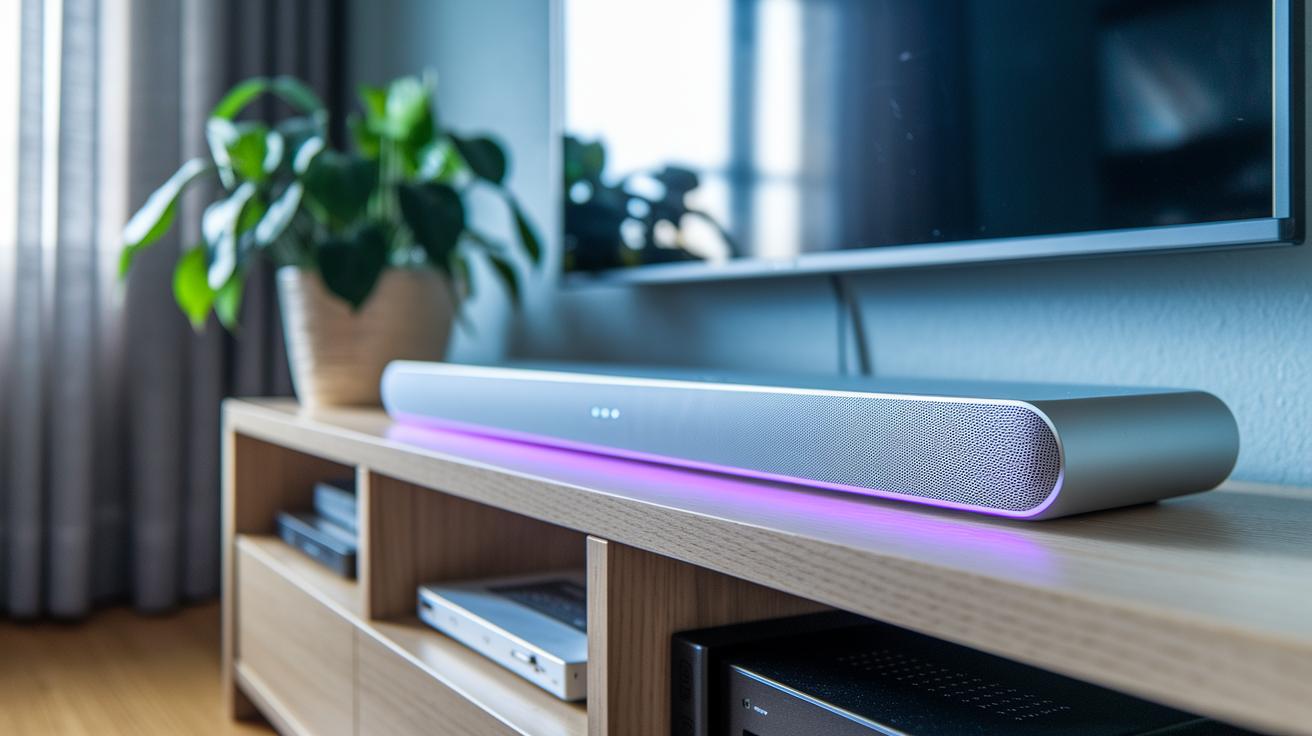
Today’s soundbars often include built-in voice assistants like Amazon Alexa or Google Assistant, which let you control your system with simple voice commands. Using a companion app, you can easily adjust settings, switch modes, and stream your favorite music over your network. This smart integration means your soundbar works perfectly with other smart home devices, giving you a smooth, modern entertainment experience.
HDMI-CEC technology now lets your TV remote handle your soundbar too. Once you set it up, one remote can control several devices. This makes it effortless to switch between your TV, gaming console, or streaming device without any fuss.
Keeping your system updated is also important. Regular firmware checks, whether via USB or Wi-Fi, help fix bugs and improve network performance so your soundbar and TV stay perfectly in sync. A quick update might even unlock extra features like sharper voice recognition and smoother control responses.
To get the best performance from your soundbar, make sure to:
- Enable HDMI-CEC on both your TV and soundbar.
- Use the companion app to manage the remote control settings.
- Update the firmware as recommended.
- Check your source selection guide for tips on switching inputs quickly.
Troubleshooting Electronic Resonance and Interference Reduction Measures
If you're dealing with audio dropouts, HDMI handshake issues, or echoes that make conversations hard to follow, it’s a good idea to tackle these problems step by step. Often, these glitches come from signal mismatches or interference from cables too close to each other. Start by checking your equipment and making sure every connection is solid and up to standard.
Try resetting your HDMI connections first. Unplug the HDMI cable from both your TV and your soundbar, wait a few seconds, then plug them back in. This simple trick can clear up temporary handshake errors. Still having problems? Update the firmware on both your TV and soundbar following the instructions in the user manual. New firmware can flush out hidden bugs and help process audio better.
Another tip is to reposition your cables. Keep your audio cables stand-alone by moving them a few inches away from power cords to avoid electromagnetic interference. Also, switching to dedicated modes like "Game" or "Music" on your devices can cut down on processing delays and stop those annoying echoes.
- Check HDMI cable integrity and reset connections
- Update firmware on your TV and soundbar
- Route audio cables away from power sources
- Use low-latency modes to reduce echo and delay
Finally, it’s a good idea to do a regular inspection of your setup. Make sure every component is connected properly and is well-shielded. These steps can help you quickly diagnose and fix common issues in your soundbar-to-TV setup.
Comparing Top Soundbar Models for Seamless Compatibility

When setting up your home theater, the way your soundbar connects and works with smart devices makes all the difference. We’ve taken a close look at several popular models so you can see which one fits your needs best. These soundbars offer advanced speaker layouts, a variety of connection ports, and smart-home features that keep up with modern tech trends.
| Model | Key Features | Compatibility Focus |
|---|---|---|
| Yamaha YAS-209 | Clear voice dialogue enhancement, HDMI ARC, built-in Wi-Fi | Perfect for clear speech and easy pairing with your TV |
| Denon DHT-S516H | Dolby Atmos support, HDMI ARC connectivity | Great for creating an immersive movie experience |
| Sony HT-G700 | 3.1-channel system with Vertical Surround Engine | Well-balanced for various setups and sound needs |
| Sonos Beam | Wi-Fi smart-home expandability, voice assistant integration | Ideal for a seamless multi-device and room-wide audio setup |
| Paradigm C Serie Roma | High-power drivers, unique design | Focused on top-notch audio performance with custom connectivity |
| Triad InRoom Bronze LCR | Discrete installation, refined clarity | Engineered for precise placement and subtle room optimization |
Each soundbar has its own strengths. The Yamaha YAS-209, for example, makes dialogue clear, which is great if conversations in TV shows or movies matter most to you. The Denon DHT-S516H uses Dolby Atmos to deliver a true movie theater feel. If you want a solid mix of speakers that work well together, the Sony HT-G700 offers a balanced performance that suits many different setups.
Meanwhile, the Sonos Beam keeps things simple with voice control and fast Wi-Fi updates, making it easy to get streaming quickly. For those who care about both style and sound, the Paradigm C Serie Roma and Triad InRoom Bronze LCR are designed to look great and fit seamlessly into your home, no matter what your TV is like.
In short, these soundbars are built to adapt to different needs, whether you prioritize clear voice, immersive audio, or smart connectivity throughout your living space.
Final Words
In the action, we broke down key aspects of connecting your soundbar. We examined connection types, input selection, placement tips, and pairing procedures for subwoofers and surround speakers. The guide also covered smart features and troubleshooting steps to keep your setup running smoothly. This soundbar compatibility guide offers practical advice for a hassle-free audio upgrade. Enjoy building a home entertainment system that delivers clear dialogue and booming bass.