
Have you ever considered that your broken Bluetooth speaker might be a fun DIY project?
Too often, people throw away speakers without trying a simple repair.
In this guide, we'll show you how to test charging ports, battery voltage, and audio output using handy tools like a multimeter (a device for measuring voltage) and a USB power meter.
By getting hands-on, you can quickly spot the issue that silenced your favorite tunes and fix it yourself.
Get ready to revive your sound and extend your speaker's life with an easy, step-by-step repair process.
DIY Bluetooth Speaker Repair: Quick Troubleshooting Steps
Let’s start simple. If your Bluetooth speaker won’t power on or charge correctly, the problem might be a faulty charging port or a weak battery. Common issues include low charging current and on-and-off power. For example, a broken port might show no current at all, while a battery reading below 3.3 V can cause the device to shut down completely.
We use a step-by-step approach to find the source of power, battery, or connectivity issues. By checking each component, you can quickly rule out potential faults. For instance, after fixing a damaged USB connector through reflow and re-soldering, a reading of around 340 mA usually means the repair worked.
Here’s our checklist:
- Perform a visual inspection and power-on test.
- Check the battery voltage using a multimeter.
- Measure the charging port’s current with a USB power meter.
- Verify the audio output using test tones.
- Re-pair the speaker and test connectivity.
Most professional repairs complete within one to three days. With a careful DIY check, using tools like a multimeter and USB power meter, you’ll restore your speaker’s functionality. This method ensures reliable charging, clear sound, and stable connectivity, helping your device work like new.
Essential Tools and Safety Precautions for Bluetooth Speaker Repair
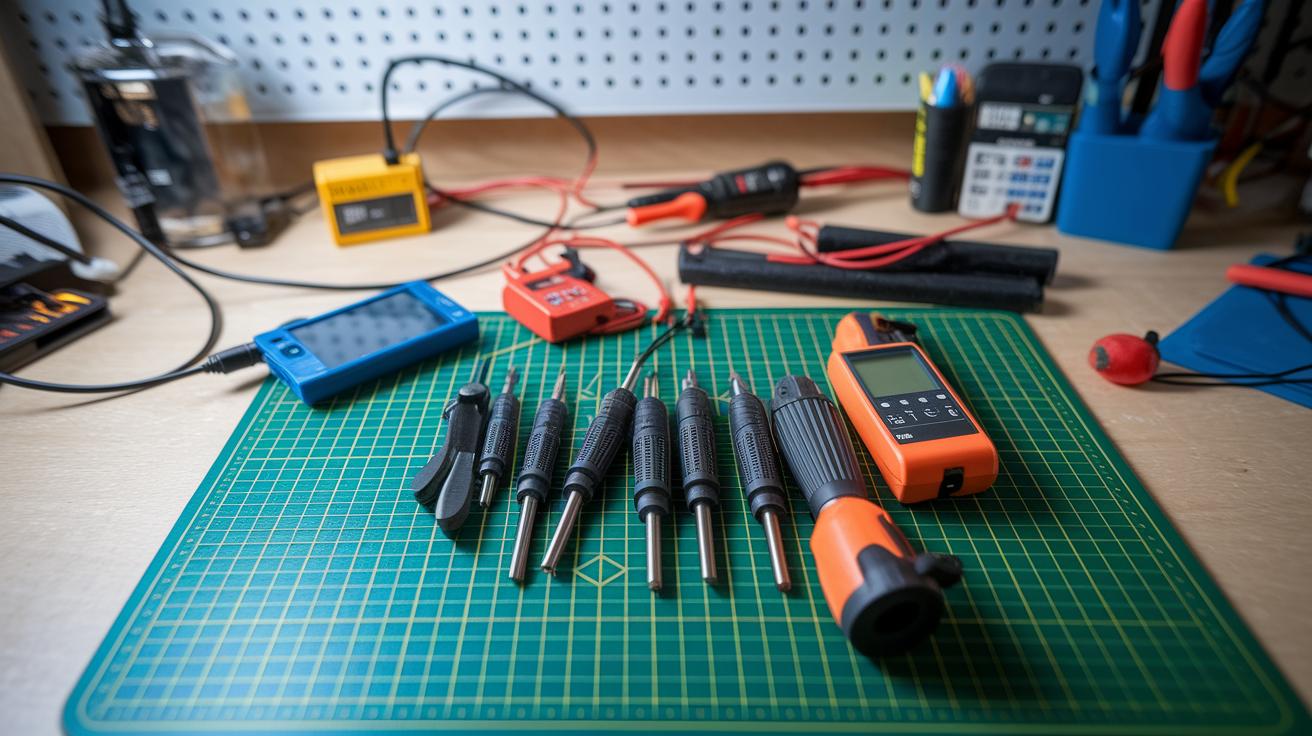
When fixing your Bluetooth speaker, every tool has its own important role. A precision screwdriver set helps you remove tiny screws without scratching the case. A digital multimeter is key for checking voltage and making sure circuits work correctly. A soldering iron (25-45 W) paired with a hot air rework station makes it easy to melt or remove solder as needed. A USB power meter also comes in handy to check charging currents. With this collection, you're equipped for every step of the repair.
- Precision screwdriver set
- Digital multimeter
- Soldering iron (25-45 W)
- Hot air rework station
- USB power meter
- Anti-static wrist strap and mat
Setting up a work area that avoids static is very important when dealing with delicate electronic parts. Wearing an anti-static wrist strap and using a grounded mat stops static electricity from building up and harming the circuits. This simple step goes a long way in protecting your device.
Don’t forget to wear safety glasses too. They protect your eyes from solder splashes and any debris that might fly around while you work. This extra bit of safety helps keep everything under control during your repair.
Diagnosing and Resolving Charging and Battery Failures in Bluetooth Speakers
First, grab your multimeter and check your battery's voltage. If you see anything below 3.3 V, that cell may be too weak, causing the speaker to shut down. Go through the battery pack, comparing voltages across all sections to find the suspect cell. Once you spot one that isn't performing, swap it out with a replacement that closely matches the original specs. This ensures that your speaker keeps its expected runtime. For example, test each cell one after the other, confirming that each meets the expected voltage.
If you're looking to dig a bit deeper, carefully remove the battery from the circuit and try swapping out the cells you think might be the issue. Use your multimeter again to make sure each new cell stays steady above 3.3 V. This method helps pinpoint problems that a simple voltage check might skip.
Next, take a close look at the charging port. If it shows signs of wear or damage, use a USB power meter to check if it's drawing any current at all. A reading of zero usually means the port is broken. In some cases, carefully reflowing the USB connector can bring it back to life.
Finally, inspect the PCB charging circuit. Look for any loose or poorly soldered joints. If you find any, re-solder them with care and add bridging wires if needed to fix minor trace issues.
Resolving Sound and Connectivity Problems in Bluetooth Speakers

Sometimes your Bluetooth speaker starts sounding off or stops outputting sound after a fall or prolonged use. Often, loose wires or a speaker component that’s shifted position can be the underlying cause. In other cases, a disturbed soldered connection might lead to playback glitches or pairing problems.
To diagnose issues like no audio or distortion, begin by carefully opening your speaker to inspect its wiring. Look for any wires that seem loose or show signs of wear. Play a clear test tone and listen for crackles or a complete loss of sound. If something sounds off, it could mean a soldered connection has come loose, especially if the speaker has taken a hit.
If you notice that MP3 files sound unusual or skip certain frequencies, that might be a sign that a soldered wire has detached. Also, check for the presence of the Bluetooth logo to make sure you’re dealing with the original, unaltered hardware.
For restoring proper Bluetooth pairing and stopping dropouts, start by powering off the device and performing a factory reset. This clears out any outdated pairing information that might be causing software issues. Testing this reset can sometimes resolve glitches in the firmware that affect stable connections.
Next, review the Bluetooth settings on your smartphone or computer. Remove any stored pairings and then re-establish a connection. These simple steps often fix random disconnections and help restore stable audio and connectivity.
Bluetooth Speaker Repair Boosts Your Sound
Start by locating any hidden screws underneath the rubber feet or foam panels. Use a plastic pry tool to gently lift off the covers so you avoid scratching the surface. Keep an eye out for tiny screws along the edges because they can be easily missed.
Remember to choose plastic tools over metal ones. Plastic tools lower the risk of damaging delicate surfaces or the speaker's inner parts. Check the casing carefully as you might find hidden snap clips or fasteners that don't follow the usual patterns.
When it comes to removing the foam, take it slow. Press gently along the seam where the foam meets the casing and lift it slowly to expose any internal wiring. This method helps you avoid putting too much strain on the internal ribbon cables. If you distribute even pressure while lifting, you'll spot any cable attachment points and keep everything in place.
Before you power the speaker back up, check that all ribbon cables and connectors are well aligned and secure. Make sure there are no tool marks or loose parts that might cause damage once you put everything back together.
Circuit Board Troubleshooting and Soldering Techniques for Bluetooth Speaker Repair
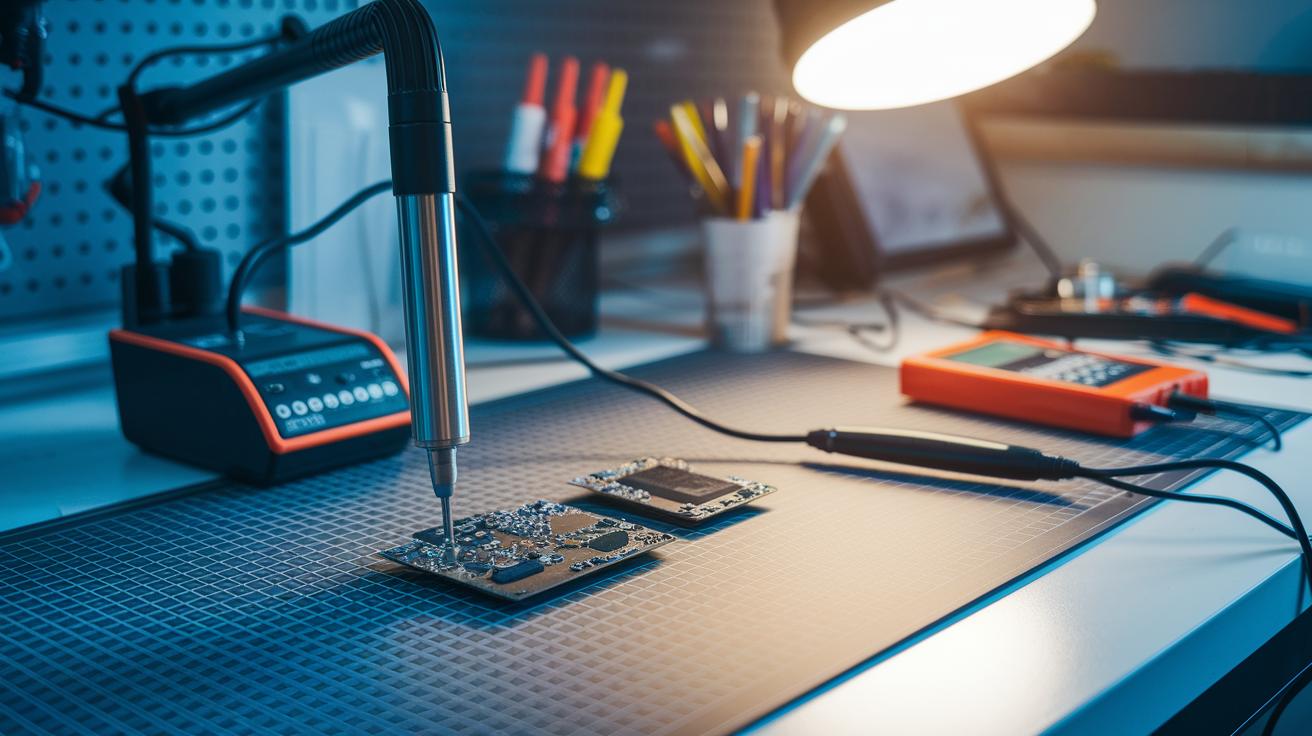
Setting up your work area correctly is the first step to a solid PCB repair. Start by gathering the key tools: a hot air rework station, a soldering iron, a digital multimeter, and a magnifier or microscope to help you see small details. We recommend setting the hot air station to about 300 °C. This temperature lets the solder flow smoothly without damaging nearby parts. A clean, well-lit space also helps you avoid mistakes and keeps your repair work precise.
For cold solder joints, like those on USB connectors that affect charging, use the hot air station to gently warm the joint until the solder melts evenly. Keep your hand steady and apply heat evenly so you don't overheat any other parts. Once the solder is soft, take a moment to remove any leftover residue or old solder. Check that the joint looks smooth before you add any new solder. This careful process helps get rid of flaky connections and makes the repair last.
If you find a broken PCB trace that can't be fixed by reflowing the solder, try using thin bridging wires to bypass the damaged area. Lay the extra wire carefully along a clear path to reconnect the circuit without creating any new shorts.
After you put everything back together, do a thorough check with your multimeter. Make sure the charging current is as expected and verify that there are no stray shorts on the board. This final test confirms that your repair is solid and your Bluetooth speaker will work reliably.
When to Choose Professional Bluetooth Speaker Repair Services
Sometimes a DIY fix just isn’t enough. If your speaker starts showing strange charging behavior, uneven power output, or ongoing sound and connectivity problems, it’s a clear sign that home repairs may not do the trick. When your troubleshooting efforts don’t uncover or fix the issues, it’s time to call in the experts. Hidden problems like internal circuit board faults or complex soldering work need specialized tools and a steady hand.
Even if you’ve tried re-soldering or replacing battery cells, recurring issues mean your speaker could really benefit from a professional’s inspection. If you notice your speaker’s performance slowly getting worse despite several repairs, that’s another strong indicator it needs expert attention.
Professional repairs typically take one to three days, so you won’t be without your speaker for long. Many repair shops even offer warranties on their work, giving you extra peace of mind. When weighing your options, look at repair costs, service speed, and warranty terms to choose the best fix, especially if you need mobile repair services for your portable sound system.
Final Words
In the action, we unpacked key steps in diagnosing power issues, reassembling casings, and refining circuit board soldering.
We walked through visual checks, multimeter testing, and essential tool use, all practical for effective bluetooth speaker repair.
Whether you're addressing battery troubles or smoother audio output, these hands‑on steps help keep repairs straightforward and downtime low. Enjoy the process and trust that your speaker will soon sound as good as new!
FAQ
Where can I find local Bluetooth speaker repair services?
Bluetooth speaker repairs near me refer to local repair shops and electronics specialists that fix your device, typically found through online directories or local recommendations.
What does a Bluetooth speaker repair kit include?
A Bluetooth speaker repair kit includes essential tools like screwdrivers, a soldering iron, and a USB power meter, offering a DIY solution to address common issues.
How do I repair a Bluetooth speaker charging port?
Repairing a Bluetooth speaker charging port involves inspecting and reflowing solder joints on the USB connector, then testing charging current with a USB power meter to ensure proper power delivery.
What does Bluetooth speaker repair online involve?
Bluetooth speaker repair online refers to accessing digital tutorials or arranging professional repair services via the internet, providing guidance and step-by-step instructions for common fixes.
How can I fix no sound or crackling sound issues in my Bluetooth speaker?
Fixing no sound or crackling issues means checking internal wiring, ensuring speaker drivers are securely connected, and testing with multiple audio sources to isolate and resolve the problem.
How do I open my Bluetooth speaker for repair?
Opening a Bluetooth speaker for repair involves locating hidden screws under rubber feet or foam panels and carefully prying open the casing with plastic tools to avoid damaging internal components.
How is JBL Bluetooth speaker repair handled?
JBL Bluetooth speaker repair focuses on addressing common issues like charging port faults and sound distortions using model-specific guides, ensuring that repairs follow the brand’s design standards.
Can a Bluetooth speaker be repaired and is it worth it?
A Bluetooth speaker can be repaired if issues like charging, connectivity, or sound defects are identified. Repair value depends on cost comparisons with replacing the unit based on its current performance.
Does Geek Squad fix Bluetooth speakers?
Geek Squad can fix Bluetooth speakers, offering repair services that cover issues from charging problems to connectivity errors, with availability and cost varying by location.
How do I resolve Bluetooth connectivity issues with my speaker?
Resolving Bluetooth connectivity issues involves resetting the device, re-pairing it with your host device, and checking firmware updates to improve connection stability and performance.