
Have you ever wondered if your door lock could do more than just latch shut? Smart lock deadbolts bring classic durability together with modern convenience to keep your home safe and add a sleek touch. After trying out 30 models, we noticed that features like quick fingerprint access and various unlocking options really enhance everyday life. With battery performance that lasts and smooth compatibility with systems like Apple Home and Google Home, these locks turn your door into a dependable security ally. Read on to discover how upgrading your door can boost protection and make your daily routine easier.
Smart Lock Deadbolt Essentials: Features and Compatibility
Smart lock deadbolts blend modern technology with everyday security. We tested 30 different models, and nearly all offer at least three unlocking methods: a traditional key, a keypad code, and smartphone or biometric access. One tester said using a fingerprint felt as quick as tapping a phone, fast, simple, and reliable. In short, these locks turn your door into a smart barrier against unwanted entry.
Connectivity is key with today's smart locks. Many top models include built-in Wi-Fi, which runs on battery for 3 to 6 months. If you choose a Bluetooth version with a plug-in module, you could see battery life extend to 8 or even 12 months. Then there are high-end models that use Thread technology, promising similar longevity. Pick the one that fits your daily use and energy expectations.
Another great benefit is broad compatibility. Most smart locks work with Matter, Apple Home, Google Home, Amazon Alexa, and Samsung SmartThings. This ensures your new device fits right in with your existing smart home setup. You can easily control these locks with voice commands or geofencing routines, making your door work for you throughout the day.
Reviews consistently highlight the importance of an easy-to-use interface, straightforward installation, and reliable remote control features. When shopping for a smart lock deadbolt, look for models that allow multiple unlocking options and offer flexible connectivity. That approach provides strong home protection along with the convenience of a modern, connected device.
Smart Lock Deadbolt Installation Guide

Installing your smart lock deadbolt is pretty simple and usually takes around 30 minutes with a Phillips-head screwdriver. First, take off the inside cover to reveal the mounting area. Then, carefully line up the mounting plate on the door so it sits flush before you start putting everything together.
- Remove the door's interior cover.
- Align the mounting plate properly and secure it.
- Insert the deadbolt assembly into its correct spot.
- Tighten all screws firmly to keep the setup securely in place.
Some models need a separate hub or bridge to work with Wi‑Fi or Thread networks. If your lock is one of these, be sure to install the hub according to the manufacturer's guide before finishing up the deadbolt assembly.
During our tests, we found that the Yale Assure Lock 2 can be tricky because its spring-loaded mounting plate may cause alignment problems. Take your time and adjust the plate carefully to avoid any issues during regular use.
If you ever see low battery alerts, try plugging into the USB‑C port for a quick charge or replace the backup 9‑volt battery. Always check your device’s manual for detailed steps to keep your remote-controlled entry system working reliably.
Smart Lock Deadbolt Comparison: Top Models Reviewed
The Schlage Arrive Smart Wi-Fi Deadbolt impresses with its strong security features and stylish design. Its easy-to-use digital key system makes unlocking and locking a breeze, though it misses out on a tamper alarm and a sensor that shows you whether the door is closed.
The Yale Assure Lock 2 is a close second. It comes with built-in Wi-Fi and a modern keypad that gives it a fresh look, along with advanced access features. Just be prepared to spend a little extra time during installation; its spring-loaded mounting plate needs to be lined up perfectly.
Apple Home users might find the Aqara Smart Lock U100 especially appealing. This lock offers a speedy fingerprint reader and works seamlessly with smart home systems using digital keys. One thing to note is the requirement for a six-digit PIN, which means you might find it a bit trickier to remember than a simpler four-digit code.
For those watching their budgets, the Eufy Smart Lock C34 is an attractive option. It provides a straightforward keypad interface paired with Wi-Fi connectivity at a lower price. Its indoor design is a bit bulkier compared to some competitors, but it covers the basics reliably in a compact package.
Other notable models, such as the Kwikset Halo Select, Wyze Lock Bolt, Nuki Smart Lock, Level Lock Pro, and Lockly Visage, each bring unique features to the table. Whether you need a variety of connectivity options or different battery life expectations, there's a smart deadbolt out there that fits your specific security needs and smart home setup.
Smart Lock Deadbolt Smart Home Integration and Connectivity
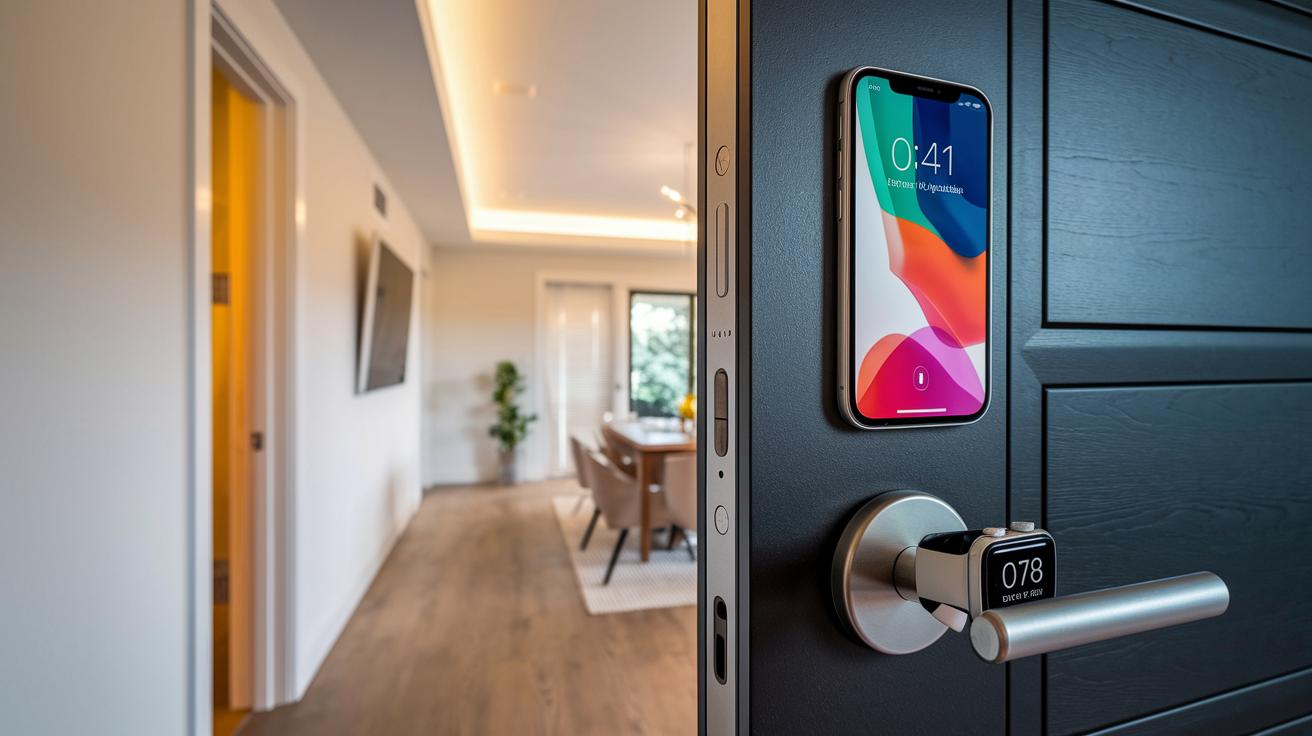
Most smart locks work with popular platforms, but some models bring extra features to make your connected home even smoother. For instance, the Ultraloq Bolt NFC lets you open your door using your iPhone or Apple Watch, acting like a digital key you always carry. In a similar vein, the Kwikset Halo Select uses Thread connectivity to cut down on battery drain and speed up response times.
Adding a dedicated hub, like an Apple Home Hub or an Echo smart speaker, further strengthens your system's stability. This setup makes remote control a breeze and boosts the reliability of your smart lock, all without rehashing the standard compatibility features you already know.
Smart Lock Deadbolt Maintenance and Troubleshooting
Regular care keeps your smart lock running smoothly, just like any other essential gadget in your home. Treat your lock as a smart electronic controller that needs a bit of TLC to perform at its best. Battery life can differ quite a bit between models. For example, Wi‑Fi versions typically last 3 to 6 months, while Bluetooth and Thread models can go for up to 12 months. The Level Lock Pro runs for 12 months using a CR2 battery, the Eufy S3 Max operates for about 5 months on its rechargeable battery, and the Lockly Visage gives you around 8 months of service.
A few simple steps can really boost your lock’s lifespan. Make sure to keep its sensors clean, update the firmware as new versions come out, and check the weatherstripping now and then to ward off the damage from outdoor conditions.
Here are some friendly troubleshooting tips if you run into hiccups:
• If the lock loses its Bluetooth connection, try re‑pairing it.
• Struggling with connectivity issues? Reset your network settings.
• If the deadbolt starts jamming, it might need realignment.
By staying on top of these routine checks and updates, you keep your smart lock running reliably. Taking care of your lock not only helps the battery last longer but also ensures that all its access methods work safely and effectively every day.
Smart Lock Deadbolt: Secure, Sleek Home Protection

If you're looking for a digital home security solution without breaking the bank, consider the budget-friendly models like the Ultraloq U-Bolt Pro and Eufy C34. These key-free smart locks usually cost between $100 and $155 and give you modern entry without a steep price tag.
For those who want a bit more style and advanced features, mid-range options such as the Schlage Encode and Yale Assure Lock 2 are available from $160 to $250. They add more refined smart functions and a sleek design.
If you're after top-tier security with longer battery life and extra features, premium models like the Level Lock Pro start at $300 and up. These locks offer extended capabilities for those who demand the best in home protection.
Users appreciate the simplicity of sharing virtual keys, checking detailed logs of access, and setting up guest codes. However, some have mentioned that battery replacements can be tricky and that the app might occasionally glitch. Holiday discounts and ANSI/BHMA security ratings are also key factors that can influence your decision.
Overall, these smart deadbolts balance cost with advanced features, offering a modern and stylish way to secure your home while delivering reliable performance in everyday use.
Final Words
In the action, we broke down each essential feature from installation and connectivity to top models and user feedback. We showed how unlocking methods and practical troubleshooting keep your smart home secure. This review detailed real-world performance and honest cost comparisons so you know what fits best in your routine.
A smart lock deadbolt offers robust protection and practical ease for everyday use. Enjoy the confidence and convenience it brings to your home security setup.
FAQ
Smart Lock Deadbolt and handle Combo
The smart lock deadbolt and handle combo delivers a unified solution by combining secure keyless entry with an integrated handle, offering streamlined access and robust physical security for modern home setups.
How does smart lock deadbolt installation work?
Smart lock deadbolt installation typically takes about 30 minutes using simple tools like a Phillips-head screwdriver. Models like Yale Assure Lock 2 may need extra care aligning the mounting plate for proper function.
What does a smart lock deadbolt with key offer?
A smart lock deadbolt with key provides dual access methods by combining digital unlocking options with a traditional key, ensuring you can enter even if the digital system malfunctions.
How does the Schlage smart lock deadbolt perform?
The Schlage smart lock deadbolt is known for its strong security and user-friendly operation, though some features like a tamper alarm or door-status sensor may be absent, making it ideal for straightforward installations.
What is the best smart deadbolt lock?
The best smart deadbolt lock depends on your needs. Options like the Schlage Arrive and Yale Assure Lock 2 offer strong security and sleek design, balancing advanced features with reliability for varied home environments.
How does a WiFi smart lock deadbolt function?
A WiFi smart lock deadbolt connects to your home network for remote control and monitoring. It offers convenient features like geofencing and smart home integration, but typically requires battery replacement every 3 to 6 months.
What are the features of the August Smart Lock?
The August Smart Lock serves as an effective digital entry solution that integrates well with major smart home platforms, offering secure app control and virtual keys, though additional accessories might be necessary for full feature compatibility.
What are door smart door locks?
Door smart door locks are keyless entry systems that integrate modern connectivity with robust mechanical security. They provide flexible access methods, including biometrics, keypad codes, and remote control via compatible apps.
What are the downsides of smart locks?
Smart locks may face challenges with battery life, occasional app or connectivity issues, and potential vulnerabilities if not properly maintained. Regular updates and backup key options can help mitigate these downsides.
Is a smart lock safer than a traditional deadbolt?
Smart locks offer advanced features like remote monitoring and multiple unlock options, while traditional deadbolts provide mechanical reliability. The overall safety of each depends on proper installation, upkeep, and user practices.
How do you add a smart lock to an existing deadbolt?
Adding a smart lock to an existing deadbolt involves installing a compatible smart lock kit over the current hardware. Following the manufacturer’s instructions for mounting and connectivity ensures a smooth integration.