
Ever feel like your movie nights are missing something? Imagine a sound system that fills your room with clear dialogue and deep, punchy bass so every scene feels alive. A 5.1 soundbar uses five speakers and one dedicated subwoofer to deliver true surround sound without messy extra wires. In this review, we explore how a compact soundbar setup can transform your living room into a mini theater. If you're looking for an easy upgrade to boost your home audio, read on to discover how immersive sound can change your movie experience.
5.1 Soundbar Overview: Immersive Surround Audio
A 5.1 soundbar system packs five all-range speakers plus a subwoofer that handles the deep bass. You get dedicated left, center, and right speakers for clear dialogue and main audio, along with two extra speakers that create an ambient surround effect. The subwoofer brings those low notes to life, making movies and music feel more dynamic. This compact six-channel design cuts the clutter of traditional home theater setups while keeping the essence of true surround sound.
Modern 5.1 soundbars go beyond basic stereo setups by delivering a more immersive sound experience. They use directional cues to fill your room with detailed audio, which makes movie nights and music sessions feel more engaging and real. They create a sense of depth that makes action scenes pop and musical passages come alive. Still, they might not hit the pinpoint precision of a full set of separate speakers. Room shape, speaker placement, and natural acoustics still play a role in balancing the sound. For anyone who values a simple setup with a robust audio experience, a 5.1 soundbar is a solid, easy-to-use choice.
5.1 Soundbar Surround Configuration and Components
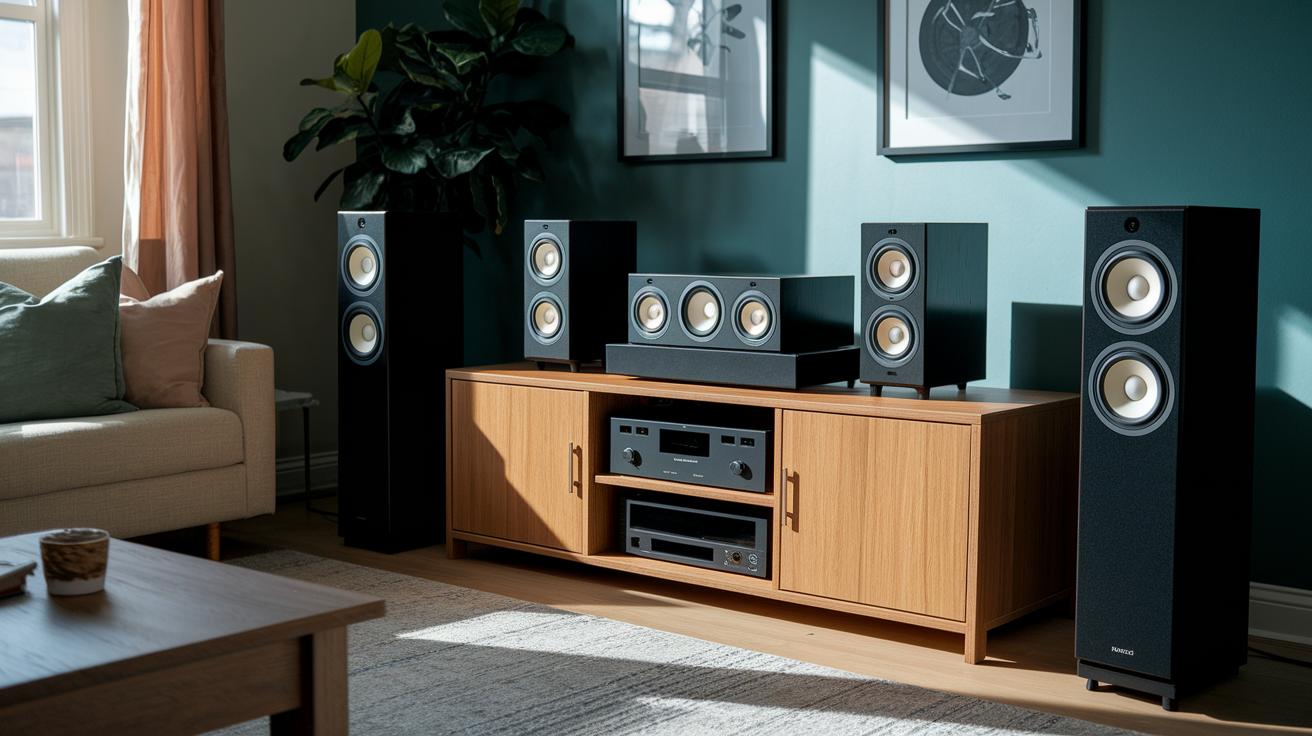
A 5.1 soundbar system contains five speakers and one subwoofer arranged to cover the front, center, and rear parts of your room. This six-channel setup delivers clear dialogue and fills the space with immersive sound without the fuss of extra wires.
Front, Center, and Surround Speaker Roles
The front speakers provide crisp audio for dialogue. The center speaker anchors conversations so you never miss a word. Meanwhile, the surround speakers add directional cues and ambient tones, making movies and music feel more lifelike. Each speaker works together to create a rich audio experience.
Satellite Speaker Placement
Rear satellite speakers sit about 6 to 8 feet apart and are placed just behind you at roughly a 110-degree angle for the best surround effect. This position captures sound cues that mirror real life, helping to open up the sound field. High-quality systems like the Samsung HW-Q990F even use wireless rear modules to keep your setup clean without extra cables.
Subwoofer Pairing and Bass Management
The subwoofer uses a compact yet powerful driver to deliver deep, impactful bass. When positioned near the front of the room and set to the right level, it balances the low-end sound with the rest of the speakers, giving you that full cinematic experience.
5.1 Soundbar Connectivity Options
Your 5.1 soundbar gives you many ways to hook up your devices so you can enjoy great sound whether you're watching movies, streaming music, or playing games.
- HDMI ARC/eARC
- Optical audio input
- Coaxial digital input
- Bluetooth audio pairing
- Wi-Fi streaming compatibility
- Wireless rear speaker link
Your TV and other devices need to have the right ports for top performance. For example, HDMI ARC and especially HDMI eARC are key for enjoying full-bandwidth Dolby Atmos, which means richer, fuller sound. If you have an older setup, optical or coaxial inputs can do the job well. Bluetooth is a handy way to connect your phone without any extra cables, although it might sometimes cause a tiny delay. Wi-Fi lets you stream audio and apps directly through the soundbar, and a wireless rear speaker link means fewer cables cluttering your space. Just remember to check that your TV has an HDMI eARC port if you want to use the latest sound formats. Each method has its own pros and cons, so you can choose the one that works best for you.
5.1 Soundbar Audio Technologies and Dolby Atmos Integration

Dolby Atmos creates a more immersive audio experience by adding height channels to regular surround sound. It uses upward-firing drivers that bounce sound off the ceiling so you feel like it's coming from above. For example, the Sonos Beam Gen 2 has two overhead arrays that provide clear, above-head effects, while the Samsung HW-Q990F ups the game with four dedicated Atmos drivers. These height channels work together with front, center, and rear speakers to spread sound evenly in the room, making movies and music feel more lifelike.
Modern 5.1 soundbars also bring extra sound-enhancement features to improve quality. Virtual surround processing and cinema EQ simulate the effect of multiple speakers around you. In many cases, systems with more drivers deliver richer and more detailed sound imaging. This mix of smart processing and strong hardware lets a compact soundbar perform like a full home theater system, giving you an impressively immersive audio experience.
5.1 Soundbar Calibration and Room Optimization
Getting your sound right starts with where you put your speakers. Place the left and right speakers at equal distances from the center, and set the rear speakers evenly behind your seating area. Aim to have them about 6 to 10 feet away from you. That way, dialogue, music, and sound effects all reach you evenly.
Next, pair your subwoofer with the main system for a solid bass response. Securely connect the subwoofer and adjust its gain so it matches the output of your front channels. Choose a crossover frequency between 80 and 120 Hz based on your room setup and listening style. Tweak these settings until the deep sounds blend nicely with the rest of the audio.
If your soundbar has a built-in calibration wizard, give it a try. Run the room-calibration routine through its system or companion app to measure your room’s acoustics and automatically adjust each channel. Once done, fine-tune the sound with a manual equalizer to match your room’s unique acoustics for clear, balanced sound all around.
5.1 Soundbar Comparison and Model Recommendations
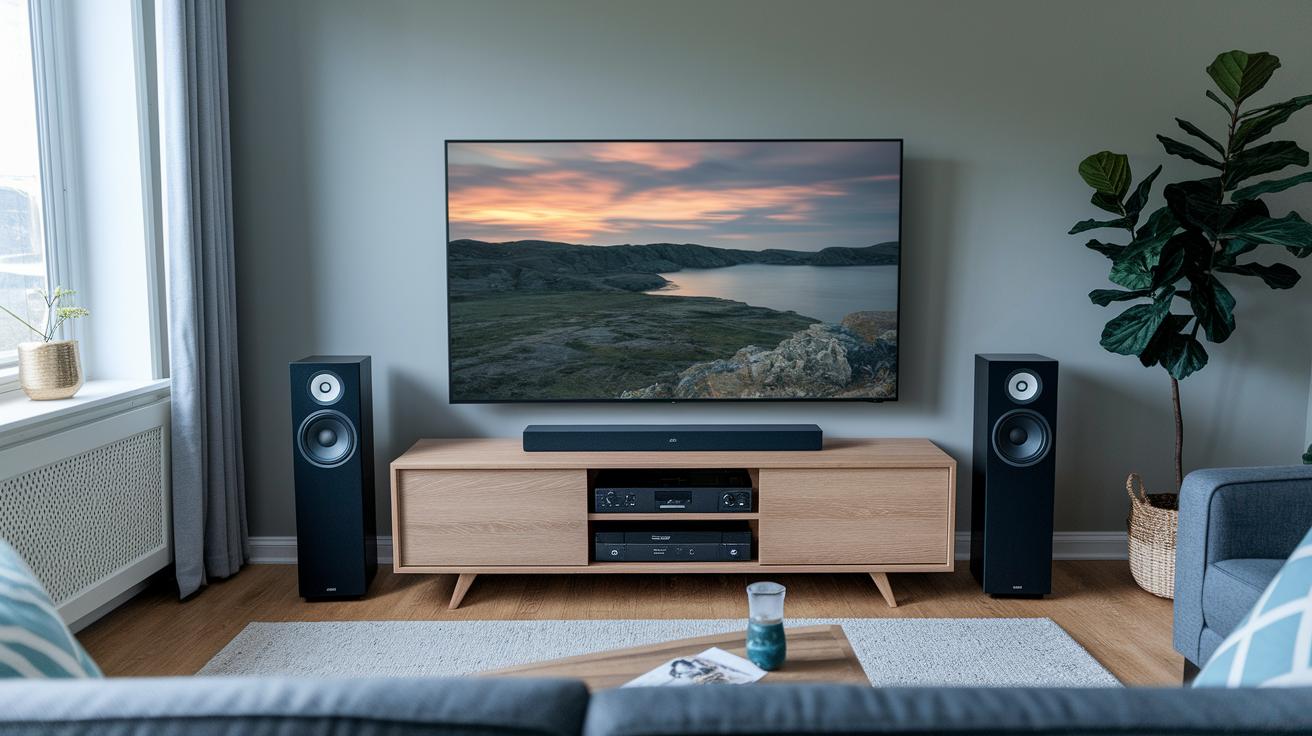
We tested several 5.1 systems to find the ones that deliver clear sound, smart design, and good value. We looked at sound quality, channel separation, and overall performance. Our hands-on tests and technical checks show which models bring a true home theater experience without being hard to set up. This guide breaks down the choices between sleek compact systems and those with extra features for a cinematic feel.
| Model | Price Range | Key Features |
|---|---|---|
| Polk MagniFi Mini AX | $$ | Compact 5.1 design with balanced audio |
| Samsung HW-Q990F | $$$$ | 48.5-inch bar with four Atmos drivers and wireless rear speakers |
| Sonos Beam Gen 2 | $$$ | Premium Dolby Atmos with dedicated overhead and surround arrays |
| Hisense AX5125H | $ | Budget-friendly setup offering solid surround sound |
If you’re tight on space but still crave immersive sound, the Polk MagniFi Mini AX is a great pick. For those ready to upgrade with more robust features, the Samsung HW-Q990F delivers with a larger design and Atmos support. The Sonos Beam Gen 2 suits buyers who want a refined Dolby Atmos experience wrapped in a sleek package, and the Hisense AX5125H works well if you’re looking for a cost-effective entry into surround sound.
5.1 Soundbar Installation Tips and System Positioning
If you're setting up your 5.1 soundbar by wall-mounting or placing it on your TV stand, getting the installation right is key for both great sound and a tidy look. Use the provided brackets to secure the soundbar above or below your TV. Make sure it stays level and lines up perfectly with your screen. Tuck away power and audio cables along the wall or behind cable covers so they remain hidden. Also, position any rear speakers where nothing blocks their view; this helps maintain a true surround sound experience.
Before you complete the setup, take a moment to carefully read the user manual. If there's an on-screen setup wizard, use it to fine-tune the system. Check that each channel, front, center, and surround, is working correctly by testing the dialogue, ambient effects, and deep bass from the subwoofer. These simple steps not only keep your space looking neat but also ensure your home theater sounds its best.
Final Words
In the action of exploring every aspect of a 5.1 soundbar, we broke down its channel layout, connectivity, sound technologies, calibration tips, model comparisons, and installation advice.
Each section offered straightforward insights to make setting up an immersive home theater easy and reliable.
This deep dive into the 5.1 soundbar got us closer to a more engaging and balanced audio experience.
Enjoy setting up your system and making the most of your enhanced entertainment space.
FAQ
What features do popular 5.1 soundbars from Samsung, LG, Bose, and Vizio offer?
The 5.1 soundbars from these brands include a full six-channel layout with a wireless subwoofer and satellite speakers that deliver immersive surround audio and clear dialogue.
What does a 5.1 soundbar with a wireless subwoofer and satellite speakers include?
A 5.1 soundbar system comprises five full-range speakers and one dedicated subwoofer. This setup creates distinct directional audio cues and balanced bass without the clutter of wires.
Are 5.1 soundbars worth it?
The 5.1 soundbars are worth it if you seek a richer home theater experience compared to stereo systems. They provide better surround effects and deeper bass, though they may not fully replicate discrete speaker setups.
Is Netflix offered in 5.1 surround audio or standard audio?
Netflix streams both 5.1 surround audio and standard stereo. Many movies and shows come with a 5.1 mix, giving users an immersive audio experience when paired with a compatible sound system.
Is 5.1 surround sound still a thing?
The 5.1 surround sound format remains popular, offering clear channel separation and immersive audio. It continues to be a solid choice for home theaters despite the rise of newer formats.
Is 5.1 sound better than Dolby Atmos?
While 5.1 soundbars deliver robust surround audio, Dolby Atmos adds height channels and improved 3D imaging. Dolby Atmos generally offers a more layered and dynamic audio experience for advanced setups.
What JBL 5.1 soundbar models are available?
JBL offers several 5.1 soundbar models such as the Bar 5.1 Wireless, Bar 500MK2, and the Bar 500 with subwoofer and Dolby Atmos support, each designed for immersive home audio performance.
What high-end 5.1 soundbars does Samsung offer?
Samsung provides high-end models like the HW-Q990F and HW-Q990D, which feature multiple channels, wireless rear speakers, and integrated Dolby Atmos for a sophisticated home cinema experience.
What should I consider when choosing a 5.1 soundbar system?
When choosing a 5.1 soundbar system, consider its channel layout, wireless connectivity options, TV compatibility, and advanced audio features to ensure balanced, immersive sound in your home theater.