
Ever thought about how live music might sound in your living room? Polk Audio soundbars could be the upgrade your system needs. Whether you prefer a compact design or an immersive theater system, these soundbars deliver clear dialogue and rich, room-filling beats. Picture your shows and movies coming alive with every sound crisp and dynamic. In this article, we take a closer look at how Polk Audio soundbars can brighten your audio experience and transform everyday listening.
Polk audio soundbar Brightens Your Audio Experience
Polk Audio offers a range of soundbars that work well with almost any home setup. They provide four main models, each designed to meet different audio needs. The MagniFi Mini AX is a 2.1 soundbar with a very compact size, less than 2.5 inches tall and 35 inches wide. It focuses on clear dialogue, which makes it perfect for improving your TV's sound without adding extra speakers. The Siga S2 is also a 2.1 soundbar but it features two-way drivers and a powerful 5.5-inch subwoofer that fills a room with richer sound compared to standard TV speakers. If you want a bit more detail, the MagniFi 2 adds a third channel with a built-in subwoofer for a more balanced sound. For home theater lovers, the MagniFi Max offers a 5.1 channel setup with Dolby Atmos support, creating an immersive audio experience. Best of all, all these models are self-powered, so you don't need an external amplifier. This means you can set up your system quickly and start enjoying great sound right away.
| Model | Channels | Dimensions | Key Features |
|---|---|---|---|
| MagniFi Mini AX | 2.1 | <2.5″ H x 35″ W | Compact design, clear center-channel |
| Siga S2 | 2.1 | ~2.5″ H x 35″ W | Two-way drivers, 5.5″ subwoofer |
| MagniFi 2 | 3.1 | N/A | Built-in subwoofer, refined sound |
| MagniFi Max | 5.1 | N/A | Dolby Atmos support, immersive audio |
Polk Audio Soundbar Connectivity: HDMI, Optical, and Wireless Streaming
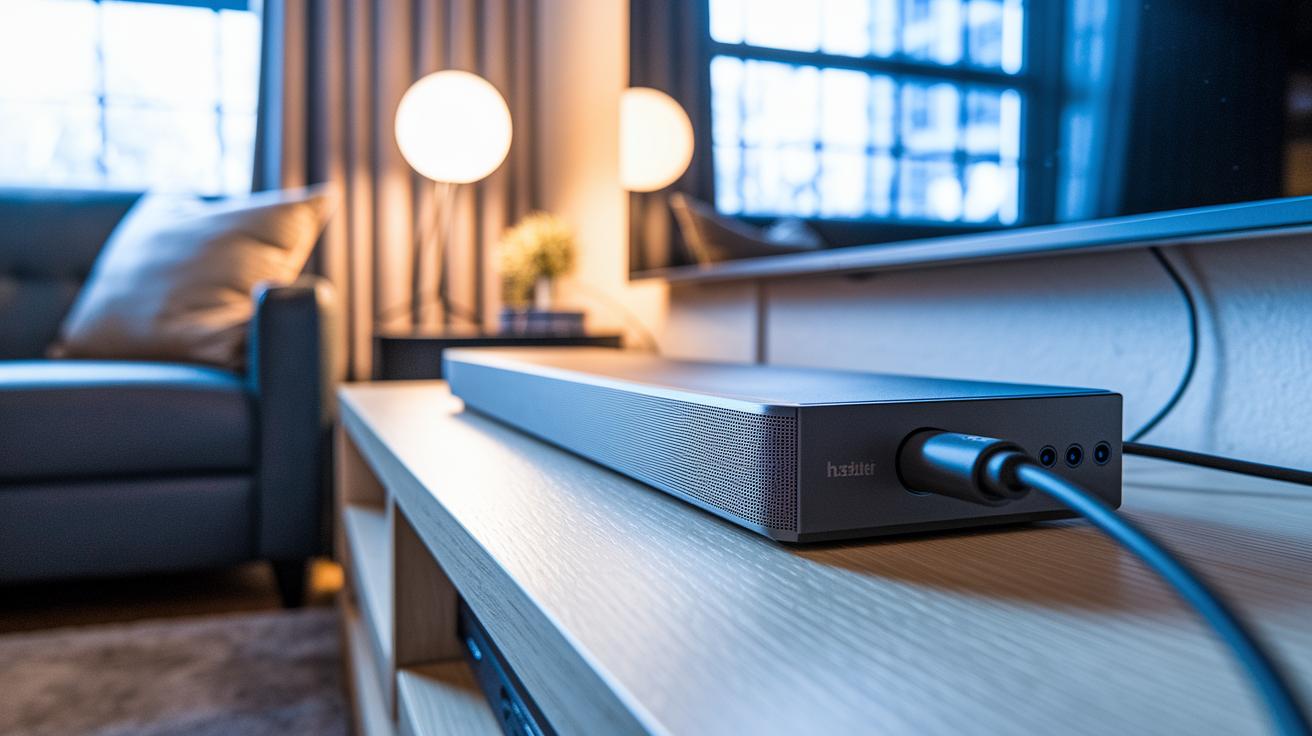
Polk soundbars come with an HDMI ARC port that lets your TV and soundbar exchange audio clearly. Some models even offer HDMI eARC to boost bandwidth and overall sound quality. Thanks to HDMI-CEC, your TV can control the soundbar without needing a separate remote. Just plug the HDMI cable into your TV's ARC or eARC port, and follow the on-screen steps to set up remote control.
If your TV doesn't have an HDMI ARC connection, don't worry. The optical input on the soundbar is a solid alternative for digital audio. It supports compressed two-channel PCM sources, delivering consistent sound whether you're watching movies or streaming your favorite tunes. Plus, a 3.5 mm jack is available for analog connections, making it easy to hook up older audio devices.
For those who prefer wireless streaming, the built-in Bluetooth makes playing music hassle-free. It supports everyday audio codecs like SBC and AAC, and some models even handle higher-resolution formats. A simple press of a front-panel button kicks off pairing, and your TV might show some on-screen instructions to finish the setup. This quick Bluetooth connection helps keep your space tidy and lets you switch between audio sources with ease.
Polk Audio Soundbar Audio Features and Performance Tuning
Polk Audio soundbars come with smart audio tools that let you easily adjust your listening experience. Whether you're enjoying movies, streaming music, or catching up on TV shows, these features ensure clear, immersive sound. With user-friendly EQ controls available in the compatible control apps, you can fine-tune bass and treble to match your room's acoustics.
VoiceAdjust Technology
Polk’s patented VoiceAdjust works by boosting mid-range frequencies between 1 and 4 kHz, where voices are most prominent. This means dialogue stays clear and easy to understand even when layered with other sounds during busy scenes or quieter moments.
Sound Mode Presets
Polk provides several sound modes to fit different needs. Movie mode creates a wider virtual surround soundscape that pulls you into the action. Music mode enhances the bass for a fuller, richer sound, and Night mode subtly reduces low-end output so that speech stays distinct even at lower volumes.
Virtual Surround Calibration
Some models simulate Dolby Atmos or DTS:X effects using upward-firing drivers or digital processing. An on-screen calibration feature helps align the sound to your room’s layout, and you can further adjust these virtual surround settings via control apps on Android or iOS to create a balanced home theater experience.
Polk Audio Soundbar and Wireless Subwoofer Integration
Polk Audio soundbar systems are designed for ease of use. When you power on both the soundbar and its wireless subwoofer within about 30 feet, they automatically connect. LED lights on each device confirm a good connection, and if the signal is weak, flashing lights tell you to adjust the placement for better performance. This smart design lets you enjoy enhanced bass without any extra setup.
For those who want a wired option, some models include an RCA mono subwoofer output. This lets you connect your own self-powered subwoofer for a custom sound setup. And if the automatic connection doesn’t work right away, manual pairing is simple. Just press and hold the pairing button on both devices for 5 seconds until the LEDs flash together to signal a successful connection.
Polk Audio Soundbar Installation and Mounting Techniques
Start by getting your wall ready for a solid home for your soundbar. The package includes keyhole-style wall-mount brackets and a paper template that makes marking the spots for fasteners simple. If you plan to mount the soundbar under a wall TV, you can pick up an optional low-profile bracket (sold separately) to keep the IR sensor clear. Follow the printed instructions in the owner's manual to keep everything neat and straightforward so you can enjoy crisp sound without any mess.
Once your soundbar is in place, take a minute to review the wiring diagram in the manual. This handy guide shows where to connect HDMI ARC, optical, subwoofer, and auxiliary cables. For a neat look, group your cables together using cable ties or raceways. Be sure to use wall studs for secure anchors and check the alignment with a level. Doing this extra work not only stops loose connections but also gives your setup a clean, organized feel.
Polk Audio Soundbar User Feedback and Common Issues
Many users love the way this soundbar makes voices crystal clear. They mention that dialogue in TV shows and movies comes through without a hitch. The Bluetooth setup is a breeze, connecting quickly and cutting down on any setup hassle. Plus, the soundbar learns remote functions, which means fewer remotes cluttering your space.
A few buyers did point out some minor issues. Occasionally, the Bluetooth connection drops, but a quick reset usually sorts that out. The IR remote needs a clear line-of-sight to work properly, so you might have to tweak its placement. Some entry-level models don’t support Wi-Fi streaming, and lower-tier bars may require an extra HDMI switch. For these cases, Polk’s support site provides easy-to-follow firmware upgrades and remote troubleshooting guides.
Polk Audio Soundbar vs. Competing Soundbars: Side-by-Side Comparison
We tested several soundbars by focusing on everyday use. We checked how clear the dialogue is in Movie, Music, and Night modes, because every viewer wants crisp sound whether they’re watching action scenes or soft dramas. We also made sure the soundbars connect smoothly to any TV by looking at HDMI ARC/eARC, optical, and analog options. Plus, we kept an eye on their size to see if they fit neatly under typical 45- to 50‑inch TVs without blocking remote sensors. Lastly, we looked at how easy they are to set up, whether they work with your existing remote, and if they offer solid value. This way, you know which model works best for everyday needs, whether you want a compact design, immersive sound, or the best budget-friendly option.
| Model | Price | Key Strength | Primary Drawback |
|---|---|---|---|
| Polk MagniFi Mini AX | $299 | Clear dialogue and compact design | Lacks surround speakers |
| Vizio Elevate SE | $399 | Rotating height speakers for Atmos effects | HDMI eARC only; no analog inputs |
| TCL S55H | $199 | Room-filling sound at a budget price | No Wi-Fi and limited HDMI options |
| Samsung HW-Q990F | $1,400 | Immersive 11.1.4 channel setup with upward-firing speakers | Large footprint and higher cost |
Final Words
In the action, we covered the signal clarity, connectivity options, and installation tips that make these devices stand out. We broke down everything from the compact design appeals to easy subwoofer pairing and clear user feedback. Our review gave practical insight into each model’s performance and setup challenges. The discussion also compared these devices with other options in the market, making it a handy guide for buyers. Enjoy the clear sound and reliable performance of the polk audio soundbar, a smart addition for any home theater setup.
FAQ
Polk audio soundbar manual
The Polk audio soundbar manual provides clear instructions on setup, cable connections, and troubleshooting steps. It explains each feature and input option in simple language to help you maximize your soundbar’s performance.
Polk Audio soundbar MagniFi
The Polk Audio soundbar MagniFi highlights a compact design with 2.1 channels focused on delivering clear dialogue and balanced sound. It’s ideal for smaller spaces that need quality audio without a bulky setup.
Polk audio soundbar setup
The Polk audio soundbar setup involves connecting via HDMI ARC or optical input and following the manual’s steps to configure your device. This process ensures you get optimal audio performance and easy control with your TV.
Polk audio soundbar remote
The Polk audio soundbar remote is designed to work with both your soundbar and TV through HDMI-CEC. It enables you to control volume and playback seamlessly, reducing the need for multiple remotes.
Polk Audio soundbar Signa S2
The Polk Audio soundbar Signa S2 is a 2.1 channel system featuring two-way drivers and a 5.5-inch subwoofer. It enhances room audio performance, making it a good choice for improving sound quality over built-in TV speakers.
Polk audio soundbar Bluetooth
The Polk audio soundbar Bluetooth function lets you wirelessly stream music from compatible devices. With easy pairing via the front-panel button, it supports both standard and high-quality audio codecs for reliable sound reproduction.
Polk Audio SurroundBar 3000
The Polk Audio SurroundBar 3000 delivers an immersive sound experience by combining multiple channels into a compact design. It enhances movie watching and music listening, offering expansive sound without the need for extra satellites.
Polk Audio soundbar connect to TV
The Polk Audio soundbar connect to TV using the HDMI ARC port, ensuring two-way audio transfer, or an optical cable when ARC is unavailable. This lets your TV automatically sync audio settings with the soundbar.
How good is a polk sound bar?
A Polk sound bar is known for clear dialogue, balanced sound, and easy connectivity. Its user-friendly setup and versatile connections make it a popular choice for enhancing TV audio in everyday home environments.
How do I connect my polk sound bar?
Connecting your Polk sound bar typically involves linking it to your TV via HDMI ARC or optical input. Following the straightforward instructions in the manual will guide you through a hassle-free connection process.
How do I get my TV to recognize my sound bar?
To get your TV to recognize your sound bar, enable HDMI-CEC on both devices and connect through the HDMI ARC port. This setup allows your TV to automatically detect and communicate with the sound bar.
Why is my polk sound bar not working?
If your Polk sound bar is not working, potential issues could include loose cables or incorrect HDMI settings. Reviewing the manual for troubleshooting guidance and ensuring correct connections should help resolve common problems.