
Ever had a laptop that just couldn’t keep up when you needed it most? Workstation laptops are built for serious tasks. They feature powerful processors, excellent graphics, and plenty of memory to handle 3D modeling, video editing, and heavy data work. These machines are made for creative and engineering pros who need reliable performance even when the workload intensifies. In this article, we break down what sets workstation laptops apart from everyday notebooks and explain how their extra muscle can make a real difference on demanding projects.
what is a workstation laptop: Bold, Reliable Power
Workstation laptops are heavy-duty mobile computers built for professional work. They are tuned to handle tasks like 3D modeling, video editing, and detailed data crunching. These machines come equipped with top-tier processors such as Intel Xeon, Core i9, or Apple’s M4 Pro/Max, along with dedicated graphics like Nvidia Quadro or AMD Radeon Pro. They even feature components like ECC (Error-Correcting Code) memory and get certified for industry-standard software like AutoCAD and SolidWorks, so you can count on them for stability even when you’re running intensive applications.
Unlike everyday notebooks which focus on light use and portability, workstation laptops are made for creative professionals who need consistently high performance. They are designed to work hard without overheating, deliver accurate colors on their displays, and keep up with the most demanding calculations. Picture a designer doing complex 3D rendering on a machine that smoothly processes thousands of calculations every second. That's what these laptops are all about, durable, reliable performance for professionals who push their hardware to the limit.
Workstation Laptop Hardware Specifications and Expandability
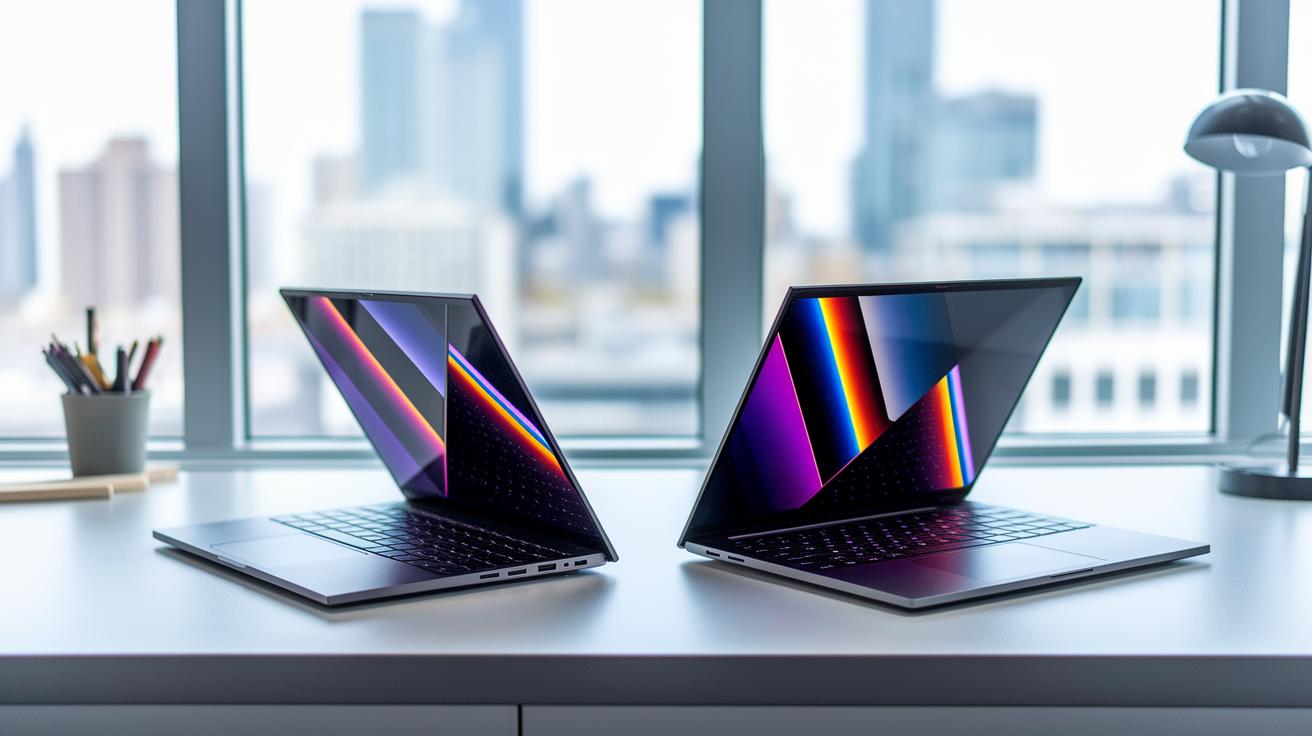
Workstation laptops pack powerful parts that make them perfect for engineers and creative professionals on the move. They come with top-notch processors like the Intel Core Ultra 9-185H, i9-14900HX, AMD Ryzen 9 Pro 8945HS, or Apple M4 Pro/Max. These chips (the brains of the computer) work hard so you can run demanding programs without any slowdowns or overheating.
These laptops also include dedicated graphics chips to handle heavy tasks like 3D rendering and video editing. You can expect a smooth experience even with challenging graphic work. Memory is another highlight, with many models offering up to 128 GB RAM. This means you can run many applications at once without slowing your workflow. Storage options are impressive too, with multiple M.2 SSD slots that can add up to 16 TB total. That is ideal if you work with large files or need quick file access.
The screens on these laptops are high quality as well. You might see 4K OLED or DreamColor panels that offer fast refresh rates of up to 120 Hz. This ensures that colors are vibrant and details are sharp, which is important for design and multimedia work.
Other features include Thunderbolt 4 or 5 ports for super-fast data transfers and Wi-Fi 7 for a reliable connection. Many of these laptops also meet strict enterprise standards, so you know they are built to last and work well with professional tools.
- CPU: Advanced processors built for heavy-duty tasks
- GPU: Dedicated graphics for design and engineering work
- RAM: Up to 128 GB to keep many apps running smoothly
- Storage: Multiple M.2 SSD slots supporting up to 16 TB overall
- Display: High-resolution panels with quick refresh rates
Performance Benchmarks and Thermal Management in Workstation Laptops
Workstation laptops are built to handle tough tasks and are tested in both lab settings and everyday scenarios. We run synthetic tests like SPECviewperf and Cinebench to measure how well the GPU and CPU work together. We also check real-life tasks such as 3D rendering and video exporting to see how these machines perform on creative projects.
Our tests cover more than just speed. We measure display color accuracy, check how long the battery lasts when many apps are running, and even test speaker quality. This thorough approach helps you know if a laptop can support detailed design work or handle big data projects.
Cooling is just as important as speed. These laptops use advanced cooling methods like vapor chambers and dual-fan systems to keep the machine cool. By getting rid of excess heat, they reduce thermal throttling (a drop in performance when the system gets too hot) so you get steady, reliable performance even during long sessions.
Key performance tests include:
- Cinebench R23 multi-core test
- SPECviewperf 2020 test
- 4K video render time evaluation
- Sustained thermal throttling test
- Battery drain under GPU load test
Workstation Laptops Versus Consumer and Gaming Notebooks

Workstation laptops are built for serious, round-the-clock professional use. They use specialized graphics cards like Nvidia Quadro that are designed for tasks such as CAD, 3D rendering, and video editing. Unlike the GeForce cards in gaming notebooks, these GPUs focus on precision, accurate color, and making sure every detail is spot on.
These laptops also come with ECC RAM, which helps fix memory errors automatically, something you won’t typically find in consumer devices. Professional drivers certified by independent software vendors (ISVs) ensure that tools like AutoCAD or SolidWorks run smoothly during long and demanding work sessions. Plus, their tough designs and high-quality components mean they can be used continuously without the issues you might encounter with everyday consumer or gaming machines.
While consumer notebooks emphasize saving money and offering longer battery life for daily tasks, workstation laptops trade off some portability and battery time to provide room for upgrades and consistent performance. For example, if you were to run heavy simulations on a gaming notebook, it might overheat or slow down. In contrast, a workstation laptop is designed to handle these tasks without breaking a sweat.
- Professional GPUs: Nvidia Quadro versus GeForce
- ECC RAM and ISV certifications ensure stability
- Robust design for continuous, high-demand work
Use Cases and Applications for Workstation Laptops
Workstation laptops are built for heavy-duty tasks that go well beyond everyday office work. These machines are designed for professionals who run demanding software like CAD (computer-aided design) programs, 3D rendering tools, and advanced video editing suites. For example, an architect can create detailed building models with precision, while a video editor enjoys smoother cuts using fast render engines like Octane or V-Ray. They’re also key for tasks such as architectural information modeling (BIM), running scientific simulations, and developing immersive VR/AR experiences.
Engineers and creative professionals count on these laptops for projects where every detail matters. Imagine a designer working on a complex CAD model where even the smallest line must be perfect. The laptop’s powerful processor and dedicated graphics make sure every detail and color pops just as it should. Whether you’re exporting an intricate video project in Premiere Pro or rendering a 3D scene in Blender, these laptops offer the specialized hardware needed for long, intense sessions.
| Professional Task | Recommended Hardware Feature |
|---|---|
| Revit Modeling | High CPU core count |
| Blender Rendering | High GPU VRAM |
| Premiere Pro Export | Ample RAM capacity |
| Scientific Simulation | Multi-threaded processors |
| VR/AR Content Creation | Color-accurate 4K display |
Portability, Durability, and Power-Portability Trade-Offs in Workstation Laptops

Workstation laptops walk a fine line between delivering high performance and managing weight and battery life. These machines typically weigh between 4 and 6 lbs and last about 4 to 8 hours when handling a mix of tasks. Manufacturers build them using strong materials like magnesium alloy or carbon fiber so the chassis holds up against everyday wear. Spill-resistant keyboards and tests that meet MIL-STD standards add extra toughness, making these laptops a reliable choice for professionals on the go. In fact, some models deliver top-notch performance while staying surprisingly light, think of a high-performance sports car that remains agile in city traffic.
This balance means that these laptops aren’t for everyone in daily scenarios. They really work best for professionals who switch between different work environments. Choosing the right one often boils down to deciding if you prefer a rugged build and solid battery life over extra processing power for heavy tasks.
- Durable chassis materials
- Spill-resistant design
- Optimized battery performance under mixed loads
Connectivity, Storage, and Professional Software Certifications
The Hardware Specifications section covers the basics of connectivity and storage, but there's more under the hood. Workstation laptops now come with additional security features that help protect your data during virtual work and heavy-duty tasks. Some models include Smart Card readers and TPM chips to add extra layers of security, especially when running intensive applications. Plus, with ISV-certified drivers, these laptops deliver steady performance for tasks like CAD, simulation, and other demanding professional software.
Cost Versus Performance Analysis of Workstation Laptops

Workstation laptops come in several price ranges, each aimed at balancing power and cost for different needs. At the entry level, devices priced around $1,500 work well for everyday tasks without stretching your budget. For example, the Apple MacBook Air M4 handles basic creative work and light multitasking with ease.
If you require extra power, mid-range laptops in the $2,000 to $3,000 bracket offer beefier components. The Lenovo ThinkPad P1 Gen 7 falls into this category, featuring a higher-grade CPU and GPU along with more memory and storage to support demanding design or engineering software.
For those who need the very best performance, high-end models like the MacBook Pro 16 M4 Pro/Max or the HP ZBook Studio G11 start at more than $3,500. These laptops provide premium display quality, advanced processing power, and ample storage for intensive workloads.
Key factors affecting price include CPU and GPU performance, the amount of RAM and storage, and display quality. Assess your daily workload needs to choose the laptop that offers the best value for you.
Final Words
In the action, we covered how workstation laptops deliver robust power, advanced hardware, and certified reliability for demanding professional tasks. We explored performance benchmarks, expandability, and the balance between mobility and strength. Each section helped shed light on the unique features that set these machines apart from everyday notebooks.
If you've ever asked, "what is a workstation laptop?" you now have a clear picture of its design, performance, and value for professional use. Enjoy finding the perfect fit for your needs.
FAQ
What is a workstation laptop used for?
A workstation laptop is used for demanding professional tasks like 3D modeling, video editing, and data analysis, utilizing high-end processors, dedicated GPUs, and certified drivers to handle complex software smoothly.
What distinguishes a workstation laptop from a regular or business laptop?
A workstation laptop stands apart by featuring certified components such as professional-grade GPUs, ECC memory, and robust drivers that ensure reliable stability for heavy tasks, unlike standard or business laptops designed for everyday use.
How does a mobile workstation compare to a gaming laptop?
A mobile workstation is built for professional applications with certified hardware and stability, whereas a gaming laptop focuses on consumer entertainment with less-tested, performance-oriented components.
What does it mean if a workstation laptop is refurbished?
A refurbished workstation laptop is a pre-owned professional device restored to meet manufacturer standards, offering cost savings along with quality checks and warranty coverage for high-performance tasks.
What are some of the best options for workstation laptops?
The best workstation laptops come from brands like HP, Lenovo, Dell, and Apple, offering top-tier performance, advanced specs, and certifications ideal for tasks such as CAD, rendering, and video editing.
What can you tell me about the HP Workstation Laptop?
The HP Workstation Laptop is a professional mobile system that delivers high performance with powerful CPUs and dedicated GPUs, designed to support intensive applications and meet enterprise-grade standards.
What are the disadvantages of using a workstation laptop?
A workstation laptop may be heavier, have shorter battery life, and come with a premium price tag compared to regular laptops, while its specialized features might exceed the needs of everyday users.
Why would someone choose a workstation over a typical personal computer?
Choosing a workstation over a personal computer provides access to professional-level hardware and software stability, ensuring sustained performance for heavy computational work and complex creative tasks.
What is an example of a workstation?
An example of a workstation is a laptop equipped with a high-end Intel Xeon or Core i9 CPU, a dedicated Nvidia Quadro GPU, ECC memory, and ISV certifications, designed specifically for tasks such as 3D rendering and content creation.