
Have you ever thought your laptop could do more than just sit there? Imagine a device that morphs easily from a traditional laptop for typing into a tablet for touch work. Two-in-one laptops deliver that flexibility, letting you switch your setup for both work tasks and relaxation. They use smart designs like rotating hinges and detachable keyboards so you can adapt in seconds. In this post, we explain what a two-in-one laptop is, how it works, and why it might be the perfect match for your everyday needs.
Understanding 2 in 1 Laptops: Definition and Core Features
A 2 in 1 laptop is built to work both as a regular laptop and a tablet. It features handy mechanisms such as a hinge that lets you flip the screen back or a design where you can remove the keyboard entirely. This means you can switch easily between typing on a full keyboard and using a touchscreen for a tablet-like experience.
Every 2 in 1 laptop includes a touchscreen to make sure the tablet mode isn’t just for show. They generally come in two styles. One type uses a rotating hinge that lets you adjust the screen to different angles. The other type has a detachable screen so that you can separate the tablet from the keyboard completely. With battery life that can last up to 12 hours, these devices handle everyday tasks, like web browsing, office work, and streaming content, with ease. They offer a flexible alternative to standard notebooks.
- Convertible design with either a rotating hinge or detachable keyboard
- Built-in touchscreen for tablet mode
- Often includes stylus support on many models
- Laptop-level performance for daily tasks
- Battery life up to 12 hours
These features make 2 in 1 laptops stand out compared to regular clamshell notebooks. Instead of being locked into one mode, you can quickly switch from typing long documents to enjoying interactive media, fitting a range of needs for work, study, or leisure.
Convertible vs Traditional Laptops: Comparing 2 in 1 Form Factors

The form factor of a laptop shapes how you use it every day. A convertible, or 2 in 1, features a screen that folds back or detaches and includes touch input, letting you switch effortlessly between laptop, tablet, tent, and stand modes. In contrast, a traditional clamshell laptop has a fixed hinge and no touch screen, so you're limited to one setup. With a convertible, you can enjoy tablet-style interaction for sketching or presentations while benefiting from battery life that can stretch past 12 hours, compared to the typical 8-10 hours on a clamshell. While entry-level hybrids may only mirror basic clamshell performance, premium convertibles pack extra features and versatility that many traditional notebooks lack.
| Feature | 2 in 1 Laptop | Traditional Laptop |
|---|---|---|
| Input Methods | Keyboard and touchscreen | Keyboard only |
| Modes Available | Laptop, tablet, tent, stand | Single mode |
| Touchscreen | Standard inclusion | Often absent |
| Battery Life | Up to 12 hours | 8-10 hours |
| Typical Price Range | Varies, competitive value | Entry to premium offerings |
Overall, convertible laptops offer flexible use for everything from creative work to daily productivity, giving you more ways to enjoy your device than traditional clamshell laptops.
Advantages and Potential Drawbacks of 2 in 1 Laptops
2 in 1 laptops give you a mix of powerful laptop performance and a touchscreen experience. They let you switch quickly between typing on a keyboard and tapping or sketching with a finger or pen. This flexibility means you can spend a morning writing emails and an afternoon drawing or browsing, perfect for a student or anyone on the go.
These devices come with a few trade-offs. Many 2 in 1 laptops are thicker and feel heavier in tablet mode compared to regular tablets. The keyboards might be a bit smaller, and the hinge may show signs of wear with frequent use. Also, entry-level models can cost more than simple non-touch laptops, which might not work for every budget.
Overall, 2 in 1 laptops are a solid choice for those who need flexibility for daily tasks. They work best for users who enjoy switching between full keyboard productivity and touch-based actions, though if extreme portability is your top priority, you might want to consider alternatives.
Key Use Cases for 2 in 1 Laptops

2 in 1 laptops are excellent tools for both busy office days and lively presentations. You can quickly flip between laptop mode for writing reports and tent mode to make your slide decks stand out. Imagine a meeting where you easily switch to tablet mode to annotate your slides on the fly , it’s perfect for modern workspaces.
These devices are a great match for remote workers and travelers. They offer all-day portability with a light design and long battery life so you can work comfortably from a coffee shop or even on a plane. Plus, when you need to jot down a quick note, the touch screen makes it simple.
For entertainment, 2 in 1 laptops let you enjoy your favorite movies and digital content in style. By switching to stand mode, you get a more comfortable viewing angle, much like setting up your own mini home theater.
They also shine when it comes to creative tasks. With a built-in stylus, you can easily draw or take detailed notes, transforming your device into a portable art station that’s ready whenever inspiration strikes.
Design Variations in 2 in 1 Laptops: Convertible vs Detachable
Convertible hybrid laptops feature a 360° hinge that lets you easily switch between laptop, tablet, tent, or stand modes. Everything stays together so you never have to worry about losing parts. Imagine watching a movie in tablet mode and then flipping back quickly to type out some notes in laptop mode. This type of laptop is perfect for those who enjoy a seamless experience and need a sturdy device that can handle everyday use.
Detachable 2 in 1 tablets come with a keyboard that you can completely remove. This design turns the device into a full-fledged tablet for activities like drawing or web browsing. When you need to get work done, simply reattach the keyboard using magnetic or pogo-pin connectors, and you have a practical setup for typing. It’s a great choice if you want the freedom of a tablet without sacrificing productivity.
Both styles have their perks. Convertibles are great for busy multitaskers who want one smooth, all-in-one device, while detachables are ideal for anyone who values lightweight portability and the feel of a standalone tablet.
Performance and Battery Life in 2 in 1 Laptops

Most modern 2 in 1 laptops now use Intel Core U-series or AMD Ryzen U-series processors along with integrated graphics. This setup makes everyday tasks like browsing, editing documents, and streaming videos smooth and simple. Some models, like the Dell Inspiron 7000, even add a dedicated graphics card to improve multimedia performance. In other words, these laptops can easily keep up with multitasking and media enjoyment.
Battery life can change a lot depending on the model. Budget-friendly laptops typically last 10 to 12 hours, which is plenty for emails, browsing, and some streaming during a workday. On the other hand, premium models often deliver more than 16 hours on a single charge, making them great for power users and travelers who need longer unplugged time.
Slim and compact designs look great but often face challenges with heat and power. Keeping performance steady in a thin body sometimes means the laptop has to work hard to manage its temperature, which can slow things down under heavy load. Finding the right balance between power, battery life, and cooling is key to picking the 2 in 1 laptop that fits your daily needs.
Choosing the Right 2 in 1 Laptop: Key Selection Factors
2 in 1 laptops work great for students, professionals, and creative users alike. Students get a lightweight tool for quick note-taking and document editing, professionals need strong multitasking support for meetings and presentations, and creative users appreciate a responsive touchscreen with smooth stylus support for drawing and design.
Screen size and resolution are very important for everyday work and creative projects. A bright and clear display makes photo editing and presentation design feel effortless. Good stylus support with low lag helps your creativity shine, just like testing a drawing app that responds instantly. Also, if you do a lot of typing, a keyboard with comfortable key travel is a must.
Having plenty of connectivity options and a light design are also big wins. A laptop with several ports, strong Wi-Fi, and even 5G can keep you connected wherever you go. A lighter laptop means you can easily take it from one meeting to the next without giving up performance or battery life.
Finally, consider warranty and support from the brand. Some makers offer extra coverage and regular updates, which adds real value. A detailed warranty, like a two-year service plan for quick fixes, can give you peace of mind that your laptop will stay reliable for years.
Top 2 in 1 Laptop Models to Consider in 2025
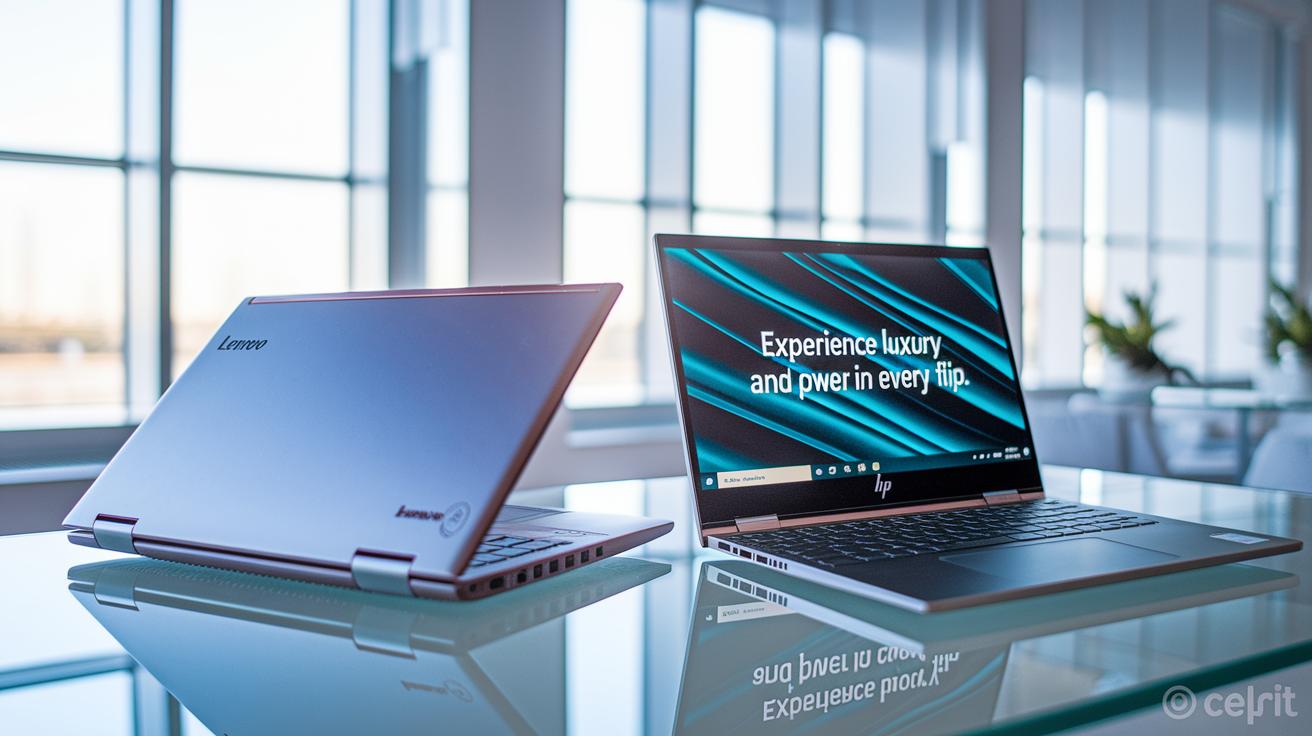
If you're after an ultra-premium convertible, you can't miss the Lenovo Yoga 9i and HP Spectre x360 14. These two laptops mix stylish design with serious performance. They even come with a cool tagline: "Experience luxury and power in every flip," which sums up their appeal perfectly.
If you want a tablet-first device that works like a laptop too, the Microsoft Surface Pro is a strong pick. Its smooth touchscreen and detachable design make it great for drawing, note-taking, and staying productive when you're on the go.
For those who care equally about performance and value, the Lenovo Yoga 7 is worth a look. It offers a comfy typing experience, a battery that lasts through a full day, and enough versatility for everyday tasks. It brings together modern style with practical performance.
Budget buyers will appreciate the Lenovo Flex 5i Chromebook Plus. It delivers a solid touchscreen and all the essential features at a friendly price, letting you enjoy convertible convenience without breaking the bank.
And if you're after high performance in a small package, check out the Asus ROG Flow X13 and ProArt PX13. They pack dedicated graphics and strong power, making them great for creative professionals or anyone tackling demanding technical work.
Final Words
In the action, we broke down what is a 2 in 1 laptop by examining its convertible design, touchscreen features, and real-world performance. We compared form factors, weighed advantages against potential drawbacks, and reviewed top models to match every need. Each section offered clear insights on translating specs to practical benefits for everyday use. The guide offers valuable tips to choose a device that fits your budget and usage, leaving you with a positive outlook on harnessing versatile tech that adapts to your lifestyle.
FAQ
What is a 2-in-1 laptop and what are its typical uses?
A 2-in-1 laptop is a convertible device that shifts from a traditional laptop to a tablet. It’s designed for everyday browsing, office tasks, creative work, and media consumption with its versatile touchscreen.
What makes 2-in-1 laptops appealing for students and which models work best?
2-in-1 laptops appeal to students with their flexible design, long battery life, and touch functionality. Models like the Lenovo Yoga series and HP Spectre x360 offer the performance and versatility students need.
How do 2-in-1 laptops accommodate pen input and what are some options with stylus support?
Many 2-in-1 laptops feature integrated stylus support for drawing and note-taking. Options such as the Microsoft Surface Pro and HP Spectre x360 are known for responsive pen functionality and smooth innovation with touch.
What are the best 2-in-1 touchscreen laptops available?
The best 2-in-1 touchscreen laptops combine strong performance with interactive screens. Favorites include the Lenovo Yoga 9i, HP Spectre x360 14, and Microsoft Surface Pro, all offering user-friendly touch response and versatile use.
Are 2-in-1 laptops worth it?
2-in-1 laptops prove valuable with their hybrid design that merges laptop productivity and tablet ease. They fit users who need flexible modes and touch input, despite minor compromises like bulkier tablet mode designs.
What are the disadvantages of using a 2-in-1 laptop?
Disadvantages include potential weight issues in tablet mode, smaller or less comfortable keyboards, possible hinge durability concerns, and sometimes a higher price compared to basic traditional laptops.
What’s the difference between a traditional laptop and a 2-in-1 laptop?
Unlike traditional laptops with fixed designs, 2-in-1 laptops offer convertible features like fold-back or detachable screens and touch capability, providing additional flexibility for multiple operating modes.
How does a 2-in-1 laptop with a detachable keyboard work, and what are its benefits?
A 2-in-1 laptop with a detachable keyboard separates into a standalone tablet and a keyboard unit. This design provides lightweight portability and convenient use for digital drawing, note-taking, and on-the-go tasks.
Which 2-in-1 laptop is considered the best overall?
The best overall 2-in-1 laptop depends on your needs, but popular models like the Lenovo Yoga 9i and HP Spectre x360 14 combine premium design, reliable performance, and versatile functionality for a wide range of users.