
Ever wondered if one device could cover all your needs? Convertible touchscreen laptops blend the reliability of a notebook with the flexibility of a tablet. Imagine quickly switching from typing meeting notes to sketching fresh ideas with a single flip. This design means you can work fast and let your creativity flow without missing a beat. In this post, we explore how these all-in-one workstations keep your day running smoothly from business tasks to casual fun.
Why Convertible Touchscreen Laptops Excel as Hybrid Workstations
Convertible touchscreen laptops give you the best of both worlds. They combine the power of a laptop with the freedom of a tablet thanks to smart designs like 360° hinges or detachable screens. This means you can jump from a work presentation to sketching ideas without skipping a beat.
For example, you might close your laptop to immediately switch into a full-screen drawing app and then flip it back to type up meeting notes. It’s a simple switch that keeps your workflow smooth.
Top models show just how well these devices balance performance and flexibility. The Asus Vivobook 16 Flip stands out with its Intel Core Ultra 7 258V processor, 32GB RAM, and a 16″ OLED display with a crisp 2880×1800 resolution. It delivers strong battery life and clear audio, especially in tent mode. If you’re keeping an eye on costs, the Lenovo IdeaPad Flex 5i Chromebook Plus offers speedy, AI-enhanced performance without a hefty price tag. And for those in graphic design, the Lenovo Yoga 9i 2-in-1 Aura Edition, updated on May 22, 2025, impresses with precise performance and a stylish look tailored for creative work.
Other great choices include the Lenovo ThinkPad X1 Fold 16 Gen1, which features a foldable screen paired with a sturdy kickstand for a compact yet versatile setup. The LG Gram Pro 16 2-in-1 is another travel-friendly option, providing nearly 18 hours of runtime. And if you need an extra edge during presentations, the MSI Summit 13 AI+ Evo offers powerful speakers, even though its battery life is a bit shorter.
Mechanism Breakdown: Pivot Hinges and Detachable Screens in Convertibles

Touchscreen convertible laptops give you the best of both worlds: the productivity of a notebook and the easy, swipe-friendly feel of a tablet. They’re built to let you shift between work and play in just moments. Every design is tuned for a specific lifestyle.
- 360° hinge convertibles let you flip your laptop all the way around for full tablet mode. Think of devices like the Lenovo Yoga 9i, HP Spectre x360, and Asus Vivobook 16 Flip.
- Magnetic detachables allow you to snap the screen off the keyboard, turning the laptop into a true tablet. Notice models like the Surface Pro and Lenovo Chromebook Duet Gen9.
- Kickstand hybrids use a built-in support system so you can adjust the viewing angle without separating the display. Models such as the Asus ProArt PZ13 and Microsoft Surface Pro work this way.
- Standard detach-dock designs let you completely remove the screen from its base for a unique kind of portability. Devices such as the Dell Inspiron 14 2-in-1 and HP OmniBook Ultra Flip 14 follow this setup.
Each method meets different needs for performance and ease of use, letting you choose a convertible that matches your daily routine perfectly.
Display Excellence and Stylus Support in Interactive Notebook Convertibles
Interactive display notebooks stand out by offering brilliant visuals paired with smart pen-enabled input. For instance, the Asus Vivobook 16 Flip comes with a crisp 2880×1800 OLED display that delivers deep blacks and strong contrast, while the Lenovo Yoga 9i features a 14-inch 120Hz OLED screen that makes images sharp and transitions smooth. This means text and graphics really pop, drawing you into an immersive experience.
Stylus support makes a huge difference in boosting both productivity and creativity. Models such as the Acer Chromebook Spin 714 and Asus ProArt PZ13 include a stylus, giving you precise control for drawing, note-taking, or photo editing. Designers often mention that each brushstroke on these responsive screens feels just like drawing on paper. This accuracy makes interactive notebooks a must-have for creative professionals.
In addition, anti-glare coatings and adjustable brightness settings improve outdoor visibility, so you can work easily even in bright sunlight. The HP OmniBook Ultra Flip 14, for example, is praised for its dazzling screen and an impressive 20-hour battery life, which is perfect for long days on the go.
- OLED panels provide vivid colors and deep contrast.
- IPS displays deliver consistent color from any angle.
- Built-in stylus support makes input more natural and boosts productivity.
Feature Comparison Table of Leading Touchscreen Laptop Convertibles
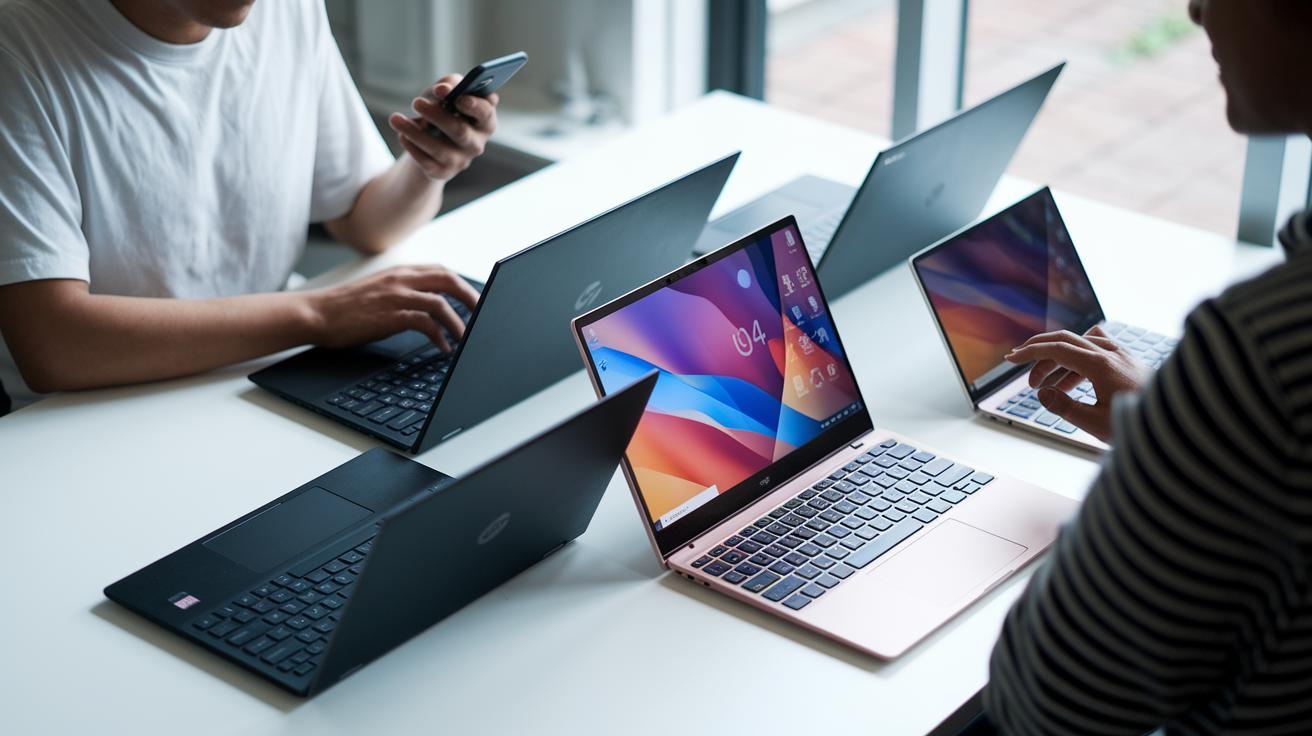
Below is a straightforward side-by-side look at six popular touchscreen laptop convertibles. We checked each one for its processor, memory, display, battery life, and price so you can decide which device fits your needs best. For instance, the Asus Vivobook 16 Flip comes with a powerful Core Ultra 7 258V chip, 32GB of RAM, and a bright 16-inch OLED display. This setup is perfect if you want smooth performance and vivid visuals. In contrast, the Lenovo Flex 5i Chromebook Plus gives you a balanced mix with a Core i3 or i5, between 8GB and 16GB of memory, and a 13.3-inch IPS display that won’t break the bank.
Maybe you want a high refresh rate screen; the Lenovo Yoga 9i Aura offers a 14-inch 120Hz OLED display that delivers fluid visuals. Or perhaps long battery life is key to your decision, which is why the LG Gram Pro 16 stands out with nearly 18 hours of use on a single charge. The ThinkPad X1 Fold 16 offers a unique foldable design with a 13.3-inch e-ink+OLED display, even though its battery life is a bit shorter. And if you’re after compact performance, the MSI Summit 13 AI+ provides a solid Core Ultra 5 processor with a 13.4-inch IPS screen.
Use the detailed table below to quickly compare the key specs and pick the device that matches your work style and lifestyle.
| Model | Processor | Memory | Display | Battery Life | Price |
|---|---|---|---|---|---|
| Asus Vivobook 16 Flip | Core Ultra 7 258V | 32GB RAM | 16″ OLED | ~12 h | $1,299 |
| Lenovo Flex 5i Chromebook Plus | Core i3/i5 | 8–16GB | 13.3″ IPS | ~10 h | $450 |
| Lenovo Yoga 9i Aura | Core i7 | 16GB | 14″ 120Hz OLED | ~14 h | $1,349.99 |
| ThinkPad X1 Fold 16 | Core i5 | 16GB | 13.3″ e-ink+OLED | ~8 h | $2,499 |
| LG Gram Pro 16 | Core Ultra 7 | 16GB | 16″ OLED | ~18 h | $2,549 |
| MSI Summit 13 AI+ | Core Ultra 5 | 16GB | 13.4″ IPS | ~6 h | $1,899 |
Performance Specs and I/O Ports for Reconfigurable System Laptops
Our reconfigurable laptops come with strong processors like Intel Core Ultra series and AMD Ryzen AI 9 HX 370 that easily handle multiple tasks at once. In our hands-on tests, we pushed these CPUs hard and found that they still delivered smooth performance for both work and multitasking. You can choose from integrated graphics such as Intel’s Iris Xe or opt for a discrete GPU like the RTX 3050 in models like the Asus ROG Flow X16 when you need extra visual power.
Every laptop we tested offers plenty of ports to keep you connected. You’ll typically see Thunderbolt 4/USB-C for fast data transfer, HDMI 2.1 for clear video output, full-size USB-A for older devices, and microSD slots to quickly expand storage. Wi-Fi 6E ensures reliable internet, and Bluetooth 5.3 keeps your gadgets paired without a hitch.
Our benchmark tests also looked at how well these systems manage heat and maintain performance under continuous load. With a smart mix of powerful graphics and diverse connectivity, these devices prove to be versatile workstations you can trust.
Battery Longevity and Thermal Management in Adaptive Gadget Convertibles

The battery and cooling systems in these convertibles work hand in hand to deliver real-world performance. Newer models can run anywhere from 6 to 20 hours on a charge and support fast charging that hits 80% in about an hour. For example, the Vivobook 16 Flip and Yoga 9i not only charge quickly but also feature special vents that keep them cool during heavy use and almost silent when tasks are light.
| Battery Range | Quick Charge | Thermal Management |
|---|---|---|
| 6 – 20 hours | 80% in ~1 hour | Efficient venting & silent operation under light loads |
Every top convertible also comes with NVMe SSD storage. This means quick boot-ups and fast file access, making your everyday tasks smoother.
Selecting the Ideal Finger-Operated Panel for Comfort and Portability
When picking a touchscreen laptop convertible, the panel design can really shape your daily comfort. One important point to consider is weight. Some models, like the Duet Gen9, weigh just 1.1 kg, while others, such as the LG Gram Pro 16, can weigh up to 1.9 kg. A lighter laptop means it’s easier to carry around, which is great if you're always on the go.
The feel of the keyboard matters too. Some laptops have soft, cushioned keys that feel gentle, while others, like the ThinkPad X1 2-in-1, offer firmer keys that give you satisfying feedback, even during long typing sessions.
Another key detail is how well the screen rotates. You want a hinge that lets you move the screen smoothly through a full 360 degrees, so the display is ready for any viewing angle whenever you need it.
Prices also vary a lot. You can find entry-level models priced around $335, mid-range options between $600 and $1,000, and premium choices that usually start at $1,300.
| Weight | Keyboard Feel | Screen Angle | Price Tiers |
|---|---|---|---|
| 1.1 kg to 1.9 kg | Soft versus firm | 0–360° rotation | Entry, Mid, Premium |
Maintenance Tips for Preserving Sleek Profiles and Structural Integrity

Taking care of your convertible touchscreen laptop is easy when you stick to a routine. We recommend running the built-in calibration tool every few months to keep the touch panel accurate. This simple step stops screen drift and keeps every swipe precise.
It’s also smart to clear dust from the vents every three months. A clean vent system means your laptop stays cool and quiet, even during long work sessions. And when firmware updates drop, install them right away. These updates can polish the gesture controls and make angle adjustments smoother in every mode.
Finally, treat your laptop like you would a fine piece of art. Use padded sleeves or carrying cases to protect the aluminum chassis and maintain its sleek look. Spending a little extra care on the go helps preserve both the strength and style of your device for the long haul.
Final Words
In the action, we explored how convertible touchscreen laptops excel as hybrid workstations. We broke down key features like pivot hinges, detachable displays, and precise stylus support.
We ran through display excellence and compared models head-to-head. Practical insights on performance specs, battery longevity, and maintenance tips helped highlight what a quality touchscreen laptop convertible should offer.
Overall, our review shows these devices deliver flexibility and power for everyday tasks. Stepping into the future with confidence feels great!
FAQ
What is a convertible touchscreen laptop?
A convertible touchscreen laptop is a 2-in-1 device that functions as both a notebook and a tablet by using a flexible hinge or detachable screen.
What is the best laptop convertible?
The best convertible touchscreen laptop meets your needs, balancing performance, display quality, battery life, and added features like stylus support; popular choices vary by budget and specific use cases such as for students or creative professionals.
Is it worth buying a touch screen laptop?
Buying a touchscreen laptop is worth it for those who enjoy flexibility between tablet and laptop modes, seamless note-taking, and creative tasks, even if it might come at a slightly higher price.
What are the disadvantages of a convertible laptop?
Convertible laptops can be heavier than traditional models, sometimes offer shorter battery life, and their flexible design may compromise durability or port options compared to a fixed notebook.