
Ever wondered if you can ditch your desktop without losing performance? Mobile workstation laptops pack the punch you need for heavy-duty tasks like CAD and design visualization, all in a lightweight package. They feature powerful, workstation-grade processors and graphics cards that let you handle complex projects no matter where you are. Their sturdy construction and top-tier certifications mean they work smoothly with demanding software. In this article, we explain why these laptops are a practical choice for tech pros who need superior performance on the go.
What Defines a Mobile Workstation Laptop for Technical Professionals
Mobile workstation laptops are built for professionals who need dependable power on the go. They aren’t your everyday laptops, they’re designed to tackle heavy-duty tasks like CAD, BIM, and design visualization without sacrificing portability. These laptops feature rugged builds and enterprise-grade components that make them feel more like a portable desktop than a traditional notebook.
Inside, you usually find workstation-grade CPUs such as Intel Core Ultra 9 185H, Core i9-14900HX, or AMD Ryzen 9 Pro 8945HS, teamed with high-end GPUs like Nvidia RTX 5000 Ada, RTX 3500 Ada, or RTX 3000 Ada. This powerful combination handles complex software with ease. Moreover, many of these machines come with ISV certifications for design and engineering apps, which means their performance and compatibility have been thoroughly verified.
Portability isn’t sacrificed, either. Many of these laptops weigh less than 5 lbs, making them easy to carry around without adding bulk to your work bag. Their high-resolution display options, ranging from 4K UHD+ to OLED and DreamColor, ensure you see every detail in vibrant color. Plus, with top connectivity options like Thunderbolt 4, HDMI 2.1, and Wi‑Fi 7, you can quickly connect to external monitors and devices, keeping your workflow smooth and uninterrupted.
Key Specifications to Evaluate in a Mobile Workstation Laptop

Mobile workstation laptops pack powerful parts with real-world performance tests that matter for busy professionals. We looked at how these specs make a difference in daily creative and technical projects.
The CPU is the engine behind it all. Choices include the Intel Core Ultra 9, Intel Core i9-14900HX, or AMD Ryzen 9 Pro 8945HS. These chips handle many tasks at once, smoothly powering heavy rendering and multitasking.
Graphics also plays a big role. High-end GPUs like the Nvidia RTX Ada series keep design and simulation work running reliably, even for graphics-heavy applications.
Memory is key for keeping things quick. With setups that reach up to 192 GB DDR5 (though many opt for 32 GB or 64 GB), users can run several demanding programs at the same time without slowdown.
Storage boosts overall speed. A fast NVMe M.2 SSD of 1 TB or more means quick boot times and rapid access to large files, making it easier to work on big projects without waiting.
The displays are equally impressive. With sizes ranging from 14″ to 17″ and options like 4K UHD, DreamColor, or OLED, these laptops deliver rich, vibrant visuals that help with precise tasks like photo and video editing.
Connectivity is built for versatility. With ports such as Thunderbolt 4, HDMI 2.1, Wi‑Fi 7, and even optional Ethernet, you can easily hook up extra screens and other devices to extend your workspace.
In everyday use, these components work together to keep your creative apps responsive and your work running smoothly.
Performance Benchmarks Across Leading Mobile Workstations
We put these mobile workstations through some hands-on tests to see how they handle everyday tasks. Our approach mixed synthetic tests for both CPU and GPU with a continuous battery life check under load. We kept things fair by using the same screen brightness and power settings for each device.
| Model | CPU Benchmark | GPU Benchmark | Battery Life (hrs) |
|---|---|---|---|
| Dell Precision 5690 | Top multi-thread scores (Core Ultra 9 185H) | Solid graphics performance | ~8 |
| HP ZBook Fury 16 G11 | High-end processing power | Highest CUDA compute (RTX 3500 Ada) | ~6 |
| Lenovo ThinkPad P16 Gen 2 | Fastest CAD render times (20-core i7-14700HX) | Robust graphical output (RTX 4000 Ada) | ~7 |
| Dell Precision 5770 | Efficient processing in a 17″ chassis | Balanced GPU performance | ~7.5 |
| MacBook Pro 14 (M4) | Competitive real-world processing | Integrated graphics with solid output | Up to 28 |
These tests show clear trade-offs. While the Dell Precision 5690 and HP ZBook Fury 16 G11 really push the envelope on processing speed and graphics, the MacBook Pro 14 (M4) wins when it comes to battery endurance. This mix of CPU power, GPU performance, and battery life means you can pick a workstation that best fits your real-life needs.
Designing for Portability and Durability in Mobile Workstation Laptops

Mobile workstation laptops pack serious power into lightweight, tough designs that let professionals work anywhere without compromise. These laptops mix high-performance hardware with a slim, rugged build so you get the best of both worlds.
For example, the HP ZBook Firefly 14 G11 weighs only 3.13 lbs, and the Dell Precision 5490 stays lighter than 5 lbs. Modern designs also feature ultra-thin profiles; the Dell Precision 5570 is just 7.7 mm thick at the front and 11.64 mm at the rear, while the Precision 5770 has a chassis under 20 mm thick.
Manufacturers achieve this balance by using quality materials like magnesium-alloy, CNC aluminum, and carbon fiber. These choices not only cut down on weight but help spread out heat and give the laptop a solid, premium feel during long work sessions.
Durability is still a priority. Many models come with spill-resistant keyboards and optional MIL-STD-810G ratings to ensure they can handle tough, everyday conditions.
Top Picks for Mobile Workstation Laptops Across Use Cases
When looking for a mobile workstation laptop, we aimed to balance serious performance with easy portability and a fair price. We picked models with powerful processors, strong graphics, and great displays so that creative pros and tech experts alike can count on them.
Best High-End Workstation: HP ZBook Fury 16 G11
The HP ZBook Fury 16 G11 is a high-power option. It packs a Core i9-14900HX processor and an RTX 3500 Ada GPU. You can configure it with up to 128 GB of RAM and 16 TB of storage. Its 16-inch DreamColor display at 120 Hz delivers clear, vibrant visuals for work that demands the best in computing power and color accuracy.
Best Overall Workstation: Dell Precision 5690
The Dell Precision 5690 offers solid performance with its Core Ultra 9 185H processor and RTX 5000 Ada graphics. It features a 16-inch 4K OLED touchscreen and weighs under 5 pounds. With Thunderbolt 4 and Wi‑Fi 7, it’s a well-rounded choice for professionals who need a powerful yet portable machine.
Best Value Workstation: HP ZBook Power 16 G11 A
If cost is a worry, the HP ZBook Power 16 G11 A is worth a look. It runs on a Ryzen 9 Pro 8945HS with an RTX 3000 Ada GPU, all in a sturdy metal chassis. Plus, it’s designed to last all day on a single charge, offering a smart mix of performance and affordability without cutting essential features.
Best Compact Workstation: Dell Precision 5490
For those who prefer a smaller size, the Dell Precision 5490 is built to be both compact and capable. This 14-inch laptop comes with an AI-ready CPU, RTX 3000 Ada graphics, and Intel vPro technology. It slips easily into a bag while still delivering reliable performance.
Best Battery Life: MacBook Pro 14 (M4)
The MacBook Pro 14 with the M4 chip really stands out on battery. It can go for up to 28 hours on one charge and features a Liquid Retina XDR display that’s crisp and clear. It’s perfect for busy professionals who might be away from a power outlet for long periods.
Best for Heavy CAD: Lenovo ThinkPad P16 Gen 2
For intensive CAD work, the Lenovo ThinkPad P16 Gen 2 is a strong pick. It comes equipped with a 20-core i7-14700HX and RTX 4000 Ada graphics, and its 165 Hz display ensures smooth and detailed visuals. This laptop is well-suited for demanding design and engineering projects.
Pricing and Value Analysis of Mobile Workstation Laptops
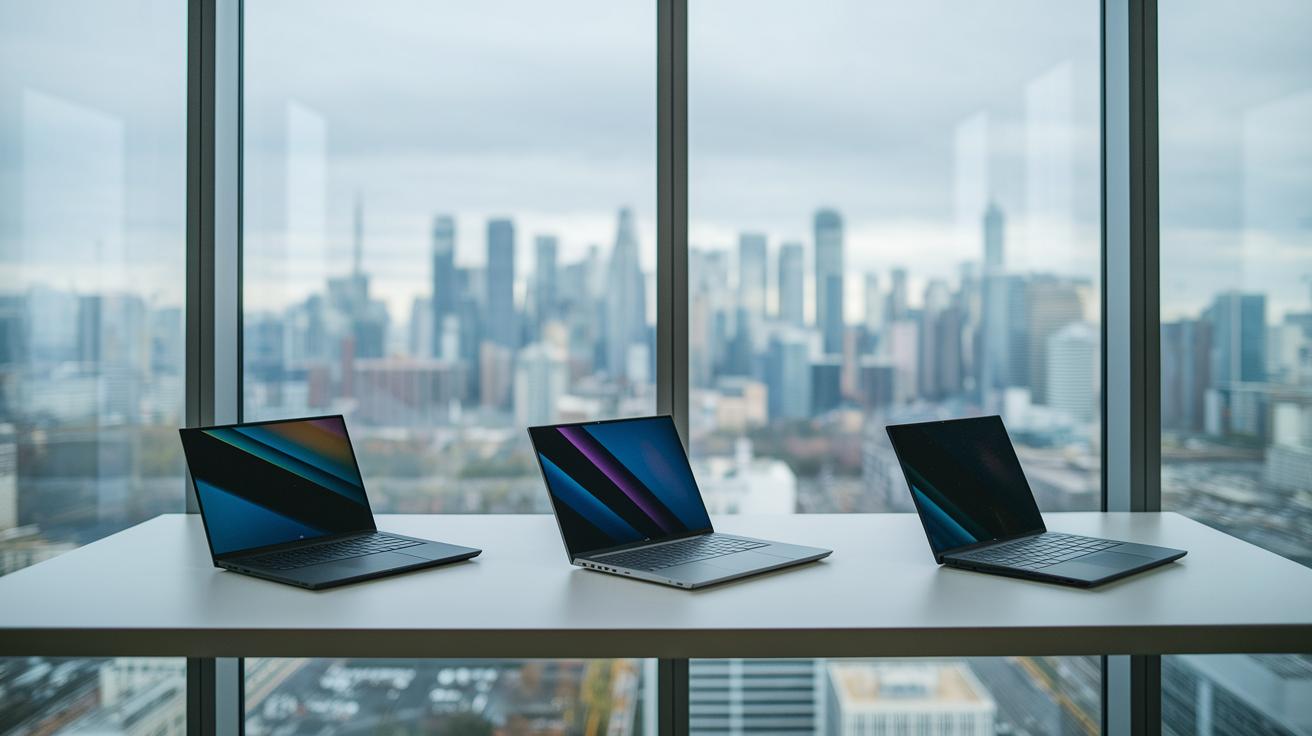
Mobile workstation laptops come in a range of prices, each built for a unique set of needs. The premium models, like the HP ZBook Fury 16 G11 and the MacBook Pro 16 (M4 Pro), usually start above $3,600 and can easily exceed $4,000. In the mid-range, laptops such as the Dell Precision 5690 and HP ZBook Power 16 G11 A are priced between $2,300 and $3,000, offering a solid mix of performance and features. For those watching their spending, the entry-level MacBook Air 13 (M4, 2025) stays under $1,000 while still delivering the essential workstation tools.
When weighing cost against performance, factors like warranty terms and ISV (independent software vendor) certifications come into play. The high-end workstations pack cutting-edge processing power and impressive graphics, which means their higher price is backed by the ability to handle complex design and engineering tasks. Meanwhile, mid-range models provide a balanced solution with reliable performance and long battery life, making them a smart choice for professionals who need enterprise-level portability and dependable vendor support.
Budget planning is key in this space. We suggest matching the laptop’s specifications with what you truly need. This approach ensures you get a device that meets current performance requirements and offers lasting value without stretching your finances too thin.
Optimizing and Troubleshooting Mobile Workstation Laptops for Peak Performance
Mobile workstation laptops sometimes run into problems like heat reduction, uneven cooling, or conflicting power settings that stop them from running at full speed. Dust buildup or settings that aren’t fine-tuned can slow things down when you need every bit of power during demanding tasks.
Smart cooling and power-handling tricks can make all the difference. Some makers now include features like liquid metal cooling in the ThinkPad P1 G5 and refined fan controls in the ZBook Studio 16 G11 to keep temperatures low during heavy use. You can also adjust BIOS settings and the computer’s power profiles to create a balance between quick performance and lasting endurance. This means you can switch modes depending on what you’re working on, keeping the processor steady without overheating.
Regular upkeep is a must. Simple steps like cleaning out dust and updating GPU/CPU drivers or firmware go a long way. And if you need extra muscle, using an external GPU with a Thunderbolt dock can help ensure your mobile workstation stays in top shape.
Final Words
In the action, a mobile workstation laptop stands out by offering robust performance in a compact design that balances power with portability.
We highlighted how powerful CPUs such as Intel Core i9 and AMD Ryzen, teamed with top-tier GPUs and solid certifications, create devices that can manage heavy compute tasks and design visualization with ease.
With bright, detailed displays and modern connectivity like Thunderbolt 4 and Wi-Fi 7, these devices mix durability with ease-of-use. This mobile workstation laptop is set to help boost your productivity every day.
FAQ
What is a mobile workstation laptop?
A mobile workstation laptop is a high-performance, portable computer built for professional tasks. It features workstation-grade CPUs and GPUs, professional certifications, and robust reliability for design, engineering, and technical workloads.
How does a mobile workstation differ from a gaming laptop?
A mobile workstation focuses on tasks like CAD, design, and rendering with certified components, while a gaming laptop targets entertainment with a strong emphasis on graphics and typically less rigorous software validations.
Which are top brands of mobile workstation laptops such as Lenovo, HP, or Dell Precision?
Leading brands like Lenovo, HP, and Dell Precision offer mobile workstation laptops with carefully optimized performance, enterprise-grade components, and strong certification support for professional applications.
What are the typical price ranges for mobile workstation laptops?
Mobile workstation laptop prices span a broad range, from entry models under $1,000 to high-end systems exceeding $4,000, with performance features, certifications, and build quality influencing the cost.
Which mobile workstation is best for engineers and CAD work, including SOLIDWORKS?
The best mobile workstations for engineers and CAD use powerful processors, high memory, and certified professional GPUs. These models ensure smooth operation in demanding design applications like SOLIDWORKS.
Which mobile workstation laptop is considered the most powerful?
The most powerful mobile workstation laptops use top-end CPUs like Intel Core Ultra or AMD Ryzen Pro and professional GPUs from the Nvidia RTX Ada series, making them ideal for demanding rendering and simulation tasks.
What distinguishes an HP laptop from an HP mobile workstation?
An HP mobile workstation includes enhanced processors, dedicated professional graphics, and industry certifications, while a standard HP laptop may focus more on general consumer use without these specialized features.
What is the best mobile laptop overall?
The best mobile laptop combines a robust set of workstation-grade components with high portability and battery endurance, meeting the needs of professionals who work intensively on the go.
What mobile workstation options offer excellent battery life or come as refurbished Dell models?
Some Dell workstations are available as refurbished models that deliver strong performance along with extended battery life, providing a reliable and cost-effective solution for professional mobile computing.
What can we expect in terms of future workstation laptop picks for 2026?
Future mobile workstation laptops will likely build on today’s top models with improved performance and efficiency. Current models set benchmarks that help guide expectations and inform upcoming trends.