
Imagine if your phone let you see heat like a hidden superpower. You could easily spot temperature differences for quick security checks or HVAC work. In this article, we walk you through options ranging from built-in thermal sensors to wireless add-ons that deliver accurate readings. We explain the benefits and challenges of each setup so you can decide which thermal imaging option fits your needs best. Read on to discover how these innovative tools provide clear, reliable performance for everyday tasks.
Thermal Imaging Smartphone Buying Guide: Built-in vs Attachments
If you prefer a built-in solution, the CAT S62 Pro is a top choice. This rugged smartphone comes with its own thermal camera that gives quick and accurate temperature readings. Powered by a Qualcomm Snapdragon 660, it provides steady performance for security checks and troubleshooting. Its tough design ensures reliability even in challenging environments, making it ideal for professionals who need a single, sturdy device.
If a wireless setup fits your workflow better, the testo 860i is worth considering. This portable infrared accessory pairs easily with a thermal app on both Android and iOS. It's simple to set up and offers smooth connectivity, making it great for HVAC work, maintenance, or building inspections. The wireless design frees you up to focus on the job while still giving you pinpoint temperature data.
There are also plug-in options if you want to add thermal imaging to your existing smartphone. Devices like the FLIR ONE Edge Pro, FLIR 5C, and InfiRay P2 Pro provide a variety of features at different price points. Some models feature robust 3.5-inch touchscreen designs, while others are ultra-compact and perfect for scanning on the move. This range lets you choose the perfect fit for your specific needs.
Thermal Imaging Smartphone Specs Compared

The table below lays out an updated side-by-side look at several smartphone thermal imaging options, along with real-life performance and use cases.
| Device | Integration Type | Ideal Use Case | Performance Insight |
|---|---|---|---|
| CAT S62 Pro | Built-in | Security & Troubleshooting | Solid rugged design that provides quick and reliable readings even in tough conditions. |
| testo 860i | Wireless Module | HVAC & Maintenance | Works with the Testo Smart App for precise temperature checks. |
| FLIR ONE Edge Pro | Plug-in Module | General Thermal Imaging | Offers a good balance between cost and performance, perfect for everyday thermal tasks. |
| FLIR 5C | Plug-in Module | Rugged Fieldwork | Equipped with a sturdy touchscreen but missing mapping features, making it best for demanding outdoor work. |
| InfiRay P2 Pro | Plug-in Module | Portable Scanning | Compact and designed for on-the-go use, with fast response times. |
• CAT S62 Pro: Handles active inspections with strong performance.
• testo 860i: Offers wireless flexibility and very accurate readings.
• FLIR ONE Edge Pro: Fits occasional use with an even mix of features and cost.
• FLIR 5C: Great for tough outdoor tasks, although it skips mapping functions.
• InfiRay P2 Pro: Perfect for fast, portable scanning when you need to move quickly.
Real-world tests show these devices perform impressively under everyday conditions. For example, the CAT S62 Pro barely lags even in extreme temperatures, while the testo 860i consistently delivers crisp diagnostics across different lighting setups.
Practical Use Cases for Thermal Imaging Smartphones
Thermal imaging on smartphones is a handy tool for both professionals and DIY users. It quickly turns your device into a temperature reader without the need for bulky equipment. This makes it easy for technicians to spot issues during routine checks. For example, in both homes and offices, you can use it to troubleshoot HVAC systems by getting real-time insights into how well they work.
These devices also help with electrical inspections. They can pinpoint hotspots so you can address potential hazards before they become dangerous. On job sites, thermal imaging is great for checking building envelopes and insulation. And when it comes to security, these smartphones allow for clear night-vision perimeter checks, giving an extra sense of safety.
In addition, thermal imaging smartphones work well for plumbing checks too. They can detect hidden leaks behind walls. If you’re into drones, you’ll appreciate that these devices can be paired with drone systems. This turns your drone into a powerful infrared viewer, a setup that is especially useful in search-and-rescue missions or firefighting operations.
- HVAC diagnostics and duct inspections
- Electrical panel and circuit hotspot detection
- Building envelope and insulation assessment
- Security patrols and night-vision perimeter checks
- Plumbing and leak detection behind walls
- Drone-mounted aerial thermal surveys
- Search-and-rescue and firefighting support
Selecting and Calibrating Your Smartphone Thermal Tool
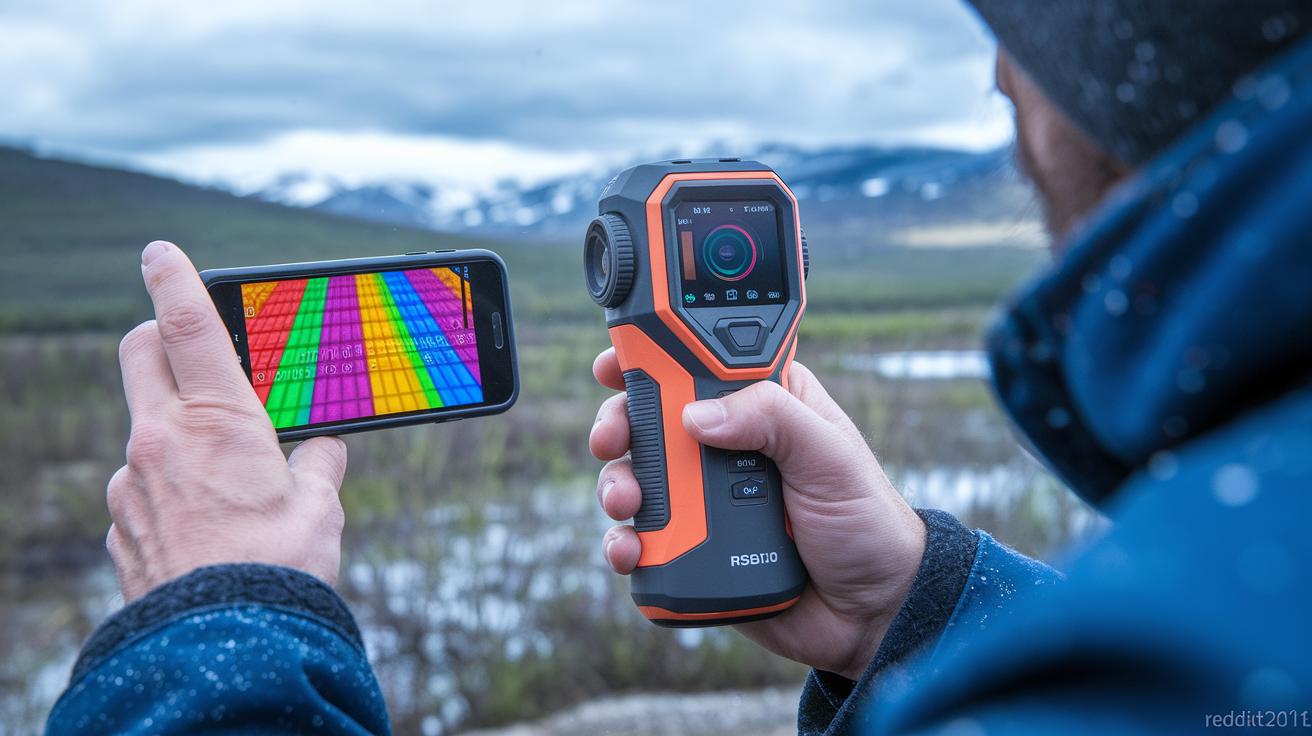
When choosing a smartphone thermal tool, focus on the must-have features like sensor detail and temperature range. A tool with a high-resolution sensor will capture clear thermal details, and a wide temperature range is key for noticing small indoor changes as well as handling extreme outdoor temperatures. It’s also important that your tool easily connects with mobile apps so you get real-time updates through solutions like the Testo Smart App or FLIR One app. Durability matters too if you work in harsh conditions, and balancing your budget with these features helps you avoid paying for extras you might not need.
When making your decision, consider how robust the app features are and how long the device is likely to last. For example, a technician once pointed out that the strong build of a device like the CAT S62 Pro kept it running smoothly on rough job sites. Compare options to see if they offer advanced calibrations or simpler setups, like the streamlined interface of the testo 860i. Sometimes a more affordable model that leaves out extra tools might be just right if you only need basic temperature readings.
Calibration Strategies for Mobile Thermal Sensors
Start by setting up a controlled reference using a blackbody source, which gives you a stable temperature benchmark. Next, adjust for the room’s temperature and use flat-field corrections in your chosen app to even out any inconsistencies. Running these steps in apps such as the Testo Smart App or FLIR One really helps boost accuracy, ensuring your readings stay consistent under different conditions.
Balancing Price and Performance
Think about the trade-offs between cost and features. For instance, the FLIR ONE Edge Pro cuts out some advanced reporting tools to keep the price lower, whereas some rugged models might be tougher but less portable. Compare budget-friendly options with more professional handheld units to find the right balance for your needs without overspending.
Future Trends in Smartphone-Based Thermal Imaging
Smartphone thermal imaging is set to change the way we capture and understand heat. AI-powered tools will make processing images smarter and faster, giving us clear, detailed views that help find issues quickly. By blending thermal and regular images, these devices promise overlays so precise you can see even slight temperature changes.
Looking forward, infrared technology will allow sensors to be tailored for specific jobs, from construction checks to drone surveys. Wireless infrared connections and real-time remote apps will soon be standard, making it easier for technicians to get instant feedback and address problems on the spot.
Final Words
In the action, we broke down built-in versus attachable solutions, compared key specs in an easy-to-read table, and mapped out practical use cases for a thermal imaging camera smartphone. We also covered selection tips and simple calibration strategies. Each section offers clear takeaways for everyday tasks and tougher fieldwork alike. The guide makes it easier to choose the right thermal imaging system for your needs. Enjoy exploring your options and finding the right tool to bring precision and reliability to your work.
FAQ
What is a thermal imaging camera smartphone app?
A thermal imaging camera smartphone app processes infrared data with your phone, turning it into visible heat maps for quick inspections and troubleshooting.
Which is the best thermal imaging camera smartphone?
The best thermal imaging smartphone, like the CAT S62 Pro, features a built-in FLIR sensor and rugged design, making it ideal for security inspections and field diagnostics.
Does Samsung offer a thermal imaging camera smartphone?
Samsung smartphones can support thermal imaging through accessory modules and dedicated apps, meaning you can add thermal capabilities without built-in sensors.
What does a thermal camera app do?
A thermal camera app turns your smartphone into a temperature sensor by displaying infrared data as heat maps, useful for maintenance, inspections, and diagnostics.
How can I use a thermal camera with an Android phone?
You can use a thermal camera with an Android phone by pairing it with plug-in or wireless infrared modules like the FLIR ONE Edge Pro, offering portable thermal imaging.
What is the price range of a thermal imaging camera smartphone?
Thermal imaging smartphone prices vary by design and features, ranging from built-in models like the CAT S62 Pro to accessory modules like FLIR ONE Edge Pro that suit different budgets.
Which is the best thermal camera for Android users?
The best thermal camera for Android often combines affordability with performance, with options like the FLIR ONE Edge Pro providing reliable imaging for both professional and casual use.
How does an iPhone thermal camera app work?
An iPhone thermal camera app works with compatible infrared modules designed for iOS, converting sensor data into thermal images to assist with inspections and maintenance tasks.
Can a smartphone perform thermal imaging?
A smartphone can perform thermal imaging when paired with either built-in sensors or external infrared modules and apps, delivering temperature mapping for diagnostic purposes.
Is there a thermal imaging app that works effectively?
Yes, many thermal imaging apps work well with dedicated hardware by translating infrared data into clear heat maps, making them effective for inspections and troubleshooting.
Can an iPhone act as a thermal camera?
An iPhone can act as a thermal camera when connected to external IR modules, using specialized apps to display temperature variations for field assessments.
How accurate are Android thermal cameras?
Android thermal cameras are generally accurate, with high-end models offering reliable temperature readings that depend on sensor quality and proper calibration.