
Ever ended a long day at your computer with a sore neck? An ergonomic workstation laptop could be just what you need. It features tiltable hinges that let you adjust the screen to eye level, a built-in kickstand to ease strain, and a keyboard designed to support your wrists. This design turns your workspace into a comfortable zone where long work sessions don't have to mean aches. In short, it works with your body to boost your comfort and productivity.
Essential Components of an Ergonomic Workstation Laptop
An ergonomic workstation laptop is made to help you maintain a comfortable posture and avoid strain. Its adjustable hinges let you tilt the screen so your neck stays in line with your eyes. Imagine raising the screen until about the top third is at your natural eye level, that little change can make a big difference in keeping neck stiffness at bay during long work sessions.
These laptops often come with multi-angle kickstands or built-in supports that lift the display high enough, so you don’t need extra accessories. They pair this feature with a contoured keyboard designed to keep your wrists in a natural position, which minimizes the chance of repetitive strain injuries.
Better ventilation plays a big role too. By allowing more airflow, the laptop stays cool under heavy workloads, ensuring steady performance. Plus, well-placed ports make it easy to plug in your devices without having to twist or bend awkwardly, reducing discomfort in your back or shoulders.
A physical therapist who specializes in spinal health confirms that a thoughtful ergonomic design not only boosts comfort but also lowers the risk of long-term injuries by improving posture and reducing strain. In short, an ergonomic workstation laptop supports your body so you can stay focused and productive during extended work sessions.
With features like adjustable hinges, an elevated display, a supportive keyboard, smart vents, and easy-to-reach ports, this type of laptop turns your usual setup into a workspace that truly cares for your well-being.
Optimal Laptop Positioning Strategies for Wellness in Your Workstation

To keep your neck comfortable during long work sessions, adjust your laptop so that the upper third of the screen sits around your natural eye level. A simple way to do this is to raise your laptop a few inches with a stand or monitor riser. This tweak means your eyes naturally land on the top line of text, reducing the need to crane your neck.
For extra comfort, try using an external keyboard and mouse. This setup lets you keep your wrists straight, with your elbows at a 90° angle and your shoulders relaxed, so you can work longer without the usual strain.
Make sure your feet rest flat on the floor and your knees line up with your hips. If your desk’s height makes you uncomfortable, add a footrest to help keep your spine straight. A supportive chair or lumbar cushion also goes a long way to preventing a hunching posture.
- Place the laptop screen so that its top is near eye level.
- Keep your wrists, elbows, and shoulders in relaxed, natural positions.
- Ensure your feet are flat on the floor; use a footrest if needed.
Try these adjustments, and you might find both comfort and productivity improve throughout your day.
Top Ergonomic Workstation Laptop Models Reviewed and Compared
We checked out some workstation laptops built to boost comfort and support a healthy posture. Each laptop comes with smart multi-angle hinges and an integrated stand, so you don't have to hunt for extra accessories when you set up your workspace. They weigh under 4 lbs and offer battery life of over 8 hours, which means you can work from your desk or while on the move. Plus, features like spill-resistant, low-travel keyboards and screens that adjust brightness above 300 nits help keep your typing and viewing comfortable in any light.
Below is a table comparing five top ergonomic workstation laptops, picked for their design and portability:
| Model | Stand Adjustability | Key Ergonomic Feature | Weight | Price (US) |
|---|---|---|---|---|
| ErgoMax Pro | Multi-angle hinge with integrated lift | Low-travel spill-resistant keyboard | 3.2 lbs | $1,199 |
| ComfortLite 14 | 180° adjustable hinge design | Ergonomic keyboard with cushioned keys | 3.5 lbs | $1,049 |
| FlexiView Ultra | Built-in support for raised display | Adjustable brightness (>300 nits) & integrated stand | 3.8 lbs | $1,399 |
| PosturePlus X | Multi-angle hinge for optimal eye-level | Contoured, low-travel keyboard designed to reduce wrist strain | 2.9 lbs | $1,299 |
| EazyErgo Air | Flexible integrated stand with tilt adjustment | Enhanced ventilation with ergonomic layout | 3.0 lbs | $999 |
These laptops balance solid performance with thoughtful ergonomic design. Their built-in stands and adjustable screens help you keep a good posture, cutting down on neck and back fatigue during long work sessions. If you're after a device that supports smooth workflows while keeping you comfortable, one of these models might be just what you need.
ergonomic workstation laptop: Embrace Comfort & Productivity
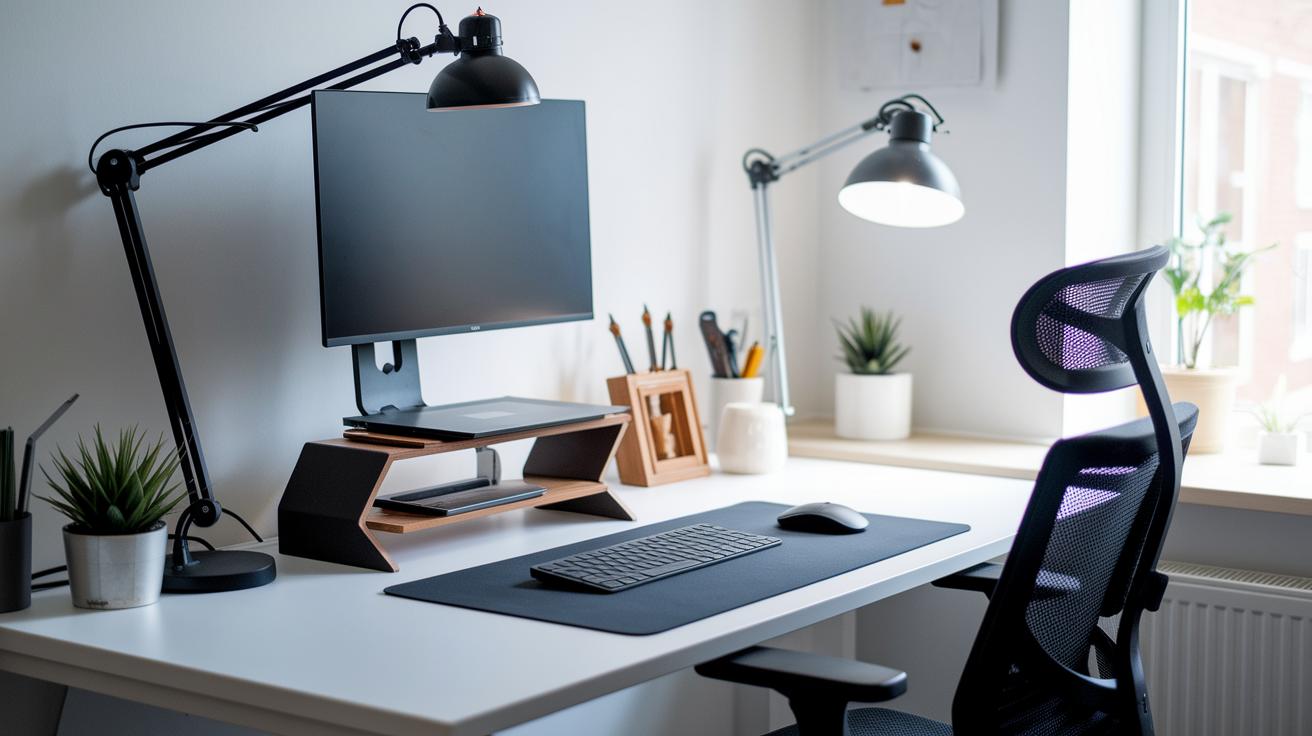
Upgrade your laptop routine with a few smart accessories that make work feel more comfortable and natural. Using monitor risers and adjustable laptop stands lifts your device to a height that keeps your neck and eyes in line, easing common strain during long work sessions. Adding an ergonomic keyboard and a vertical mouse helps your wrists stay in a neutral position, which means less discomfort even after hours at your desk.
You might also consider adjustable monitor arms and keyboard trays. These tools, paired with laptop docks, create a neat and flexible workspace. One simple tip is to position your monitor so that the top of the screen sits just below your eye level. It might sound small, but when your screen is at eye level, your neck gets a little break, making your setup feel a lot friendlier for long days.
Here’s why these upgrades work:
- Monitor risers: They help center your screen for comfortable viewing.
- Ergonomic keyboards and vertical mice: They keep your wrists aligned naturally.
- Adjustable monitor arms and keyboard trays: They let you set up a personalized workstation.
- Posture-monitoring apps (for Mac and PC): They remind you to reposition and take breaks.
Many physical therapists back these recommendations to help reduce the common aches linked to laptop use. Adding these elements to your everyday setup can make a noticeable difference in both your comfort and your productivity.
Mobile Ergonomic Solutions: Sit-Stand and Portable Desk Alternatives
If you're always on the move, keeping a healthy posture doesn’t have to stop at the office door. Instead of sitting stuck in one position, try a portable desktop converter or a fold-out laptop table. These handy setups let you easily switch between sitting and standing, so you can stay comfortable all day.
Light, adjustable mobile laptop desks are built to lift both your screen and keyboard. This makes it easy to change angles and reduce neck and wrist strain, even in tight spots like coffee shops or hotel rooms.
A compact workstation helps you find the right height for your tasks. You can set it just a few inches above your waist for a quick stand or line up your screen exactly at eye level. Many professionals share that carrying an extra power cord can really save the day, and using a backpack with padded straps or a roll-along carrier keeps a heavier laptop secure. Plus, a foldable stand not only lightens your load but also helps prevent that all-too-common slouch during long work sessions.
- Portable sit-stand tables to easily change your work mode.
- Mobile laptop desks that let you tweak your screen and keyboard settings.
- Must-have travel accessories for supporting your ergonomic setup.
How to Choose the Right Ergonomic Workstation Laptop: Configuration and Selection Tips
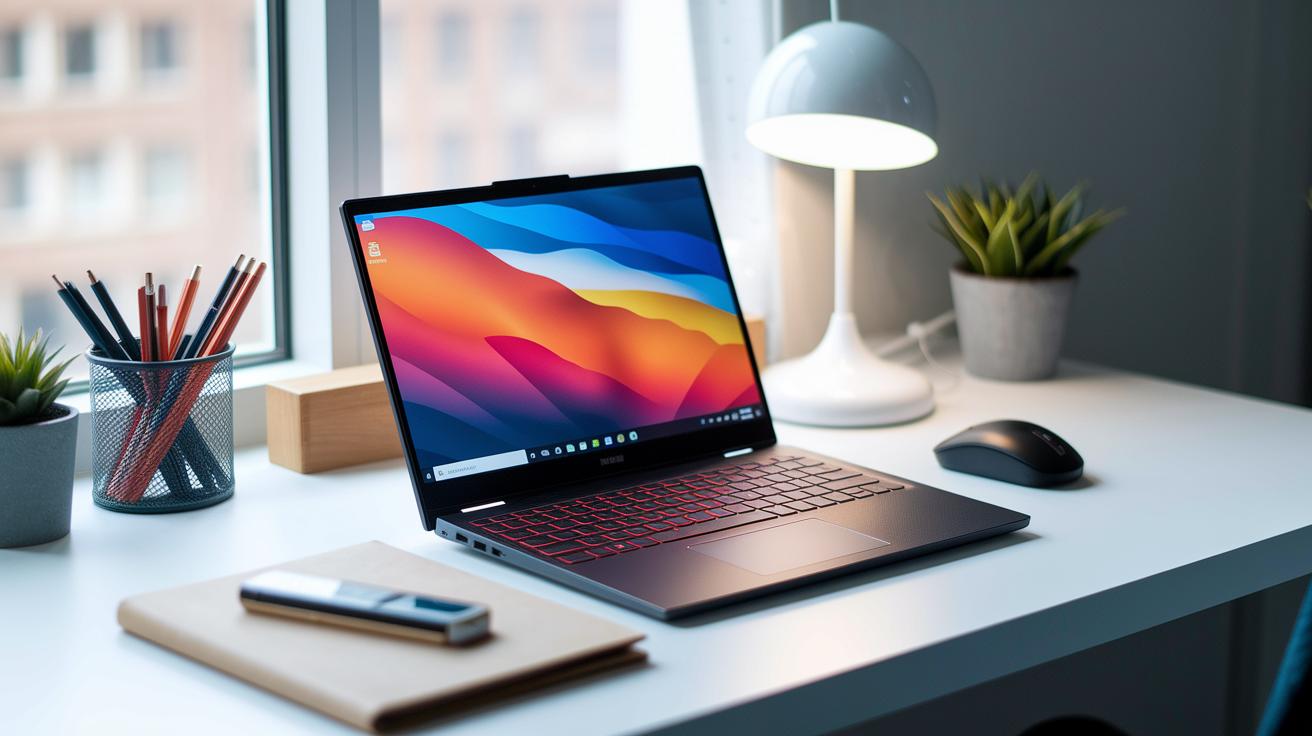
When you’re in the market for an ergonomic workstation laptop, start by checking the screen. A display between 13″ and 15″ gives you a clear view without taking up too much space. Also, make sure the hinge can tilt to at least 150°. This lets you adjust the screen to eye level so you can work comfortably without straining your neck.
Don’t forget the keyboard. A travel distance of 1.5 mm or more makes typing feel smooth even after long hours. It might seem like a small detail, but it really counts when you’re at it all day. Also, take a look at the port setup. A tidy layout with USB-C or HDMI ports helps keep cables short and your workspace neat.
Next, consider battery life and weight. Aim for a laptop that lasts at least 8 hours on one charge and weighs under 4 lbs. This way, it can handle long work sessions and is easy to carry around. Lastly, check that the laptop has built-in vents to keep it cool during extended use, so performance stays reliable.
- Screen size: 13–15″
- Hinge flexibility: ≥150°
- Keyboard travel: ≥1.5 mm
- Battery: 8+ hours
- Weight: <4 lbs
Final Words
In the action, we unraveled how an ergonomic workstation laptop can transform your work routine.
We covered core features that reduce neck, back, and wrist discomfort and shared practical laptop positioning guidance.
We reviewed top models, compared design elements, and even explored handy ergonomic accessories and mobile setups.
Finally, we laid out selection tips to match real-life needs.
This guide shows how small tweaks can boost comfort and productivity.
Enjoy the newfound balance in your workday with a smart ergonomic workstation laptop.
FAQ
Which ergonomic workstation laptop is best for work?
The best ergonomic workstation laptop integrates adjustable hinges, raised displays, and contoured keyboards to support a neutral posture while reducing neck, back, and wrist strain during extended work sessions.
What do users say on Reddit about ergonomic workstation laptops?
Feedback on Reddit highlights that ergonomic workstation laptops impress with thoughtful design elements like flexible stands and responsive keyboards, helping users stay comfortable and productive over long workdays.
How does ergonomic design in laptops improve typing comfort?
Ergonomic design in laptops improves typing comfort by featuring well-angled keyboards and adjustable screens that keep wrists in a neutral position, reducing strain and enhancing overall productivity.
What is the best position for a laptop on a desk for optimal ergonomics?
The best position for a laptop is with its top third at or just below eye level, ensuring that wrists remain neutral and elbows maintain a 90° angle to prevent neck and shoulder strain.
What is an ideal ergonomic laptop and monitor setup?
An ideal ergonomic setup uses a laptop stand to elevate the screen and pairs with an external monitor at eye level, promoting neutral posture, reducing neck strain, and increasing overall work efficiency.
What are the best features of an ergonomic laptop stand, and are they worth it?
An ergonomic laptop stand elevates the display to eye level and encourages proper posture. Its adjustable height and stability reduce neck strain, making it a valuable addition to your workstation.
What sets a workstation apart from a standard laptop?
A workstation features enhanced processing power, additional connectivity options, and built-in ergonomic elements like adjustable screens and keyboards designed to sustain long hours of comfortable, high-performance use.