
Ever thought one device could do it all? Well, the Lenovo Ideapad 5 2 in 1 might just change your mind. We found that it easily switches from laptop mode to tablet mode, making it a solid choice for work or creative projects. The 14-inch screen looks clear and bright indoors, and its AMD Ryzen processor (the chip that powers the device) handles everyday tasks without breaking a sweat. In this review, we dive into its design, performance, and pricing to help you decide if this convertible is the right fit for your busy life.
Lenovo Ideapad 5 2 in 1: Full Specs, Performance & Purchase Options
The Ideapad 5 2 in 1 is built to meet everyday productivity needs with a versatile convertible design. Its 14-inch WUXGA IPS screen offers a 1920×1200 resolution with a 16:10 ratio and runs at a 60 Hz refresh rate. While it’s rated at 300 nits, our tests showed it could peak at 336 nits, which means it’s best used indoors where bright lighting isn’t a must.
Under the hood, you get a choice between two AMD processors. One option features the Ryzen 5 8645HS paired with Radeon 760M graphics, and if you need a bit more muscle, you can upgrade to the Ryzen 7 8845HS with Radeon 780M graphics. Both systems run at 45 W. Real-world benchmarks like PCMark 10, where it scored over 7,000, confirm that this machine easily handles everyday tasks and coding projects. Its fan noise is a touch louder due to higher power use, but the device manages power well, losing only 2–3% overnight.
The base setup packs 16 GB RAM, a 512 GB SSD, and comes with Windows 11 Home. You can choose between the sleek Luna Grey or Cosmic Blue finishes. Prices start at $600, with fully upgraded versions hitting around $730. For more pricing details and budget insights, check out the link provided.
Weighing about 3.5 lb, the Ideapad 5 2 in 1 supports multiple work modes, making it a great choice for both home office use and on-the-go productivity.
| Spec | Details |
|---|---|
| Display | 14-inch WUXGA (1920×1200), 60 Hz, 300 nits (336 nits peak) |
| Processor Options | Ryzen 5 8645HS (Radeon 760M) or Ryzen 7 8845HS (Radeon 780M) |
| Memory & Storage | 16 GB RAM, 512 GB SSD (upgrade available) |
| Price | $600 base, up to ~$730 fully upgraded |
lenovo ideapad 5 2 in 1: Dynamic Performance
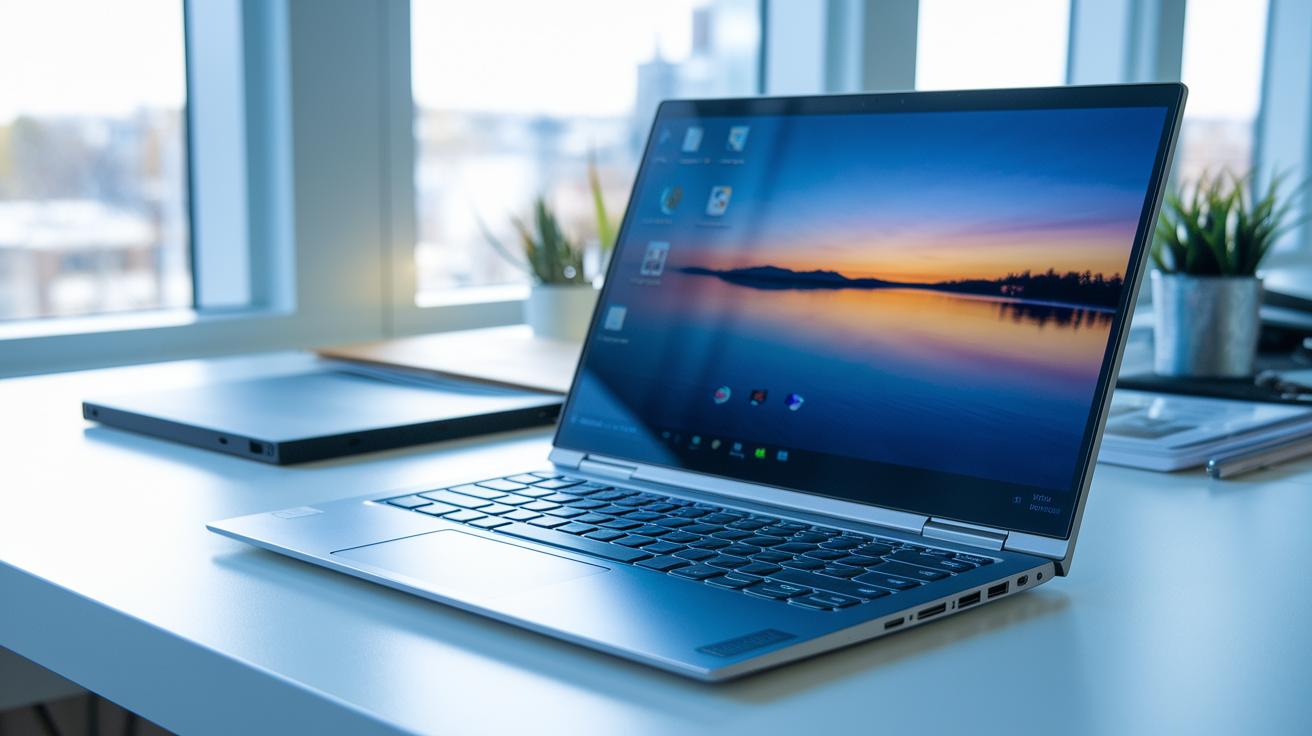
The 14″ IPS display features a 1920×1200 resolution in a 16:10 format, giving you extra vertical space that’s great for getting work done. It refreshes at 60 Hz, which makes scrolling and onboard animations look smooth. However, the screen peaks at 336 nits, so while it performs well indoors, it might struggle in bright sunlight. Touching the screen feels nearly instant, imagine flipping through pages of your favorite book with every swipe.
The build quality stands out too. The Ideapad 5 2 in 1 comes with a unibody aluminum chassis that feels both premium and durable. Familiar Lenovo badges and a curved keyboard deck give it that classic look that reassures you of its quality. The design blends practicality and style, ensuring every part is built to handle daily use. All in all, this laptop pairs a sharp display with a robust build to support creative projects and everyday productivity, whether at home, in the office, or on the go.
Performance & Battery Life on the Lenovo Ideapad 5 2 in 1
The Ideapad 5 2 in 1 handles everyday tasks well with its AMD Ryzen processors. However, Cinebench tests reveal that its multicore performance doesn’t always match up to some competitors like the Yoga 7 Gen 9. In our tests, we saw that during heavy multitasking on Cinebench, the system sometimes lagged a bit, which suggests it might not be the best choice for sustained, intensive workloads.
Battery performance is a strong point. In mixed office use, it lasts over 8 hours, and after an overnight standby, it only lost about 2-3% of its charge. That means you can keep working through the day without worrying about constant recharges.
The cooling system stands up well under longer, demanding sessions. Yes, the fans do become noticeable during heavy use, but they do a good job of keeping the laptop cool. In one extended multitasking session, the fans kicked in clearly to prevent the system from overheating – an audible but worthwhile trade-off for maintaining performance.
Lenovo Ideapad 5 2 in 1: Connectivity, I/O & Audio

The Ideapad 5 2 in 1 comes packed with reliable connectivity that works well whether you’re at home or in the office. It features Wi‑Fi 6 and Bluetooth 5.3 to keep your video calls smooth and your file transfers steady throughout a busy day.
For your ports, it offers a USB‑C (for current accessories, though it isn’t built for 20 or 40 Gbps speeds), a USB‑A, an HDMI connector, a headphone jack, and a microSD slot for extra storage needs. While it doesn’t include Thunderbolt or 10 Gbps options, this mix covers most everyday connections and keeps your setup versatile.
On the audio front, you get two upward‑firing 2 W speakers with Dolby Atmos support. They deliver clear mids and highs along with a decent bass, kind of like having a compact sound system on your desk. This setup makes it a smart pick for hybrid work, whether you’re streaming your favorite tunes or running a presentation.
Keyboard, Touchpad, Security & Software on the Lenovo Ideapad 5 2 in 1
The Ideapad 5 2 in 1 comes with a full-size backlit keyboard featuring classic Lenovo keycaps. Each key offers just the right amount of travel and tactile feedback, making long typing sessions feel natural, almost like using a trusty old typewriter where every press reassures you.
The big clickpad is another win. Thanks to precision drivers, it tracks movements accurately and recognizes multi-finger gestures easily. Whether you're scrolling through a long document or juggling multiple browser windows, the clickpad responds smoothly and reliably.
Security is straightforward too. A square fingerprint sensor supports Windows Hello, letting you log in quickly and safely, even though there isn’t an infrared camera for facial recognition. On the software side, the laptop runs Windows 11 Home by default, with an option to upgrade to Pro for an extra cost. Preloaded tools like Lenovo Vantage, Hotkeys, Pen Settings, and Dolby Access keep driver updates and system tweaks simple, so your device stays dependable and ready for both work and play.
Design, Mode Flexibility & Portability of the Lenovo Ideapad 5 2 in 1

The Lenovo Ideapad 5 2 in 1 features a 360° hinge that lets you quickly switch between laptop, tent, stand, and tablet modes for various tasks. The hinge feels robust as you change modes, so you can trust it during daily use. Its slim aluminum body, around 0.7 inches thick, delivers a premium look while remaining easy to carry, ideal for on-the-go meetings or streaming your favorite shows.
When you flip it into tablet mode, the device weighs about 3.5 lb, with the weight shifted more toward the screen. This design means that extended handheld use might feel a bit off balance for some. However, if you’re simply switching modes for short, casual tasks, it remains a practical and flexible option that meets the needs of both work and entertainment.
Value & Comparisons: Is the Lenovo Ideapad 5 2 in 1 the Best Budget Convertible?
If you need an affordable convertible, the Ideapad 5 2 in 1 might be the right pick. It usually runs about $650, with base prices between $600 and $752, and upgraded models going up to around $861. That makes it a strong choice in the budget category. Its PCMark scores show it handles everyday work reliably, although its Cinebench multicore numbers don’t quite keep pace with rivals like the Yoga 7 14 Gen 9 or some HP Envy x360 models.
Here are a few key points:
- It weighs 3.5 lb, a bit heavier than many competitors (typically 3.0-3.2 lb), which reflects its sturdy build and robust internal performance.
- The design blends affordability with Lenovo’s classic build quality, offering a versatile solution for those shopping on a budget.
- While it manages everyday tasks very well, its mixed multicore performance might not be ideal for heavy multitasking or sustained high-load work.
In short, this convertible offers a good balance of cost, performance, and usability. It’s a reliable option for users who need consistent work mode performance without breaking the bank.
Final Words
In the action, we broke down the lenovo ideapad 5 2 in 1 from every angle. We covered its display clarity, performance, battery life, and convertible design.
We also compared pricing tiers and value against competitors, noting how well it fits everyday work and play.
With practical tests backing its strong specs and honest price, this device appears ready to handle varied use cases. The review leaves us feeling confident about its balanced mix of power and convenience for real-world users.
FAQ
What are the display specifications and build quality of the Lenovo IdeaPad 5 2-in-1?
The display features a 14-inch IPS panel with a 1920×1200 resolution, a 16:10 aspect ratio, and up to 336 nits brightness, housed in a slim aluminum chassis with a clean, sturdy design.
What processor and graphics options does the Lenovo IdeaPad 5 2-in-1 offer?
The device comes with AMD Ryzen 5 8645HS paired with Radeon 760M graphics, or an upgraded Ryzen 7 8845HS with Radeon 780M, both offering efficient 45W performance for day-to-day tasks.
How does the Lenovo IdeaPad 5 2-in-1 perform in benchmarks and everyday usage?
The IdeaPad 5 2-in-1 achieves over 7,000 on PCMark 10, delivering smooth office performance with good multitasking, although increased fan noise may occur under heavy loads.
What battery life and connectivity features are available on the Lenovo IdeaPad 5 2-in-1?
It offers over 8 hours of runtime with minimal overnight battery drain (2–3%), along with Wi-Fi 6, Bluetooth 5.3, USB-C, USB-A, HDMI, and a microSD slot for versatile connectivity.
What are the input and security features of the Lenovo IdeaPad 5 2-in-1?
The laptop has a full-sized backlit keyboard, a large clickpad with precise gestures, and a fingerprint sensor for Windows Hello, ensuring practical daily use and secure access.
How does the Lenovo IdeaPad 5 2-in-1 adapt to different usage modes and portability needs?
With its 360° hinge, the device easily shifts between laptop, tent, stand, and tablet modes. Weighing about 3.5 lb, it offers a slim, travel-friendly design suitable for on-the-go tasks.
How does the Lenovo IdeaPad 5 2-in-1 compare to other budget convertible laptops?
It delivers strong performance with competitive PCMark scores and solid build quality, making it a cost-effective choice even though it weighs a bit more than some rival convertibles.